Themes
Pick one of three built-in looks, or upload your own Ghost-style theme, and preview it with your own posts first.
A theme is how your site looks to readers. Kōlea comes with three, and you can upload your own: themes use the same template language and file names as Ghost, so many Ghost themes install as they are. You can preview any theme with your real posts before you switch, and switching changes nothing but the look. Your profile, posts, and domain stay as they are.
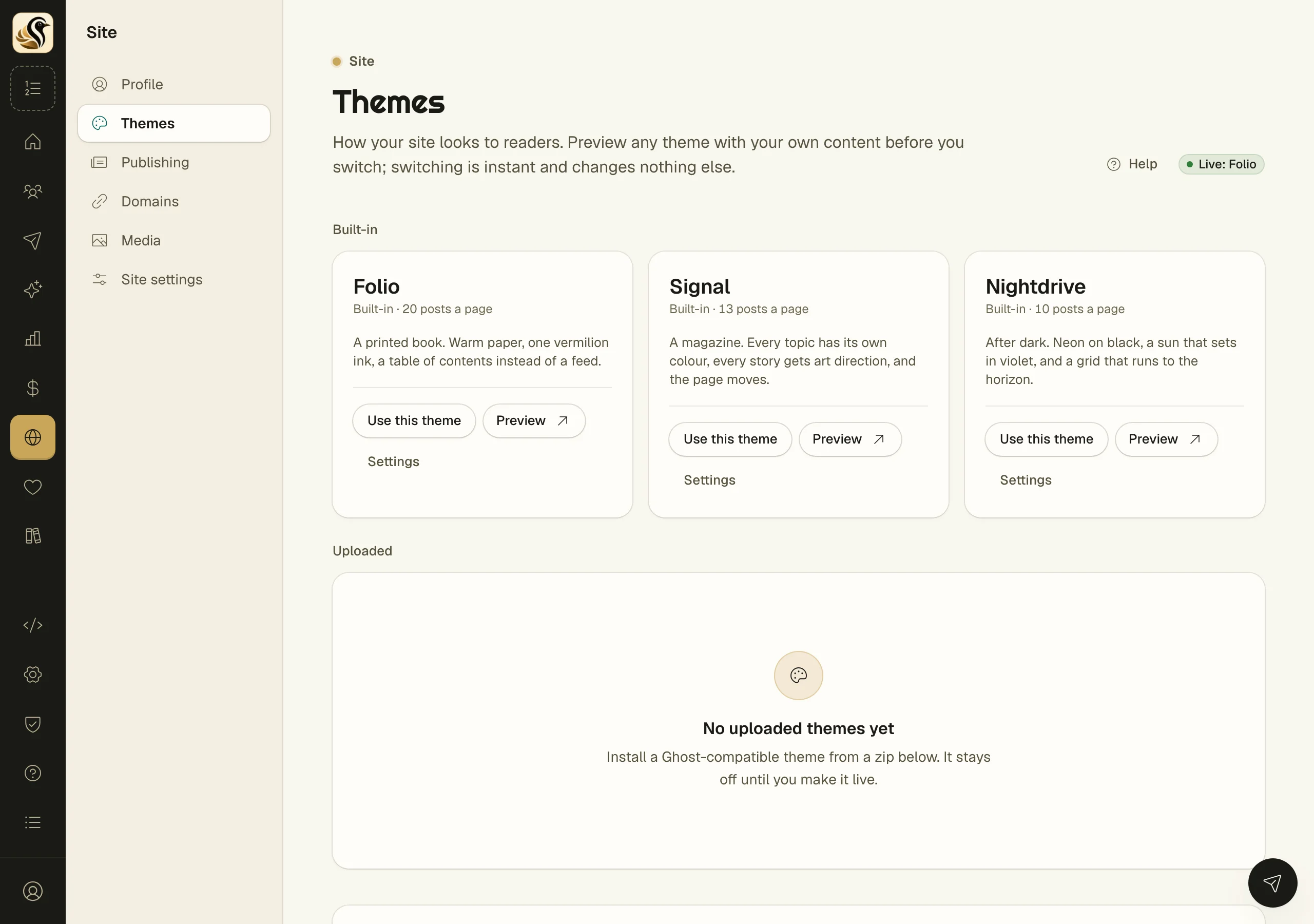
Choose a built-in theme
- Open Site > Themes.
- Under Built-in, look over Folio (a printed book, warm paper and one ink colour), Signal (a magazine, a colour per topic), and Nightdrive (neon on black).
- Click Preview to open a theme in a new tab with your own content. A banner marks it as a preview.
- Click Use this theme on the one you want.
The pill at the top of the page says which theme is live. Readers see the change within a minute.
Change a theme's settings
Some themes have settings, such as Folio's paper colour or Signal's motion. Click Settings on the theme, change what you like, and click Save settings. The live site shows them within a minute. Each theme keeps its own settings, so switching away and back loses nothing.
Upload your own theme
- Make a zip of the theme. It needs package.json, index.hbs, and post.hbs at its root or inside one folder.
- Under Install a theme, drop the zip on Drop a theme zip here, or choose one, or click Choose a zip.
- Wait while Kōlea checks every template.
- Read the result. If any template has a mistake, Nothing was installed names the file and line. Fix it and upload again.
- Once installed, the theme appears under Uploaded. Preview it, then click Use this theme.
Installing never makes a theme live. Uploading a theme with the same name as one you already have replaces it.
Bringing a theme from Ghost
Most Ghost themes install as they are. If one is built around paid tiers, Portal, or comments, go to Bringing a theme from Ghost? at the bottom of the page and click Copy prompt. Give the prompt and the theme's files to Claude. Upload what comes back.
Things to know
- A zip can be up to 25 MB, 60 MB unpacked, and 1,500 files.
- If a theme uses helpers Kōlea doesn't have, it still installs. The card lists them, and they render nothing.
- Built-in themes can't be edited or deleted, and their names are reserved for them.
- Deleting the live theme switches your site to Folio at once. It never goes blank.
- Theme authors: see Theme data for what a template can read.