Launches and looks
Launch Studio takes one offer from an idea to a sale in seven steps, with three looks for the sales page.
Launch Studio is the marketing behind one offer: the brief, the launch mails, the sales page, the checkout, the download, and a follow-up note. It shows all of it as seven steps on one screen, so you can see what is done and what is left. Open it from Money > Offers by clicking Launch beside an offer, or Open launch on the offer's page.
Work through the seven steps
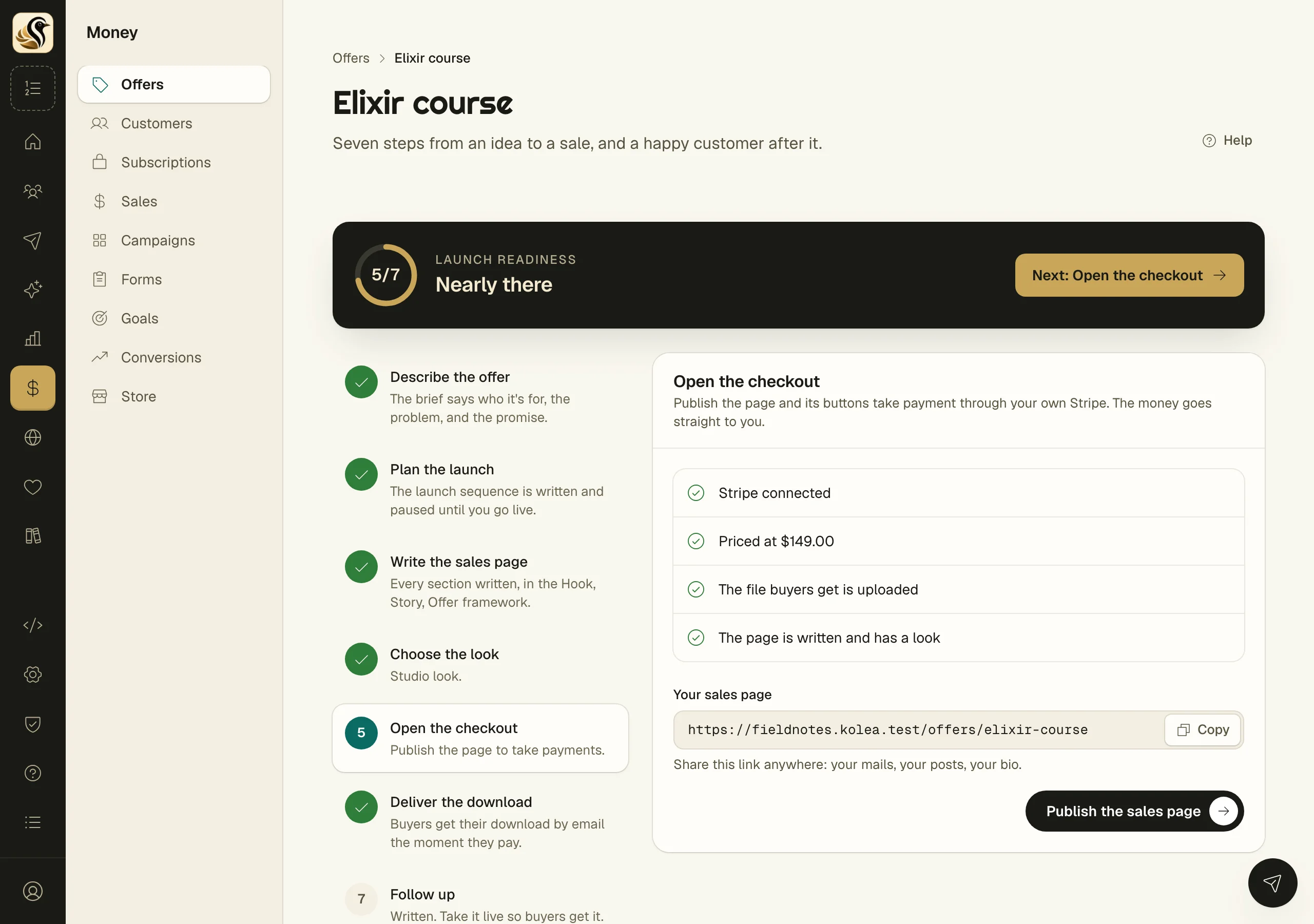
The ring at the top shows Launch readiness, and the button beside it takes you to the next step that is not done. The rail on the left lists every step; click one to work on it.
- Describe the offer. Answer Who is it for?, What problem does it solve?, and What changes for them?, plus what's inside, your guarantee, and your story. Every other step reads from this brief.
- Plan the launch. Pick a play: Product Launch Formula, The Big Sale, or Evergreen funnel. Kōlea marks one Suggested and says why. Click Make the sequence and the launch mails are laid out day by day, paused, for you to write. Click Go live when they read right.
- Write the sales page. Choose a framework, such as Hook, Story, Offer or Person, Problem, Plan. Click Fill from my brief for a start, then write each section in your own words.
- Choose the look. Pick one of three looks and see your page in the Full preview.
- Open the checkout. The checklist shows Stripe, the price, the file, and the page. Anything missing has a Fix it link. Click Publish the sales page.
- Deliver the download. Click Write it and send it automatically for a ready thank-you mail, then Edit the mail to change any word. Keep Send it by itself when someone buys on your site switched on.
- Follow up. Set Days after buying and click Write the follow-up. One note asks buyers if it is working, with a link to write you a testimonial. Click Go live when you are happy with it.
The three looks
The same words, three ways to wear them:
- Studio: bold and modern, with a buy bar that follows the reader down the page.
- Sales letter: the classic long-form sales letter.
- Quiet: editorial and calm, with lots of space.
You can switch looks at any time. Your copy does not change.
What happens next
Once the page is published, Your sales page shows its link with a Copy button. Share it in your mail, your posts, and your bio. Buyers pay through your own Stripe and get their download by email the moment they pay.
Things to know
- Anything in [[ double brackets ]] is a placeholder. The page cannot be published until every one is replaced.
- Switching frameworks keeps what you wrote for any section the two share.
- Every sequence Launch Studio makes starts paused. Nothing is sent until you go live.
- Take it down unpublishes the page and the plain offer page comes back.
- With AI on, Outline with AI puts the points to make beside each section from your brief. The words stay yours. You can also copy a ready-made prompt to the AI you already use.
- A testimonial from the follow-up lands on your wall only when you approve it.