Tags and tag rules
Labels on people, and rules that add a tag when someone clicks, opens, or signs up.
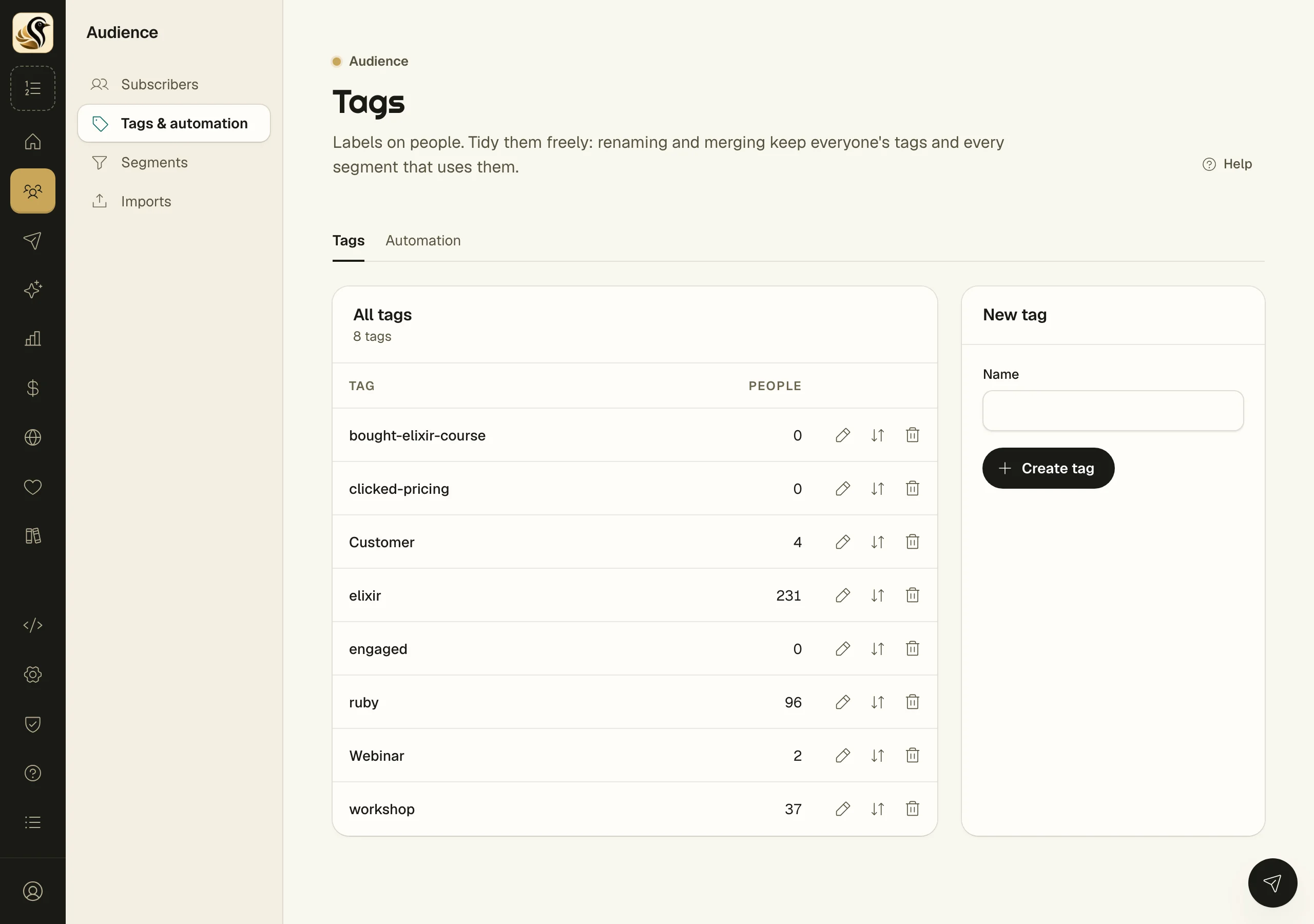
A tag is a label on a person: what they bought, what they are interested in, which workshop they came to. Tags drive segments, and a tag can start or end a sequence. Tag rules add tags for you when someone acts on your mail or fills in a form.
Manage your tags
- Open Audience > Tags & automation. The Tags tab lists every tag and how many people carry it.
- To make one, type a Name under New tag and click Create tag.
- Click a tag's name to see everyone who carries it on the Subscribers screen.
- Use the icons on each row to rename, merge, or delete.
Rename
Everyone keeps the tag under its new name. Segments and automations follow it.
Merge
Pick the tag to merge Into and click Merge. Everyone tagged with the old tag moves to the one you picked, segments and automations are repointed, and the old tag is deleted. Use this to tidy up duplicates like "Webinar" and "webinar".
Delete
The dialog tells you how many people carry the tag. Deleting removes the tag from them and deletes nobody. If a sequence or a tag rule still uses the tag, the dialog lists what depends on it and Delete tag does not appear. Change those first, or merge the tag into another instead.
Add a tag rule
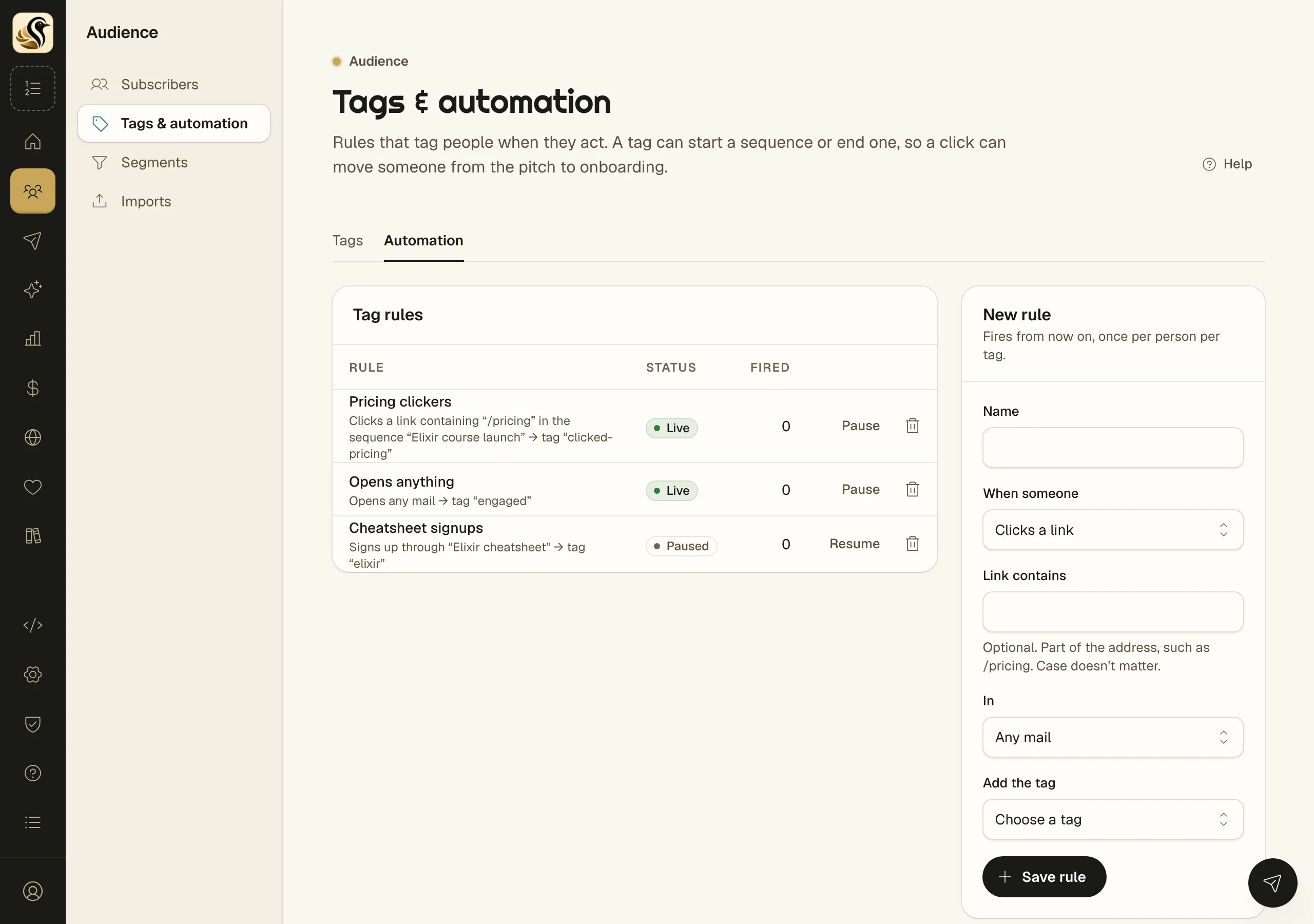
- Open the Automation tab.
- Under New rule, give it a Name.
- Choose When someone: Clicks a link, Opens a mail, or Signs up through a form.
- For a click, you can fill in Link contains with part of the address, such as /pricing. Case does not matter.
- For a click or an open, choose In: Any mail, or one sequence. For a signup, choose the Form, or leave it on Any form.
- Choose the tag under Add the tag, and click Save rule.
What happens next
The rule fires from now on, once per person per tag. Nobody is tagged for anything they did before you saved it. The Fired column counts how often it has applied, with the date it last did.
When a rule adds a tag, any sequence that ends on that tag ends first, then any sequence that starts on that tag begins. So one click can move someone from a sales series into onboarding. That chain is on purpose.
Things to know
- Removing a tag from someone never deletes them.
- Pause stops a rule without losing it. Resume turns it back on.
- Deleting a rule leaves the tags it already applied where they are.
- A tag only counts as added the first time. Adding a tag someone already has does not start a sequence again.
- You need at least one tag before you can save a rule.