The Slop meter
A score and a to-do list beside the editor that flags writing habits readers take for machine-made.
Readers can spot machine-made writing in a sentence or two, and once they do, they stop reading. The Slop meter reads your draft as you type and points at the habits that cause it: stock phrases, announcements that a point is coming, fragments lined up for effect, model vocabulary, dashes used for drama. It runs in your browser, uses no AI, and your draft is never sent anywhere to be checked.
Read the meter
The meter is the Writing panel at the top of the column beside the editor, in broadcasts and sequence mails. Purchase mail and form replies get the underlines too.
- Slop score runs from 0 to 100. Under 15 reads Reads like a person wrote it. From 15 to 44 it says Some slop in here. 45 and up is Heavy slop.
- The line under the verdict tracks your progress, for example "Started at 62. Work the list to get under 15."
- Each problem is underlined in the text. Hover one to see what it is and why it reads badly.
- The subject line is checked too, for phrases and punctuation.
Quotes and code blocks are left alone, and the score is measured per hundred words, so one slip in a two-line note doesn't max the dial.
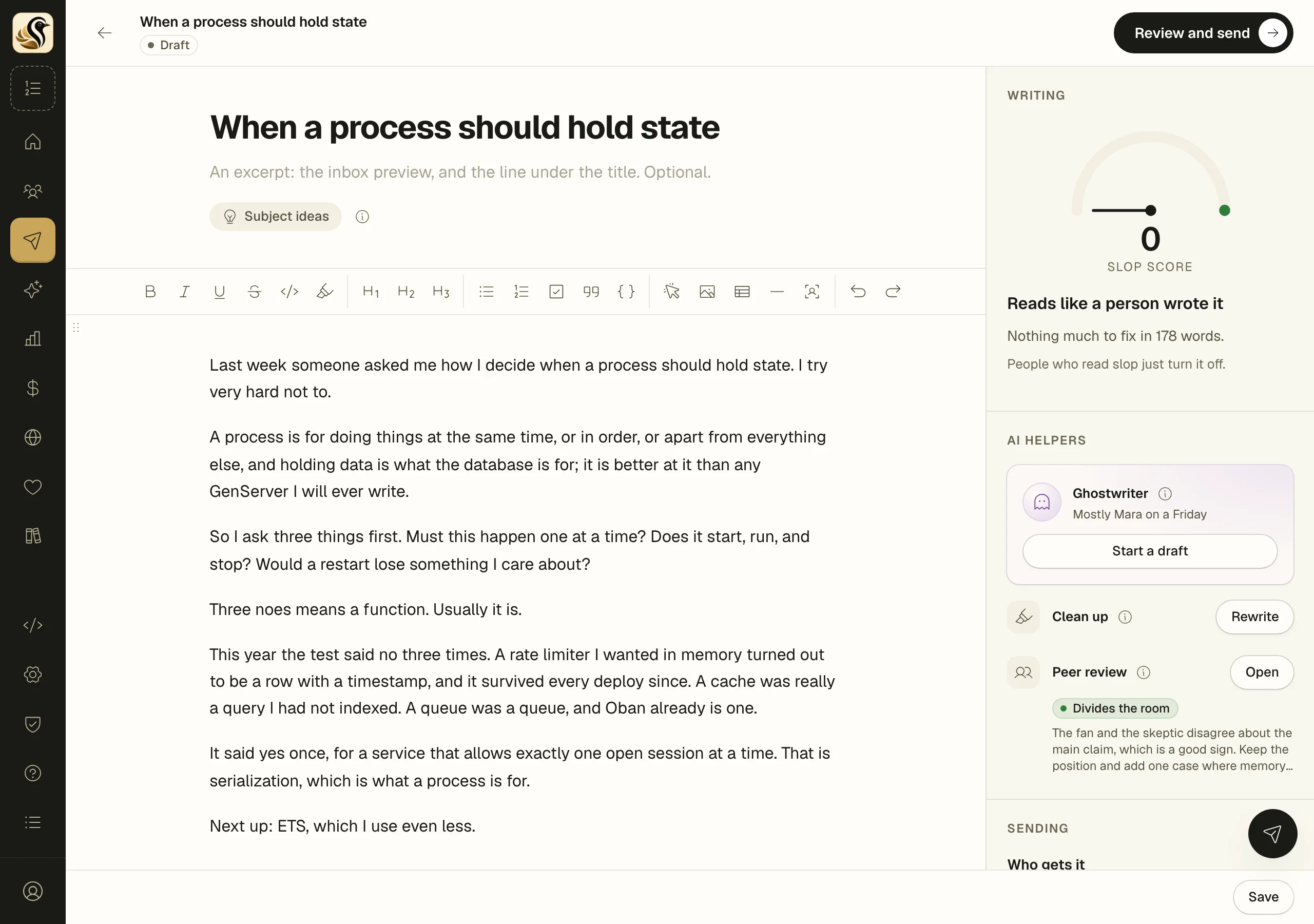
Work the list
- Look at the to-do list under the verdict. It has one line per habit, the costliest first.
- Click a line to jump to the next place it appears in your draft. Click again for the next one.
- Fix it in your own words. The line stays on the list with a tick once it's done.
If you would rather hand the rewrite to your own AI tool, click Copy a clean-up prompt. It lists the actual problems in this draft, so the tool is told what to stop doing.
With AI writing help on, Rewrite beside Clean up, under AI helpers below the meter, rewrites your sentences against the same house style. Images, buttons, quotes, and code stay put, and one undo brings your words back.
When you save or send
If the draft still has slop when you click Save, the meter asks once: "There is still slop in this draft. Save it as it is?" Click Keep writing or Save anyway. It never asks twice about the same words, and autosave is never held.
On the send page, a draft with some or heavy slop gets a warning. It is a warning only; you can still send.
Things to know
- The underlines never change your text and never reach the mail.
- The same rules hold the Ghostwriter to account: a draft at the second or third round is checked and revised once if it isn't clean.
- If the check stops working, your draft is fine and still saves. Reload the page to bring the check back.