What it is
I've sold ebooks and videos for a long time, and the selling part was never the hard part. It was the plumbing: products in Stripe, files on S3, a script that emailed links, and a support inbox full of "I lost my download".
In Kōlea, an offer is a title, a price, and a file. Set the price and Kōlea creates the product in your Stripe account. Upload the file and it goes on sale on your site.

01 Digital products
A price, a file, on sale
Your offers sit in one table with their price, their file, whether they're on sale, and how many people bought each one.
-
Kōlea sets up the product and price in your Stripe, so you're not clicking around the Stripe dashboard copying IDs. Change the price and the old one is archived.
-
PDF, EPUB, ZIP, gzip, or tar up to 1 GB, checked from the file's contents, not its name.
-
It won't go on sale until it's ready, an offer needs a price on your connected Stripe and a file before anyone can buy it, so nobody pays for nothing.
-
Buyers counted per offer, paid, live sales only, so you can see what's actually selling.
02 Digital products
Your Stripe, your money
Connect a restricted key and Kōlea reads your sales and opens Stripe Checkout for buyers on your site. The money goes straight to your account.
-
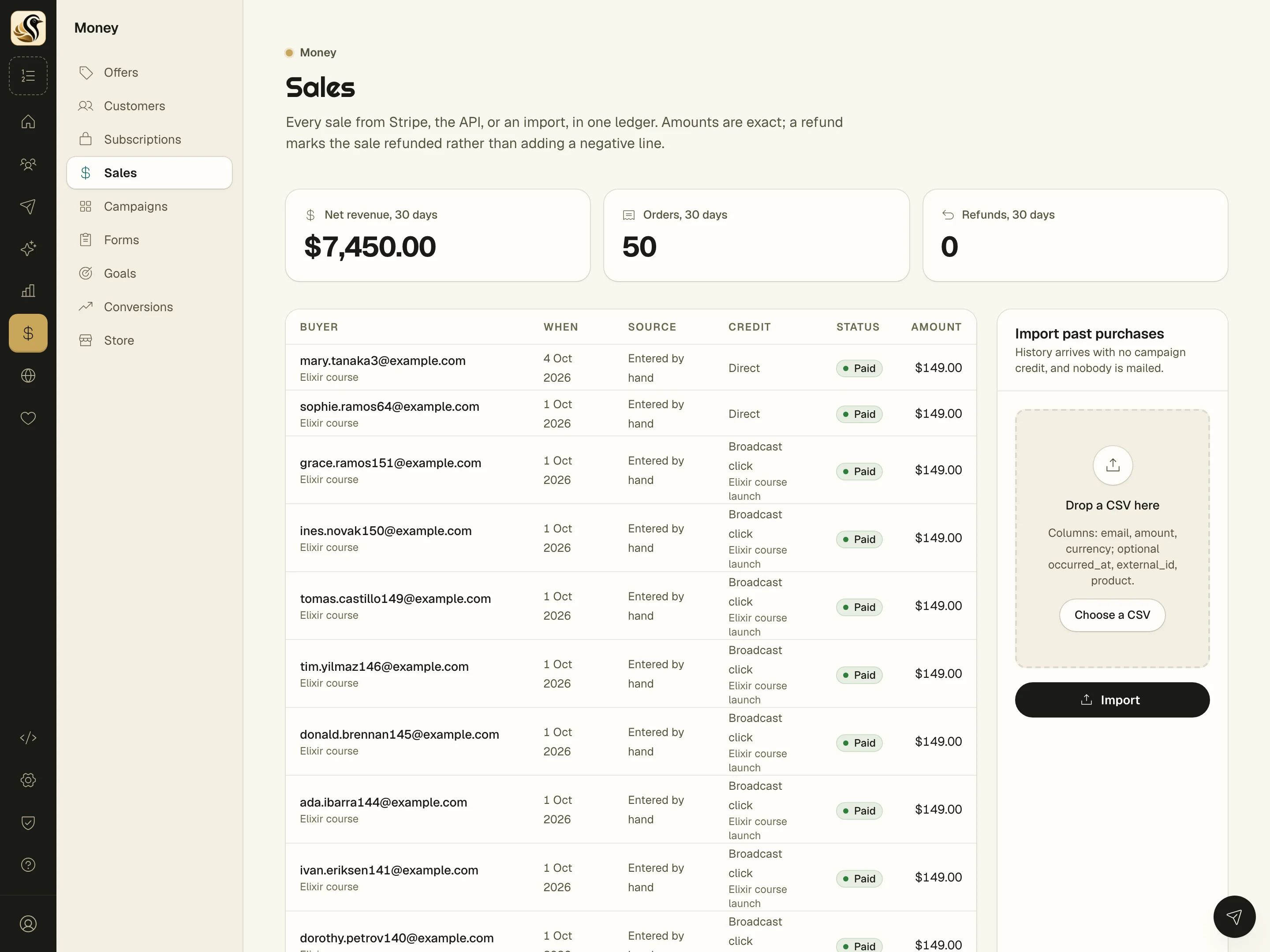
One sales ledger, Stripe, the API, and imports in one place, with exact amounts and refunds marked rather than subtracted.
-
Every sale traced to the email behind it, so you know which broadcast sold the course. See Sales attribution for how.
The short version
- Set a price in Kōlea and it sets up the product in your Stripe account.
- Buyers get a download link by email, and can get it again later if they lose it.
- You write the thank-you email yourself, so it sounds like you.
Try it on your own list
Free for your first 500 subscribers, no credit card needed. We'll help you move your list over.