Stripe
Connect your own Stripe in one click, so sales arrive by themselves and your readers can pay you.
Kōlea sells through your own Stripe account. Once it is connected, your sales arrive in Kōlea as they happen, Kōlea can create products and prices for your offers and Premium, and readers pay you through Stripe Checkout. The money goes straight to your Stripe. Kōlea never moves money itself.
Connect your Stripe
- Open Money > Store.
- Under Connect your Stripe, click Connect with Stripe.
- Stripe asks you to sign in, or to make an account if you do not have one. Then it asks you to let Kōlea read and write on your account. Approve it.
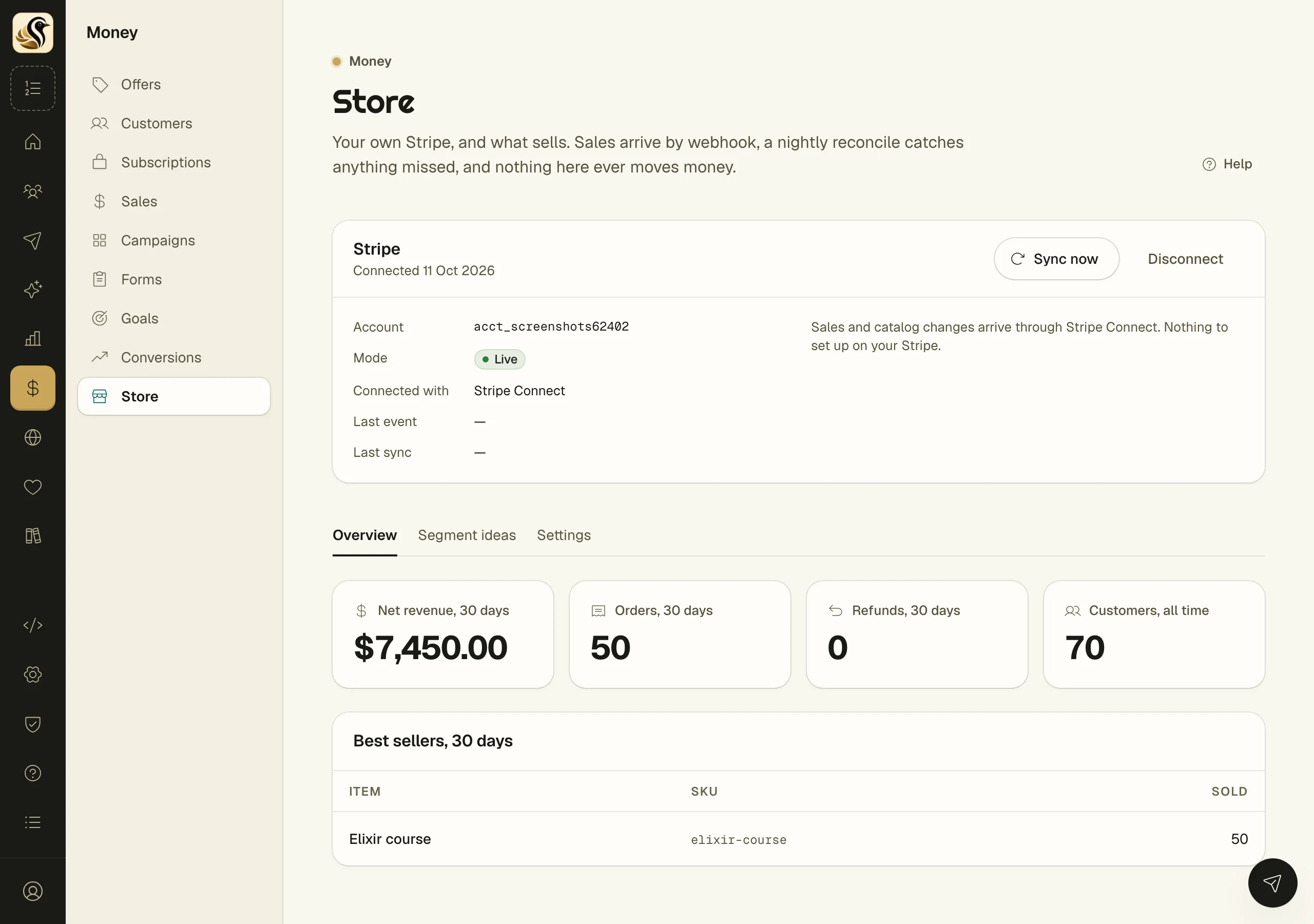
- Stripe sends you back to the Store screen, which now shows Stripe with the date it was connected.
Only an owner or admin can connect Stripe. Everyone else on the account sees the sales once it is done.
The webhook
With Stripe Connect there is no webhook for you to add. Sales, refunds, and catalog changes reach Kōlea through the connection, and the Store screen says "Nothing to set up on your Stripe."
If your Stripe was connected the old way, with a restricted key, the Store screen shows its Webhook URL, which Kōlea registered on your Stripe for you:
https://kolea.pro/webhooks/stripe/your-tokenThat way still works, but the screen asks you to Reconnect with Stripe. One click moves you to Stripe Connect, with no key to look after and every permission Premium and paid offers need. Sales keep arriving meanwhile.
What the Store screen shows
- Sync now starts a sync with Stripe, and the results appear a minute later. A nightly sync catches anything missed on its own.
- Recent syncs and Recent events show what arrived and when.
- Overview shows net revenue, orders, refunds, and your best sellers.
- Segment ideas suggests audiences from what people bought.
- Settings holds the attribution windows and your Customer dashboard URL.
Premium subscriptions
Money > Subscriptions sells one paid level on your site. Enter a Currency, a Monthly amount, and a Yearly amount, and click Save prices. Kōlea creates the product and both prices on your Stripe. Readers subscribe at /members/premium on your site, and premium posts open to anyone with a live subscription. The page lists your subscribers and the posts that converted them.
Paid, not delivered
If a buyer paid but Kōlea could not book the sale or hand over the file, the Store screen shows it under Paid, not delivered with the reason. Fix the cause, then click Retry delivery. The buyer's return page tells them you have been told, and nothing is lost.
Things to know
- Disconnect removes Kōlea's access to your Stripe. Sales already recorded stay. New sales stop arriving until you connect again.
- If Kōlea is removed from your Stripe on Stripe's side, the Store screen says so. Premium and paid offers stop taking payments until you reconnect.
- One Stripe account can be connected to one Kōlea account.
- Stripe prices never change. A new amount is a new price, and the old one is archived.
- A reader who pays for Premium twice shows under Paid twice on the Subscriptions screen. Cancel and refund the second one in Stripe.