Account settings
Your account's name, time zone, who your mail comes from, where replies go, and your postal address.
Account settings decide how your account presents itself. They set the name your team sees, the time zone your schedules use, and the from line every new broadcast and sequence starts with. The postal address here goes in the footer of every marketing mail, and you cannot send to your list without one.
How to change your settings
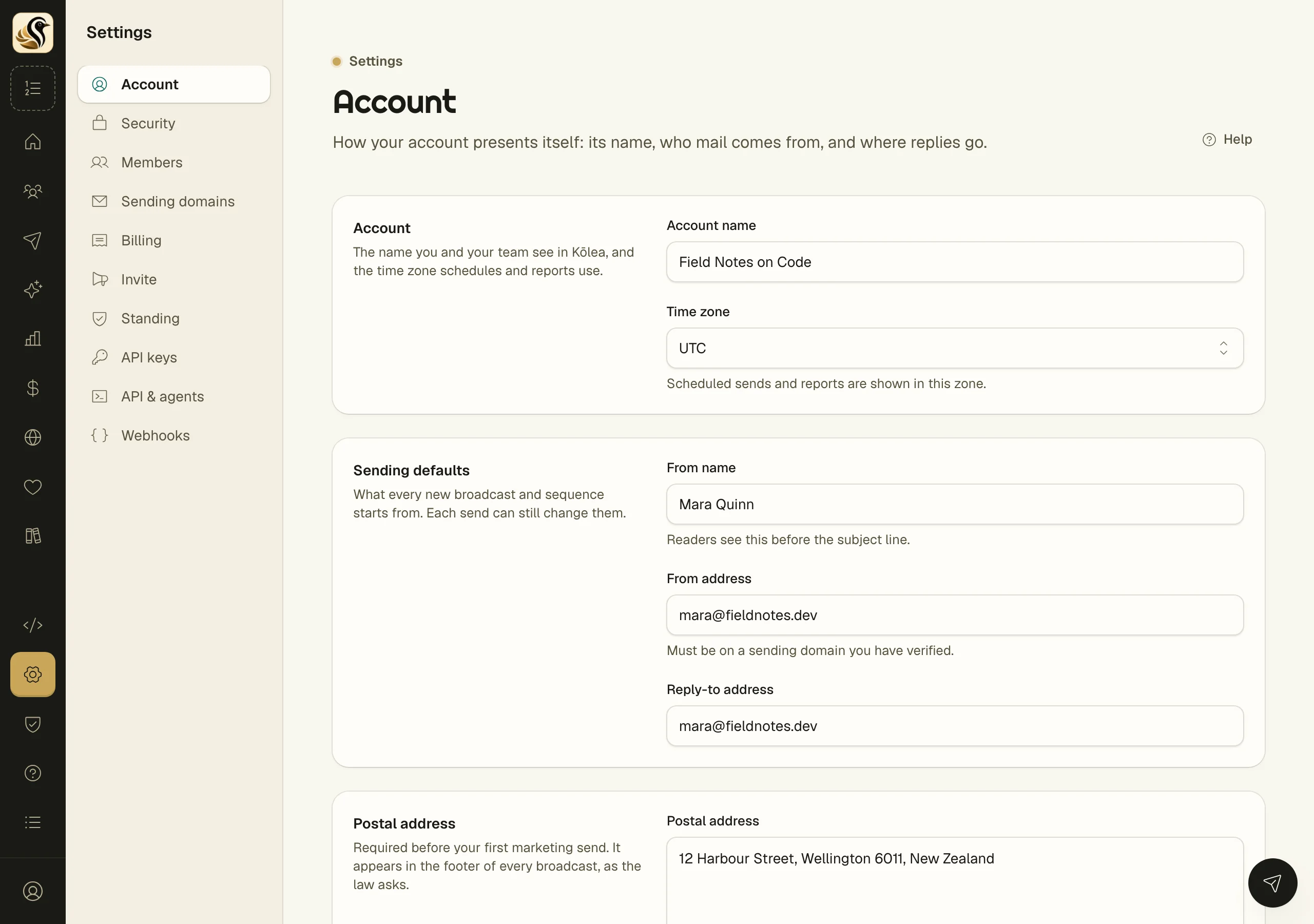
- Open Settings > Account.
- Change what you need:
- Account name: the name you and your team see in Kōlea.
- Time zone: scheduled sends and reports are shown in this zone.
- From name: readers see this before the subject line.
- From address: it must be on a sending domain you have verified, such as
you@your-verified-domain.com. - Reply-to address: leave it empty to get replies at the from address.
- Postal address: a real mailing address, on as many lines as it needs.
- Click Save settings.
What happens next
New broadcasts and sequences start with the from name, from address, and reply-to you set here. Each send can still change them. The postal address appears in the footer of every broadcast from then on, and times across the admin show in the new time zone.
Things to know
- The postal address is required before your first marketing send. The law asks for it.
- A from address at a free mailbox such as Gmail cannot work. It has to be at a domain you own and have verified. See Sending domains.
- Changing the defaults does not change broadcasts and sequences that already exist.
- Only owners and admins can change these settings. Members see them read-only.
- Your site's address and whether the site is on are under Site > Site settings. See Your addresses.