API keys
Keys that let your shop, your app, or an AI agent send mail and read data, each with its own scope.
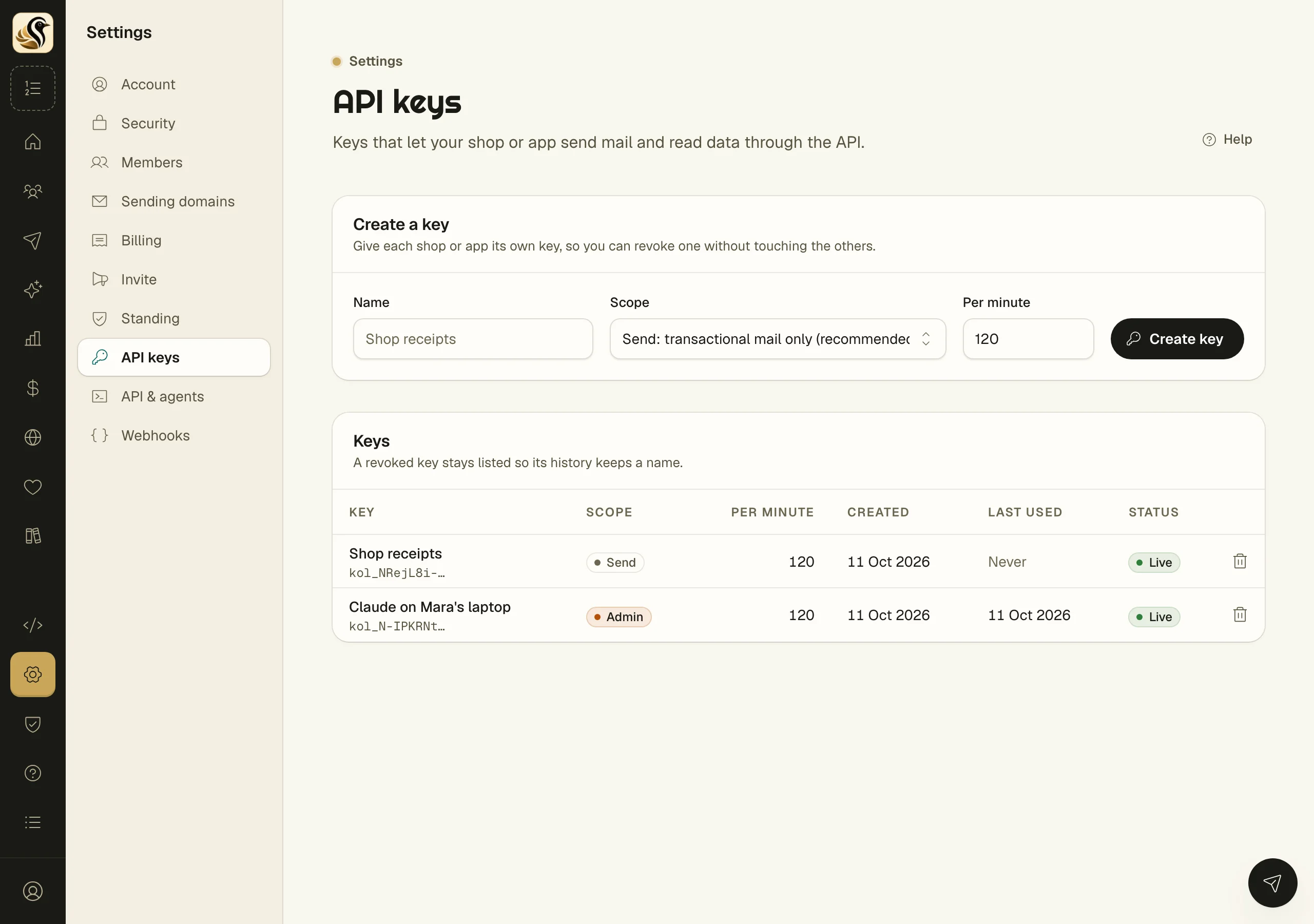
An API key lets something other than you work with your account: a shop that sends receipts, an app that sends password resets, a script that reads your stats, or an AI agent. Give each one its own key, so you can revoke one without touching the others.
Scopes
Every key has one scope, and the scope decides what it can do.
| Scope | What it can do | Use it for |
|---|---|---|
| Send | Transactional mail only | A shop or an app. This is the recommended choice |
| Read | Read the list and stats, change nothing | Reports and dashboards |
| Admin | Everything, including managing the list | An AI agent, or a tool you trust fully |
A send key can never change your list, so it is the safe one to put in a shop or an app.
How to create a key
- Open Settings > API keys.
- Under Create a key, type a Name that says where it will live, such as "Shop receipts".
- Pick a Scope.
- Leave Per minute at its default, or set how many requests a minute the key may make.
- Click Create key.
- Copy the key from Copy the key now, then click I have copied it.
Under the new key, Try it shows a ready curl request that sends one transactional mail with it. The same request for your account is in Your account.
What happens next
The key works at once. In the Keys list, Last used shows when it last made a request, and Status shows Live. A request over the per-minute limit is refused and told how long to wait.
How to revoke a key
- Click the delete button on the key's row.
- Click Revoke key.
Requests with it are refused at once. Mail it already queued still goes out. The key stays in the list as Revoked so its history keeps a name.
Things to know
- The key is shown once. Kōlea keeps only a fingerprint of it, so it cannot show it again. If you lose it, revoke it and make another.
- Treat a key like a password. Anyone who has it can do what its scope allows.
- An AI agent connects with an admin key. See Agents and MCP.
- Only owners and admins create and revoke keys. Everyone else sees the list.