Templates
The library of sequence shapes and transactional mails, and how to write or change a template of your own.
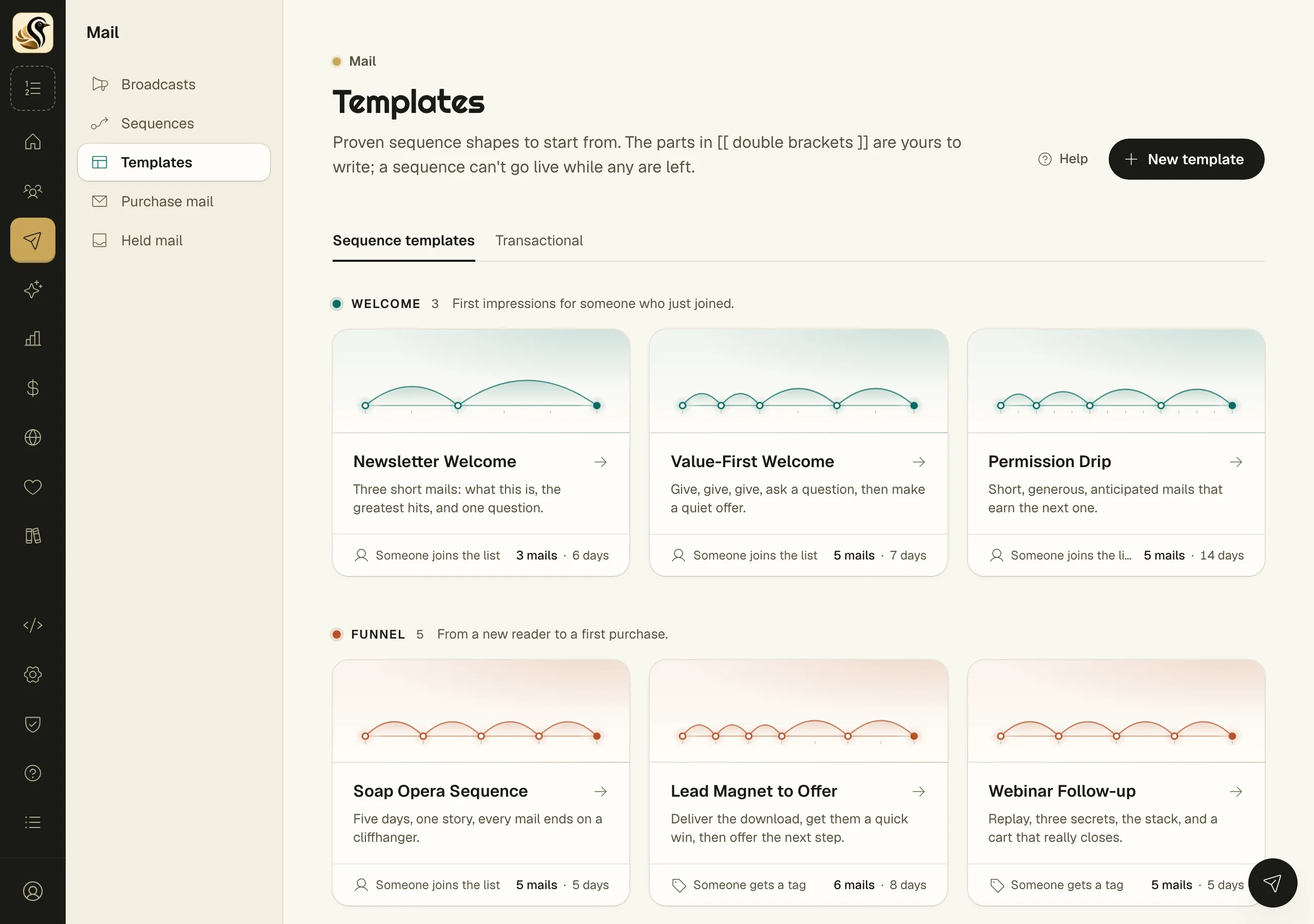
Mail > Templates keeps the mail you write once and reuse. It has two tabs. Sequence templates are proven shapes for a series of mails, such as a welcome or a launch, that you start a sequence from. Transactional holds the receipts, resets, and download mails your shop or app sends through the API. This page covers the library and editing a template; starting a sequence from one and transactional mail have their own pages.
Browse the library
The first time you open it, the library fills with the twelve starters, grouped by family: Welcome, Funnel, Launch, Sale, and Customer. Each card shows how people enter, how many mails it has, and over how many days. Click a card to read what it does, what to have ready, and each mail's job, day by day.
Write your own template
- Open Mail > Templates and click New template.
- Under About, fill in the Name, Family, Suggested start, a Tagline for the library, and a Description.
- Fill in Best for and Have ready, one item per line.
- Sequence name and Sequence description are what a sequence made from it starts with. Subscribers read the description on their preference page.
- Under Mails, click Add a mail for each one. Set Days after, a Label, Its job, the Subject, and the Body.
- Click Save template.
The body is Markdown. To greet the reader by name, write first_name inside double curly braces.
Change a template
Open it and click Edit. Use the arrows to move a mail up or down, and the bin to remove one. What you have typed is saved before any mail moves, so nothing is lost. Duplicate makes a copy to change; Delete removes it.
Placeholders
Text in double square brackets, such as [[ Subject ]], marks a part you still have to write. Any part you leave blank becomes one when you save. A sequence made from the template cannot go live while any placeholder is left, and each mail shows how many it still has.
Things to know
- Editing or deleting a template never changes a sequence already made from it.
- A deleted starter comes back with Restore starters. Restoring never overwrites a template you have.
- A template holds up to 60 mails.
- Mail has one look: a clean, single white column that reads well in Gmail, Outlook, and Apple Mail. Site themes change your site, not your mail.