Testimonials and Love links
Ask readers for a few words with a Love link, choose what goes on your wall, and see whether letters help sales.
Testimonials are letters your readers write back to you. You ask with a Love link, a link in your mail that already knows who each reader is, so they don't type a name or an email. Each letter arrives with a receipt from your own records (what they bought, how long they've read you) and waits for you to decide whether it goes on your wall. Nobody can edit a reader's words afterwards, you included.
Ask for letters
Put testimonial_link in double curly braces into a broadcast, a sequence mail, or a form's reply. Every reader gets their own Love link. They write a few words, give a rating, and choose whether you may publish it.
To ask outside your mail (on a podcast, in a talk), use the public links under Collect letters at the bottom of Testimonials: one for your account and one per offer. Anyone can write through them, and they confirm their email before the letter reaches you. Nobody is added to your list.
Choose what goes on the wall
- Open Testimonials from the heart in the sidebar.
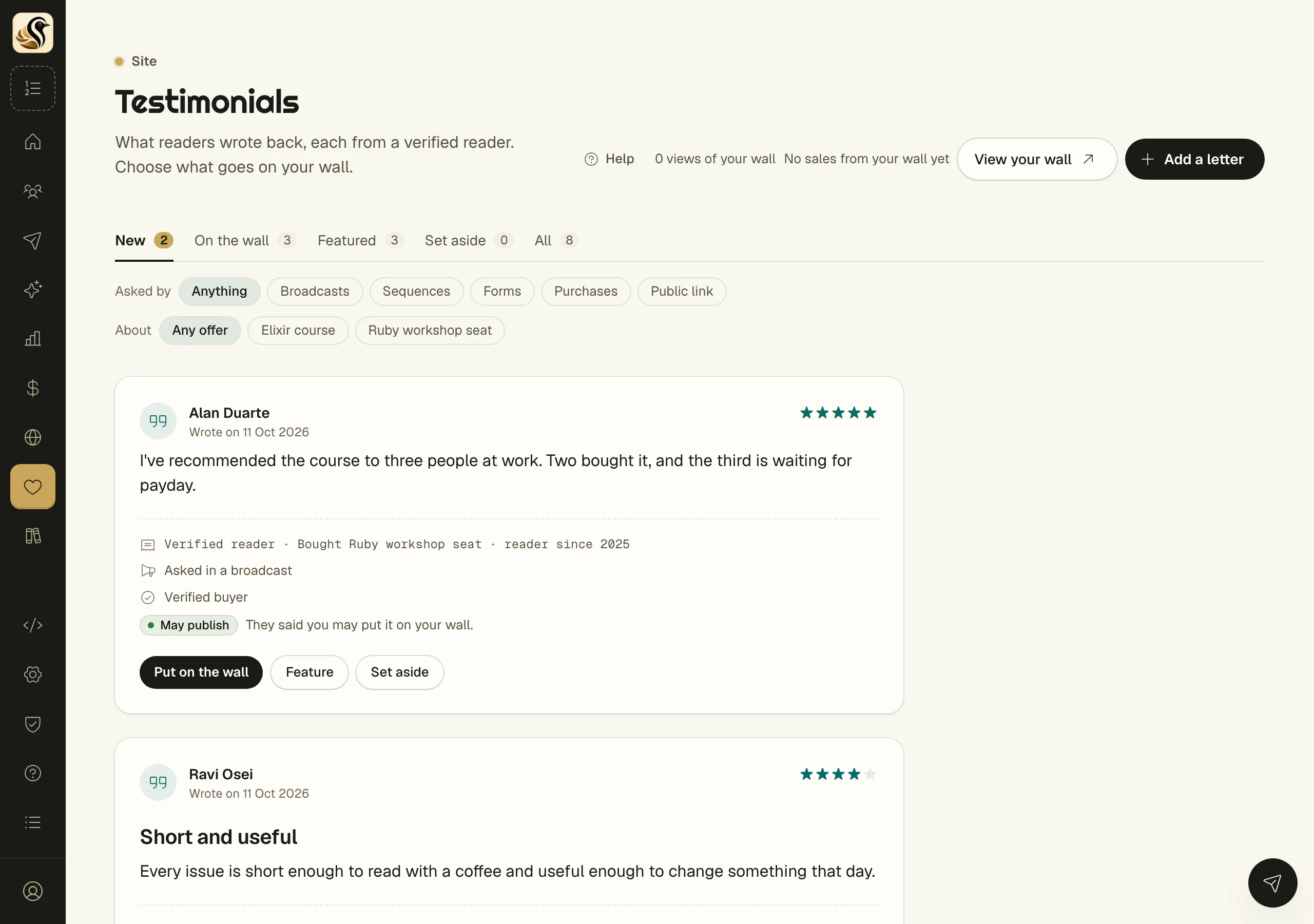
- Read the letters under New. Each shows the receipt, what asked for it, and whether they said May publish or kept it Private.
- Click Put on the wall, Feature, or Set aside.
The tabs On the wall, Featured, Set aside, and All hold the rest. Filter by Asked by (broadcasts, sequences, forms, purchases, or your public link) and by About an offer.
Add praise from somewhere else
Click Add a letter to type in something said in a reply, a post, or in person. Fill in Their words, Their name, Where they said it, When they said it, and Why you may publish it. These letters are marked as entered by you, and they're the only ones you can edit.
Show them anywhere
- Your wall is at https://you.kolea.pro/testimonials. Click View your wall to open it.
- Under Put letters on any site, copy a line for WordPress, Webflow, Ghost, Squarespace, or plain HTML. It works whether or not your Kōlea site is on. If you've never set up a site, click Get my embed code first; it doesn't turn the site on.
- JSON feed gives a developer your published letters to draw their own way.
Find out whether they sell
Each offer's page shows up to three letters from people who bought it. Under Testimonials at checkout, set Readers who don't see the letters to a share of readers, and the page compares how each group bought, offer by offer.
Things to know
- A letter the reader kept private never goes on the wall, whatever you click.
- A reader can withdraw a letter from their preferences page. It then stops showing everywhere at once.
- A letter from an offer's public link says verified buyer only when that address really bought.
- Your public site never shows a Love link.