Importing a list
Bring your subscribers over from Mailchimp, Kit, Drip, beehiiv, Ghost, BigMailer, or any CSV.
If you already have a list somewhere else, you bring it here rather than start again. An import adds people and keeps every choice they made: whoever unsubscribed, bounced, or complained in the old tool stays that way here. Imports never send mail and never start a sequence.
How to import a CSV
This works for every tool, because every tool can export a CSV.
- Export your subscribers from the old tool. The tiles on Audience > Imports say where the export lives in Mailchimp, Kit, Drip, beehiiv, and Ghost.
- Click Import CSV, or click the tile for your tool.
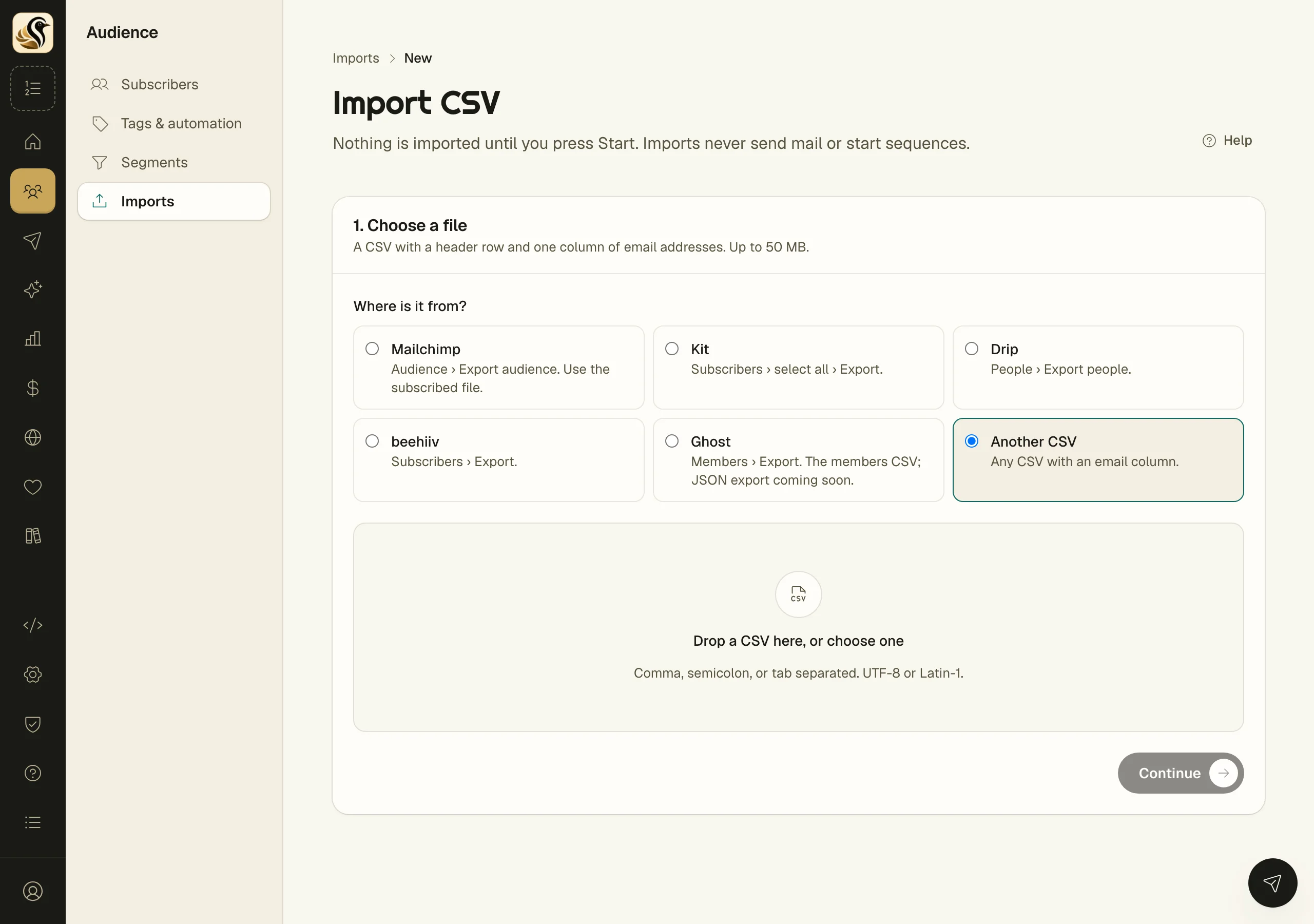
- Under Where is it from?, pick the tool, or Another CSV. Kōlea knows each tool's columns.
- Drop the file in, then click Continue. It needs a header row and a column of email addresses, up to 50 MB.
- Under 2. Check the columns, look at how Kōlea read each column and change any it guessed wrong.
- Under 3. Before you start, add tags in Tag everyone in this import if you want them, and fill in Where did this list come from?
- Click Start import.
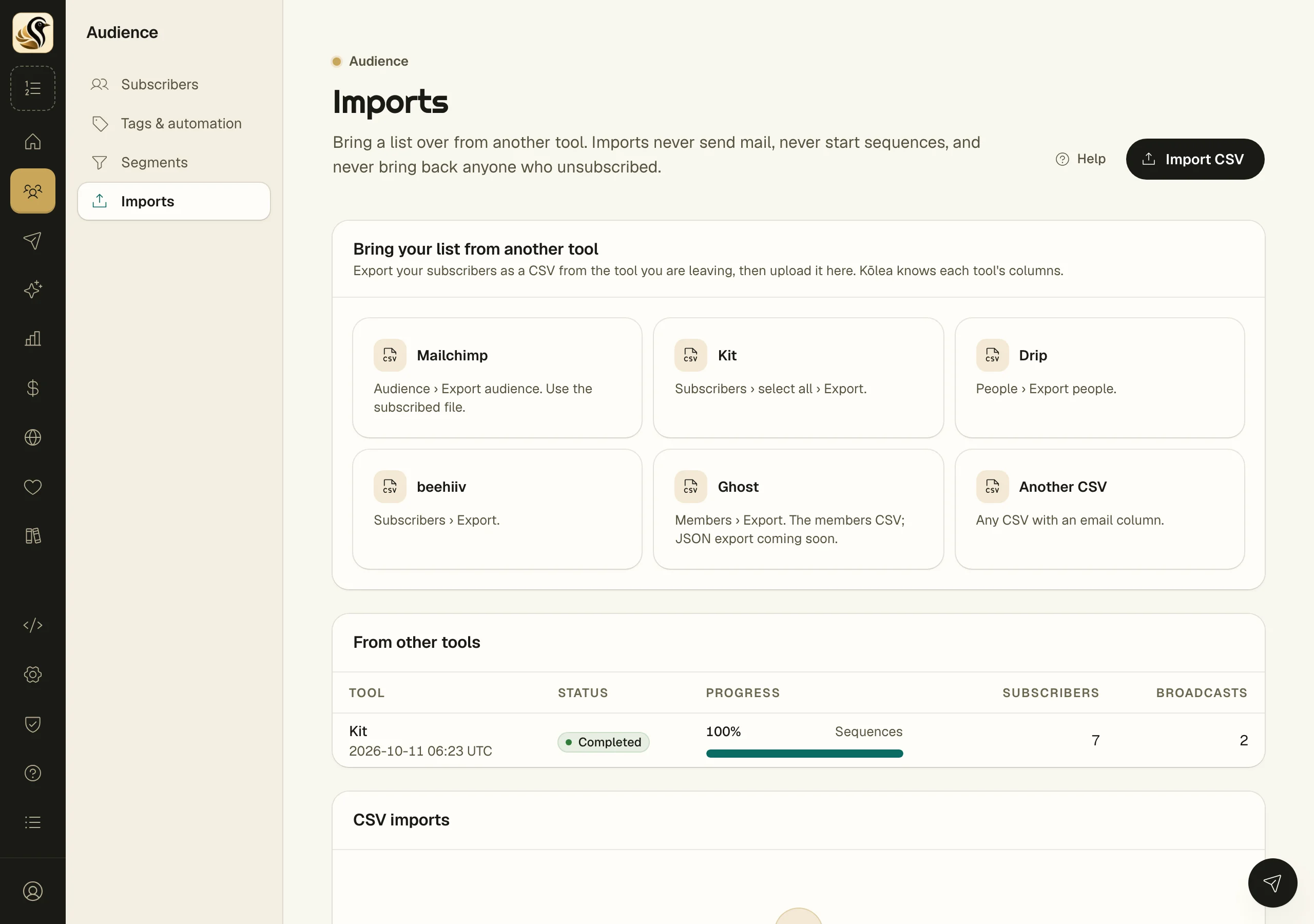
The import runs in the background, so you can leave the page. Its own page shows progress, then a report: how many were Created, Updated, Skipped: suppressed, and Invalid, and every row with what happened to it and why. Screening counts duplicates in the file, role addresses such as info@, and disposable domains.
How to import straight from Kit, Ghost, Mailchimp, or Drip
These bring more than a CSV can: tags, custom fields, opt-outs, and past broadcasts with their numbers, and from Kit, sequences too. Ghost brings members, posts with their URLs, and your theme. Open the tool's page in your admin:
- Kit:
https://kolea.pro/audience/imports/from/kit - Ghost:
https://kolea.pro/audience/imports/from/ghost - Mailchimp:
https://kolea.pro/audience/imports/from/mailchimp - Drip:
https://kolea.pro/audience/imports/from/drip
- Paste the key the page asks for. Each field says where to find it in the old tool.
- Fill in Where did this list come from?
- Click Start the import. Kōlea checks the key with the tool before anything starts.
The run shows up under From other tools on the Imports page. It ends with What came over and Worth a look, which lists anything that did not come over, or came over differently, and why. Run it again later to pick up new people; nothing is copied twice. The key is deleted when the import ends.
Moving from BigMailer
Move from BigMailer, at https://kolea.pro/audience/imports/bigmailer, brings a whole BigMailer business over from its SQL export: the list and every consent choice, mail, posts, forms, and sales. Before anything is imported, the account's mail is held, so nothing goes out until a person releases it. Each run ends with a Reconciliation of what was in BigMailer against what landed here.
Things to know
- Only import people who asked to hear from you. What you write under Where did this list come from? is kept with the import.
- An import never brings back anyone who unsubscribed, here or in the old tool.
- Sequences arrive switched off. Nobody is enrolled by an import.
- Addresses on a suppression list are skipped.