Keys, models, and spend
Which key pays for the writing helpers, which model each one uses, and every call with its cost.
The writing helpers (the Ghostwriter, peer review, subject ideas, clean up, and the rest) run on a model somebody pays for. By default that's Kōlea's key, on the monthly AI budget that comes with your plan. You can add your own OpenRouter key instead and pay OpenRouter directly, with no limit from Kōlea and any model they carry. Either way the helpers never send anything, schedule anything, or take a sequence live.
See what you've spent
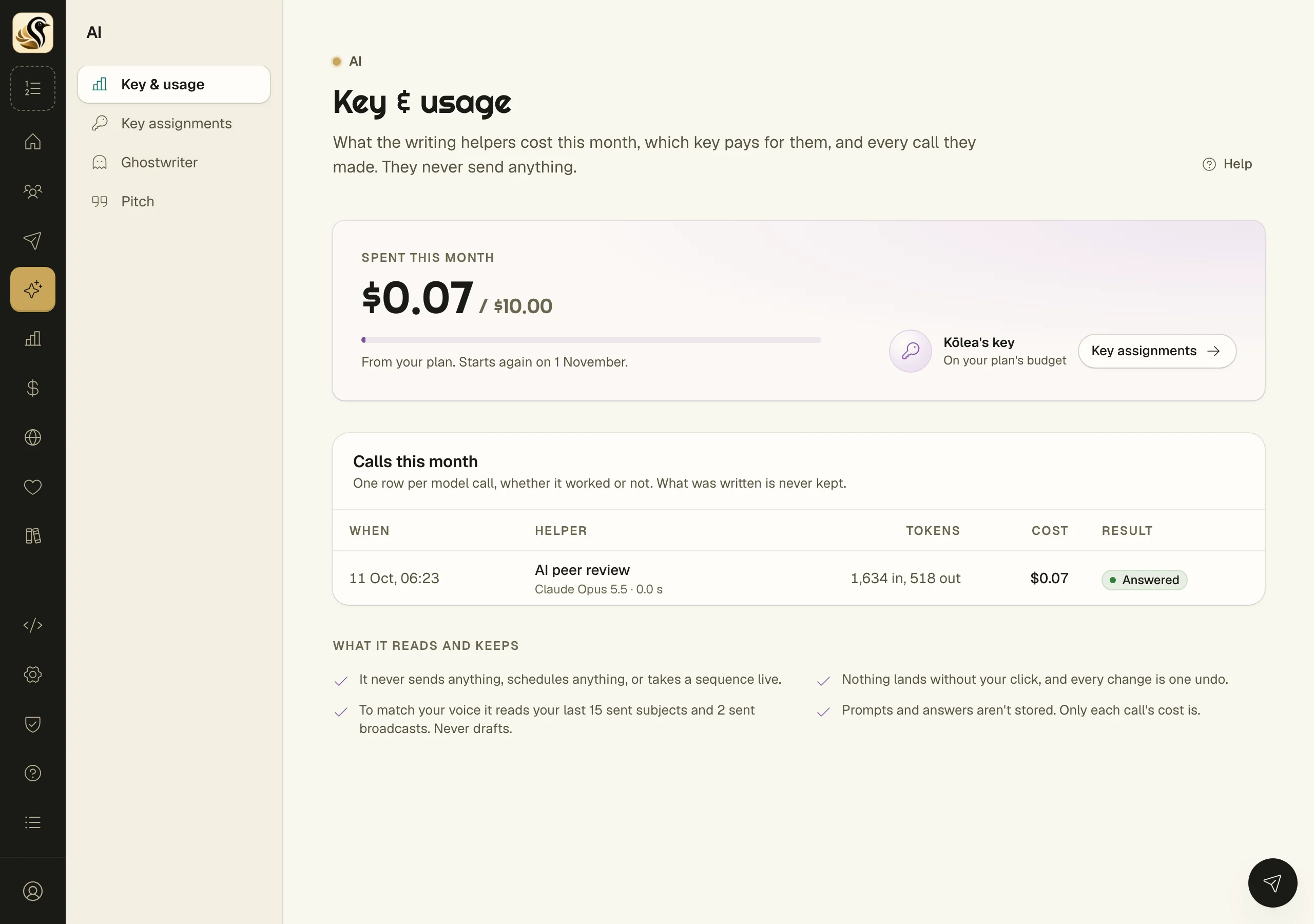
Open AI > Key & usage.
- Spent this month shows your spend against the budget, where the budget comes from, and the day it starts again. If a request is in progress, the amount held for it is shown too.
- The card beside it says which key pays: Kōlea's key or Your OpenRouter key.
- Calls this month lists every model call, whether it worked or not: when, which helper, the model and how long it took, the tokens, the cost, and Answered or Failed.
- What it reads and keeps says what the helpers look at. To match your voice they read your last 15 sent subjects and 2 sent broadcasts, never drafts. Prompts and answers aren't stored, only what each call cost.
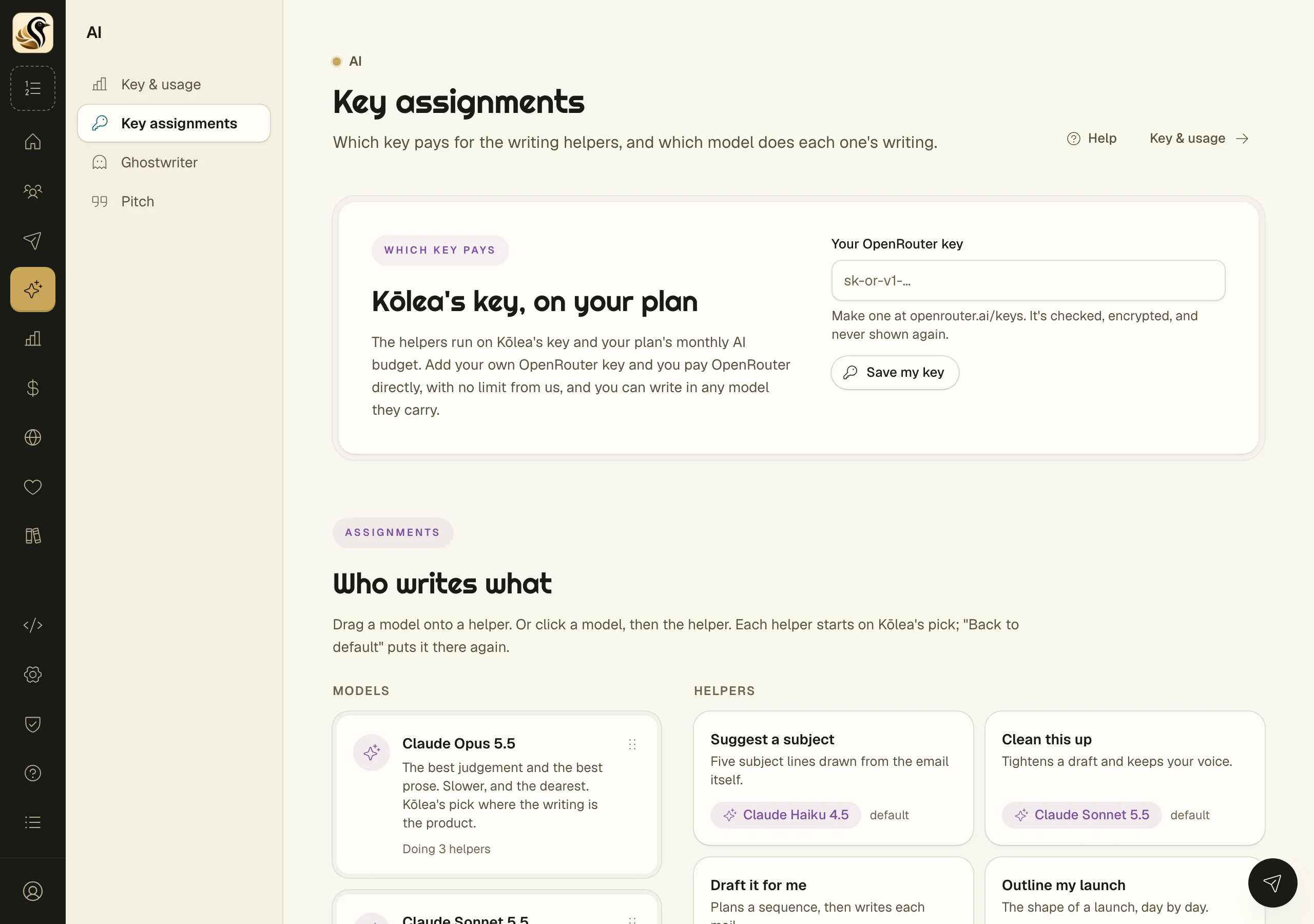
Use your own OpenRouter key
- Make a key at openrouter.ai/keys.
- Open AI > Key assignments.
- Paste it into Your OpenRouter key and click Save my key.
Kōlea checks the key, encrypts it, and never shows it again. The page then shows the last few characters and the date you saved it. To go back to Kōlea's key, click Remove.
Choose a model for each helper
Under Who writes what, the Models tray is on the left and the Helpers on the right.
- Drag a model onto a helper. Or click a model, then click the helper; this works by keyboard and on touch screens too.
- To undo, use Back to default on the helper.
With your own key you can also use a model that isn't on the list. Under Use a model that isn't on the list, paste an OpenRouter model id (like openai/gpt-5), choose who it's For, and click Check and assign. Kōlea asks OpenRouter that the model exists before saving it.
Things to know
- When the month's budget is spent, the helpers stop until it starts again, unless you add your own key.
- If your plan has no AI budget, the helpers don't appear in the editors. Choose a plan with one under Billing, or add your own key.
- On your own key, Spent on your key this month is billed to you by OpenRouter, and Kōlea's budget doesn't apply.
- Only owners and admins can change the key or the models. Everyone can see them.