Customers
Everyone who has bought from you, whether they read your newsletter or not, and what they spent.
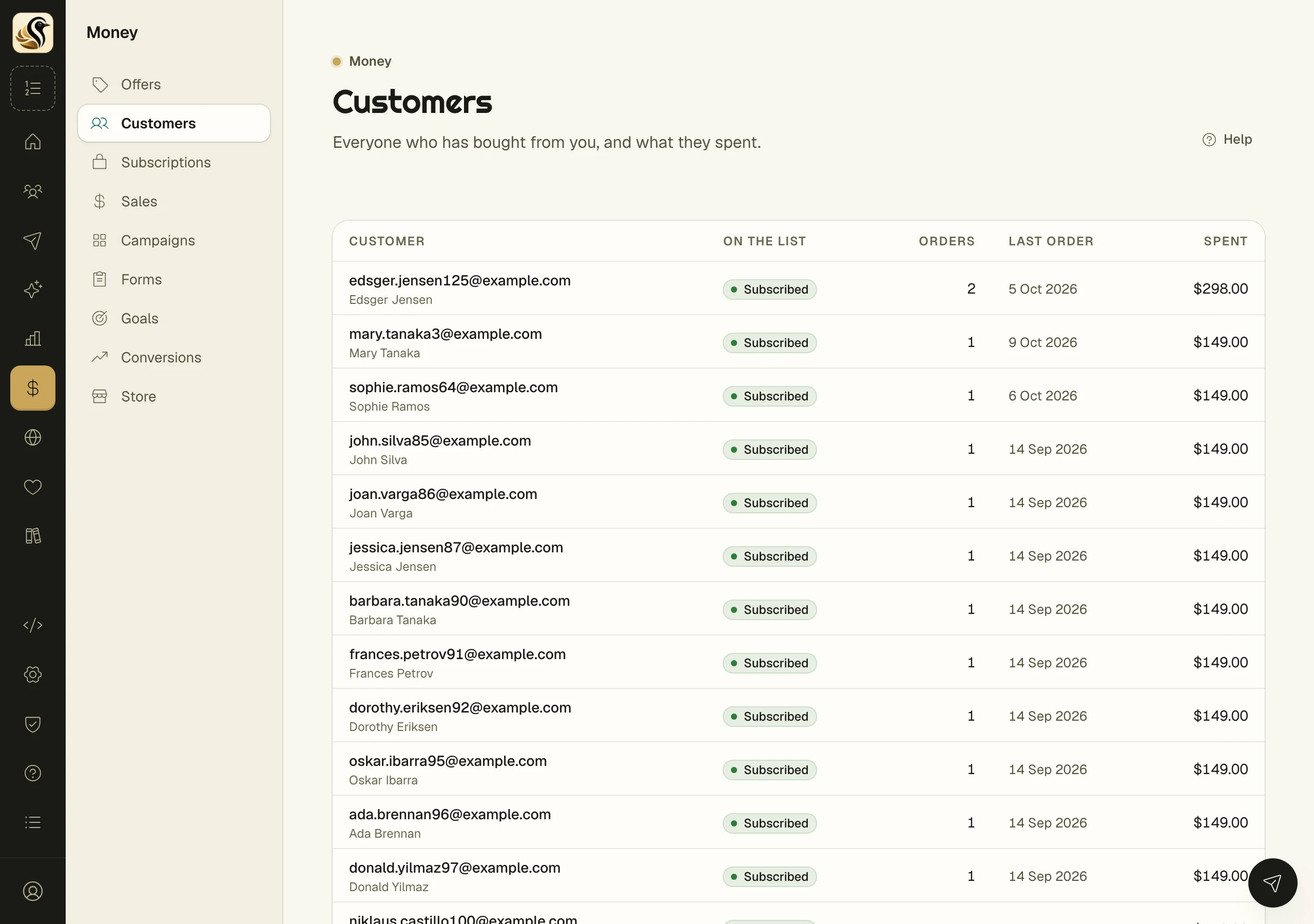
The Customers screen lists every person with a paid sale, biggest spender first. It answers two questions quickly: who buys from you, and which of those buyers also read your mail.
See your customers
Open Money > Customers. Each row shows:
- Customer: their address and name. Click it to open their subscriber page and timeline.
- On the list: Subscribed if they are on your newsletter now, or Buyer only if they are not.
- Orders: how many paid orders they have.
- Last order: the date of their most recent one.
- Spent: the total, in each currency they paid in.
Use it
- To mail your buyers, build a segment on what people bought. The Store screen's Segment ideas tab, under Money > Store, suggests audiences from your sales and shows how many people each would reach.
- To see one buyer's history, click their address to open their subscriber page.
- To help a buyer who lost a download, open their sale and send the thank-you again. See Purchase mail.
Things to know
- Only paid sales count. Refunded sales and sales made in Stripe's test mode are left out.
- The list shows your top 200 customers by what they spent.
- Buying never subscribes anyone. A buyer who never joined gets no marketing mail unless they sign up.
- Buyers whose sales came from Stripe, the API, or an import all appear here.
- A buyer whose details were erased leaves this list. Their sales stay in your totals.