Turning your site on
Your site is off until you turn it on. Turning it off hides it again and deletes nothing.
Every Kōlea account comes with a public site: a front page, your posts, an about page, a subscribe page, and an RSS feed. It lives at your own address on Kōlea, and later on your own domain if you want. Nothing on it is public until you turn it on, so you can set up your profile, pick a theme, and publish a few posts first.
Turn the site on
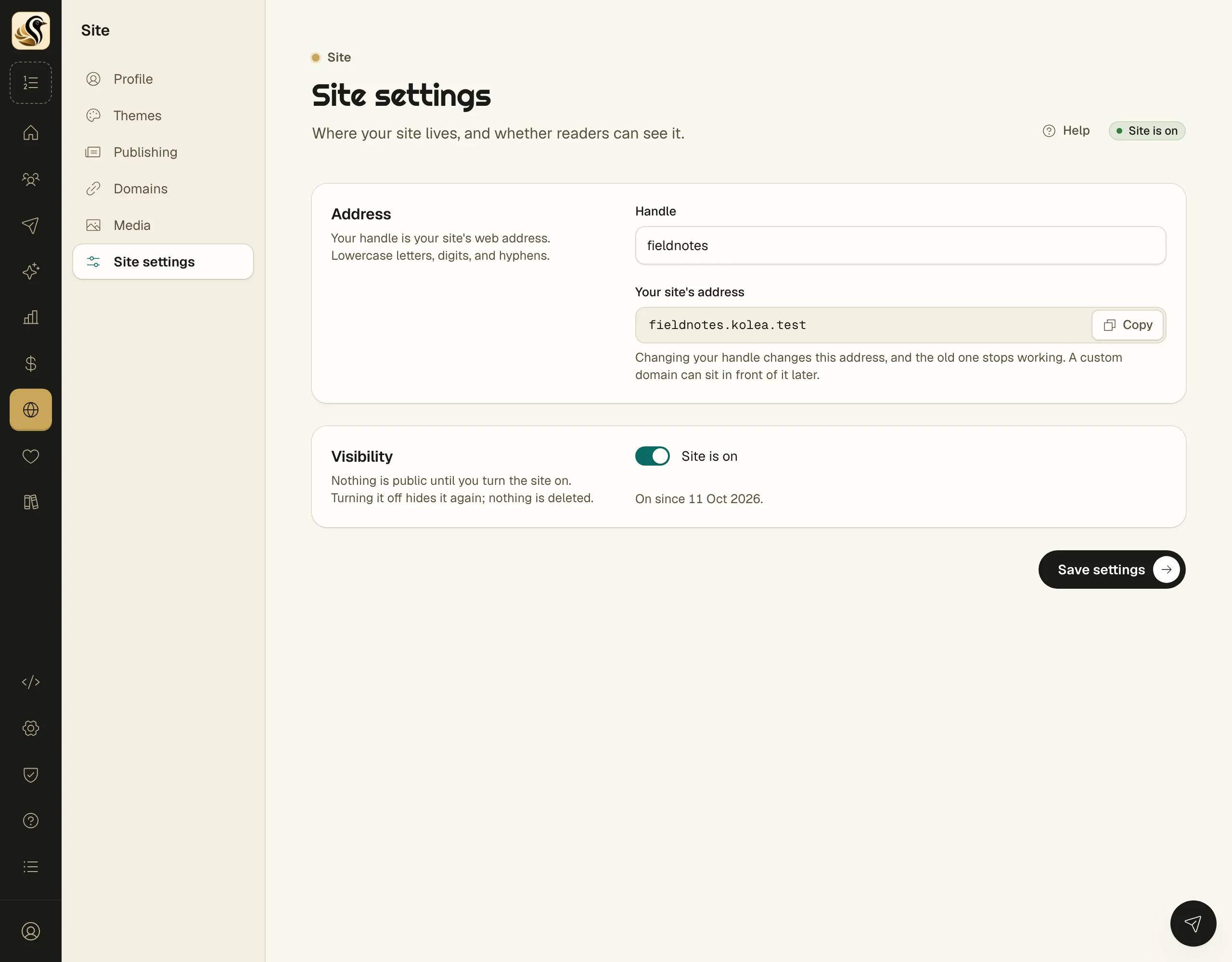
- Open Site > Site settings.
- Under Visibility, switch on Site is on.
- Click Save settings.
The pill at the top of the page changes to Site is on, and the page shows the date it has been on since. The setup checklist's site step can do the same thing: it asks Put your site online? and you click Yes, put it online.
What happens next
Readers can open your site's address straight away. Your theme renders the front page from your profile, and your published posts appear under it. Turning the site on publishes nothing by itself: a post goes up only when you publish it, or when a broadcast set to publish on send goes out.
Turn it off again
Switch off Site is on and click Save settings. Visitors then get a page that says there is no site at that address. Your posts, profile, theme, and domain are all kept, and everything comes back when you turn it on again.
Things to know
- While the site is off, the feed, the sitemap, and the subscribe page are off too.
- Your testimonials wall and its embed keep working with the site off, so you can show letters on a site you host somewhere else.
- A post's own page warns you when the site is off, so you know readers can't see it yet.
- Your site's address comes from your handle. See Site profile and settings before you change it.