Custom domains
Put your site on your own address, like blog.example.com, with two DNS records. Kōlea handles the certificate.
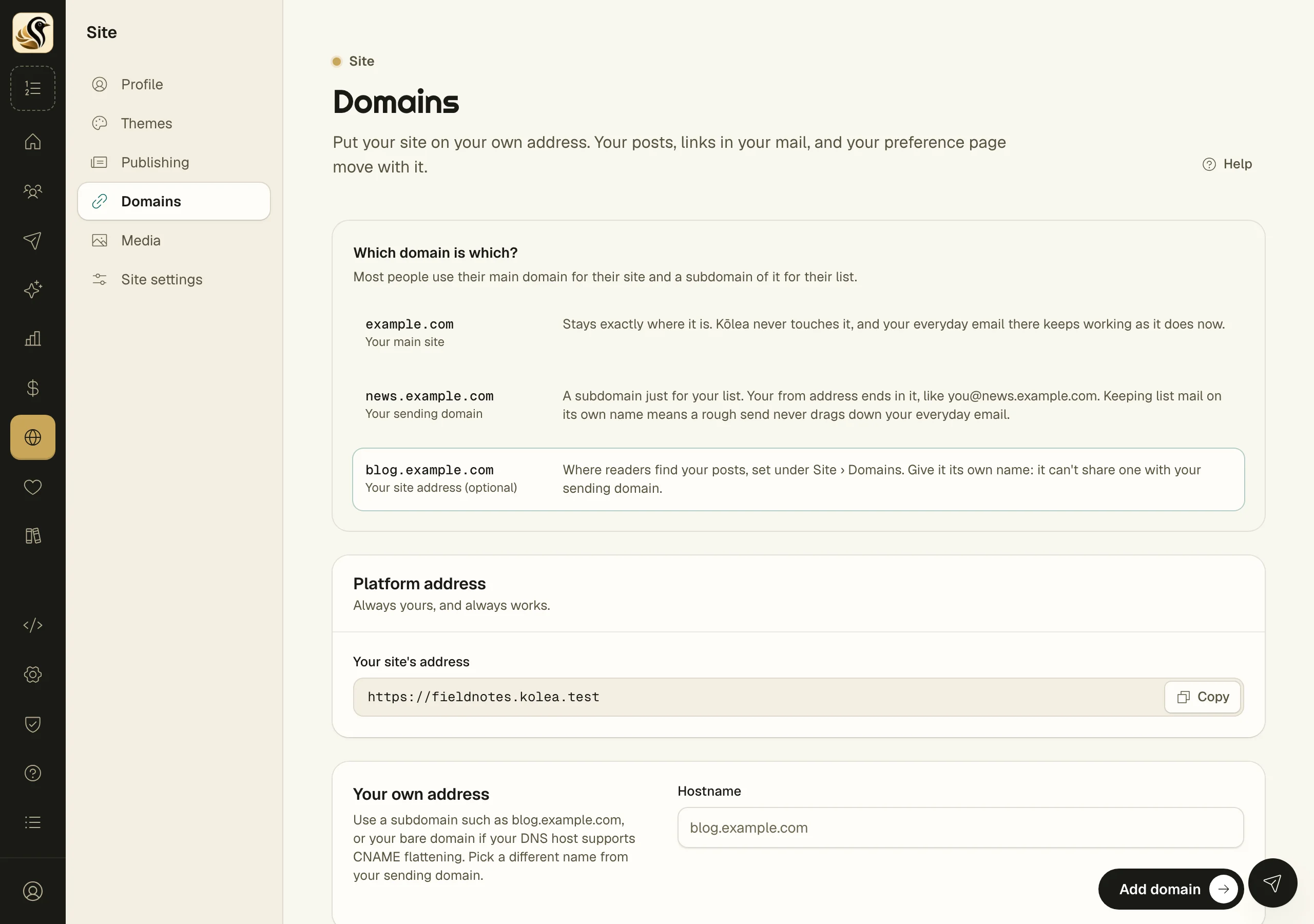
Your site always has an address on Kōlea, and you can put it on one of your own instead, such as blog.example.com. Your posts, the links in your mail, and your preference page move with it, and your Kōlea address forwards there. You create two DNS records; Kōlea checks them and sets up HTTPS for you.
Add your domain
- Open Site > Domains.
- Under Your own address, type the Hostname, for example blog.example.com.
- Click Add domain.
- Create the two records the page shows, a CNAME and a TXT, at your DNS host. Copy each Name and Value with the buttons beside them.
- Click Check now, or leave the page open; it checks again every 30 seconds by itself.
If Cloudflare runs your DNS, click Connect Cloudflare instead of step 4. Cloudflare asks you to approve Kōlea, then sends you back with both records in place. If you'd rather make them yourself at Cloudflare, set the CNAME to DNS only (the grey cloud).
What happens next
The domain's panel says where it stands:
- Waiting for DNS: the records aren't answering yet. Kōlea checks every 15 minutes for a day; DNS changes can take a while to spread. If a check finds a problem, the panel says what it found.
- DNS verified, certificate pending: the records are right and the certificate is being issued, which usually takes a few minutes.
- Live: readers on this address get your site over HTTPS, and your platform address forwards here.
Pick the right name
The box at the top, Which domain is which?, sets out the usual plan. Your main domain (example.com) stays where it is. Your sending domain (news.example.com) is for your list's mail. Your site address (blog.example.com) is for your posts. The site address can't be the same name as your sending domain.
You can use your bare domain only if your DNS host supports CNAME flattening.
Remove a domain
Click Remove on the domain's panel and confirm. Your site answers only at its platform address again. Tracking and preference links in mail you already sent keep working for as long as the DNS record stays.
Things to know
- Your site's address under Platform address always works, whatever you do here.
- You can set up a domain while your site is off. Readers see it once the site is on.
- Only owners and admins can add or remove a domain.