Your first broadcast
A short walk from a blank draft to mail in your readers' inboxes.
A broadcast is one piece of writing sent once to your list, the issue of a newsletter. This page walks you through the first one from start to finish. Each step has its own page in the Mail section when you want the detail.
Before you start
Three things have to be in place before a broadcast can go to your list:
- A verified sending domain. See Sending domains.
- A postal address, which goes in the footer of every marketing mail. Add it under Settings > Account.
- The anti-spam policy accepted, under Settings > Standing.
You can write a draft without any of them. The send page tells you which one is missing.
How to write and send it
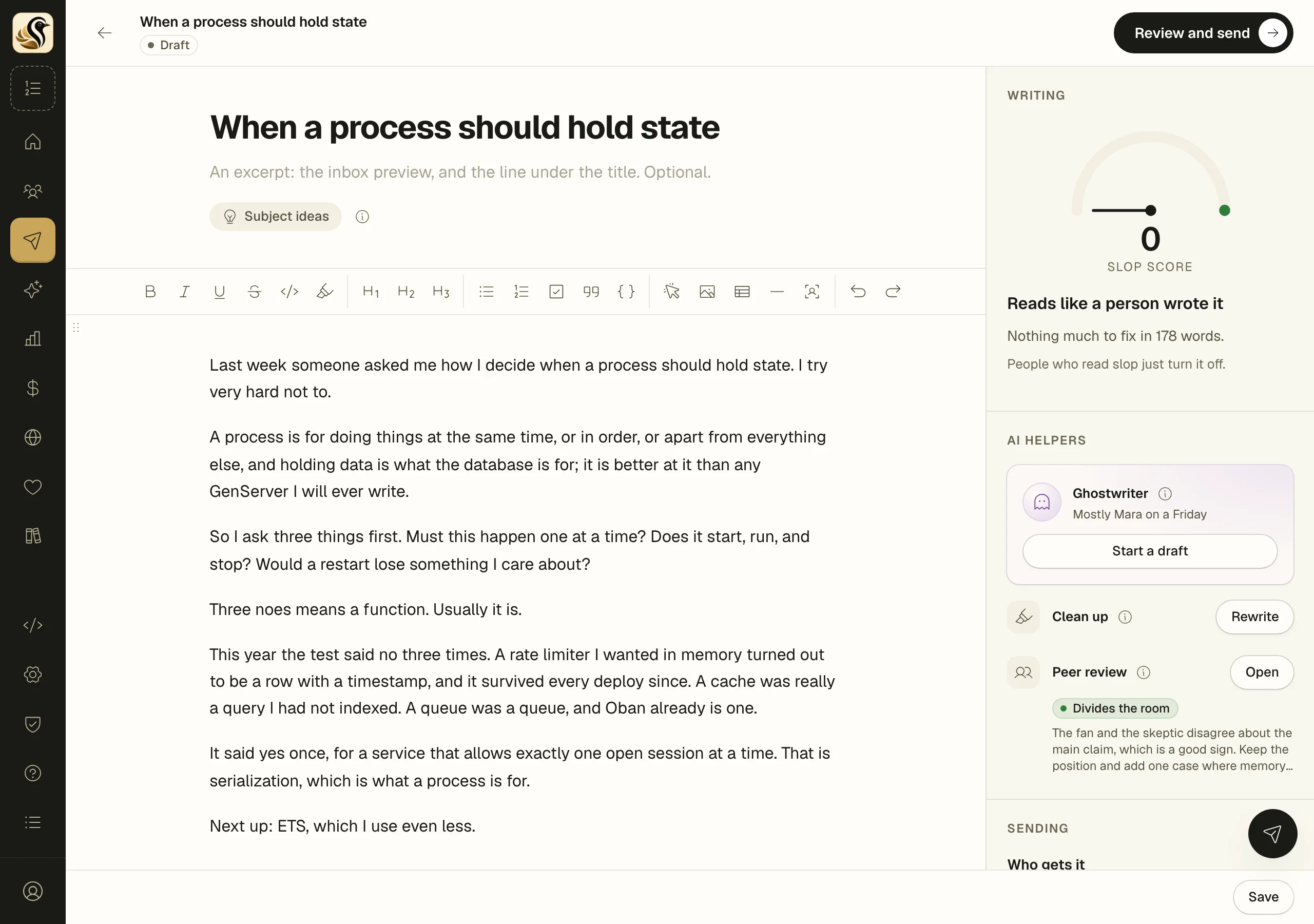
- Open Mail > Broadcasts and click New broadcast. If you answered the last step of the setup checklist, your draft is already here with its subject.
- Type the subject at the top, and an excerpt under it if you want one. The excerpt is the line readers see in their inbox beside the subject.
- Write the body in the editor. Type a slash for headings, images, quotes, code, and the rest. See The editor.
- Under Who gets it, leave Audience on Everyone on the list, or pick a saved segment.
- Click Save as you go. Saving never sends.
- In Send it to yourself, click Save and send a preview. One copy goes to your own address. Check the from line, the images, and the footer, and click unsubscribe in it to see what readers see.
- Click Review and send.
The send page
Send this broadcast? is a page of its own, the last stop before real inboxes. It says "You are about to send" your subject to a number of people, counted just now, and shows how the piece opens and its word count.
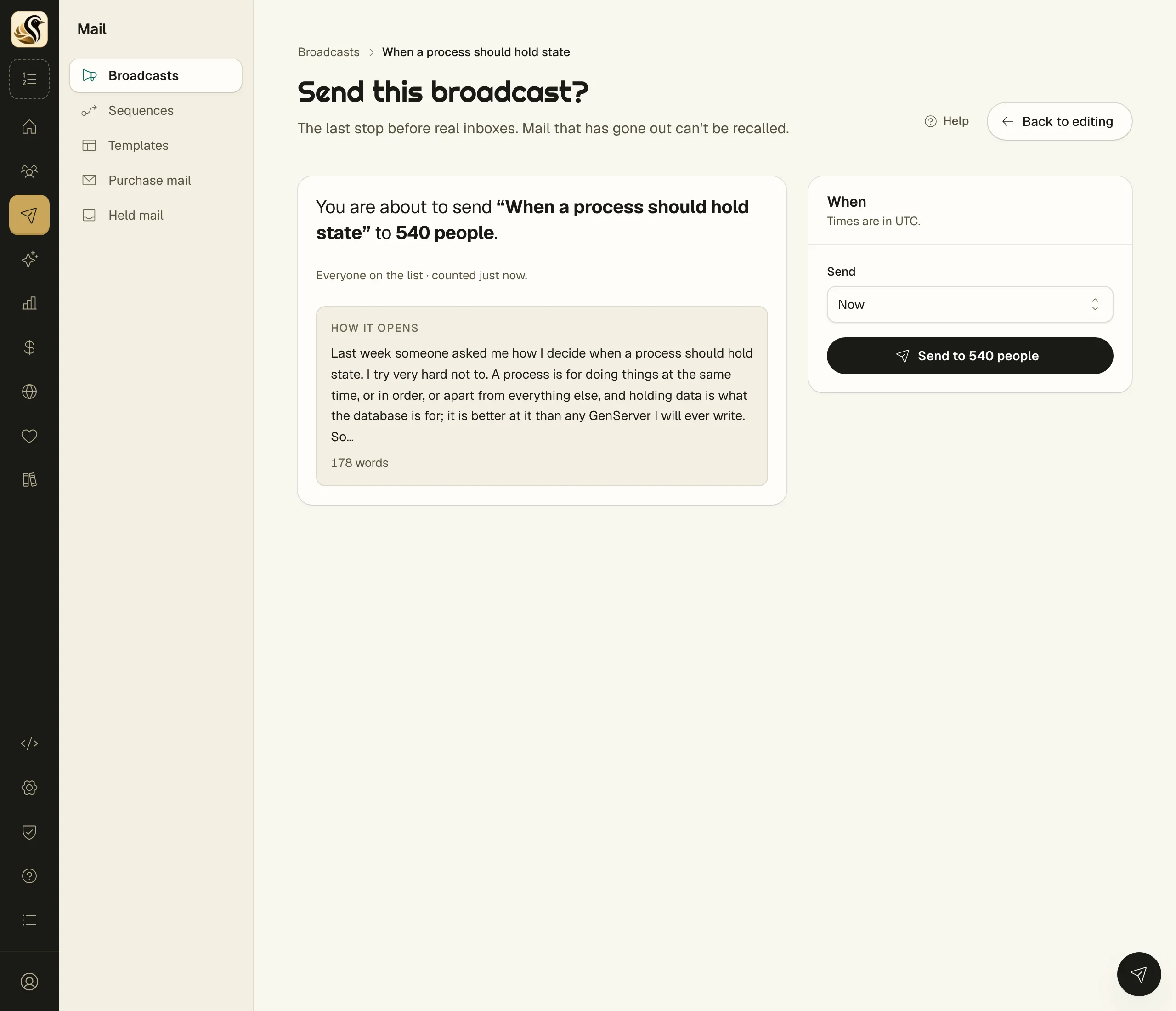
- Read the count. If anything under It can't be sent yet shows, fix it first; the send button is not there until you do.
- Read anything under Check before sending. Those are warnings and never stop you.
- Under When, leave Send on Now, or choose At a set time and pick the date and time.
- Click the send button. It names the number of people it goes to.
What happens next
Mail starts going out, and the broadcast's page shows the numbers as they come in: sent, opened, clicked, bounced, unsubscribed. A scheduled broadcast can be cancelled any time before it goes.
Things to know
- Mail that has gone out can't be recalled. After it is sent you can still edit the subject and body. The edit is saved and never sends again.
- If the audience changes between the count and your click, Kōlea counts again and asks you to look once more. Nothing is sent.
- People who left the newsletter, bounced, or complained are never mailed, whatever segment you pick.
- Times on the send page are in your account's time zone, set under Settings > Account.