Logs
Everything that happened on your account in the last 90 days, newest first, with filters and a live view.
Logs is the record of what happened on your account: mail going out, people subscribing and leaving, checkouts, Stripe, sign-ins, API calls, webhooks, and more. When something looks wrong, such as a reader saying they never got a mail, this is where you find out what Kōlea did and when.
How to find something
- Open System > Logs.
- Narrow it down with the filters at the top:
- Show: one kind of event, or Everything.
- Level: Errors, Warnings, Info, or Any level.
- Find: an address, a broadcast, an error, or any word.
- Click an event to open it. It shows the event's type and its details.
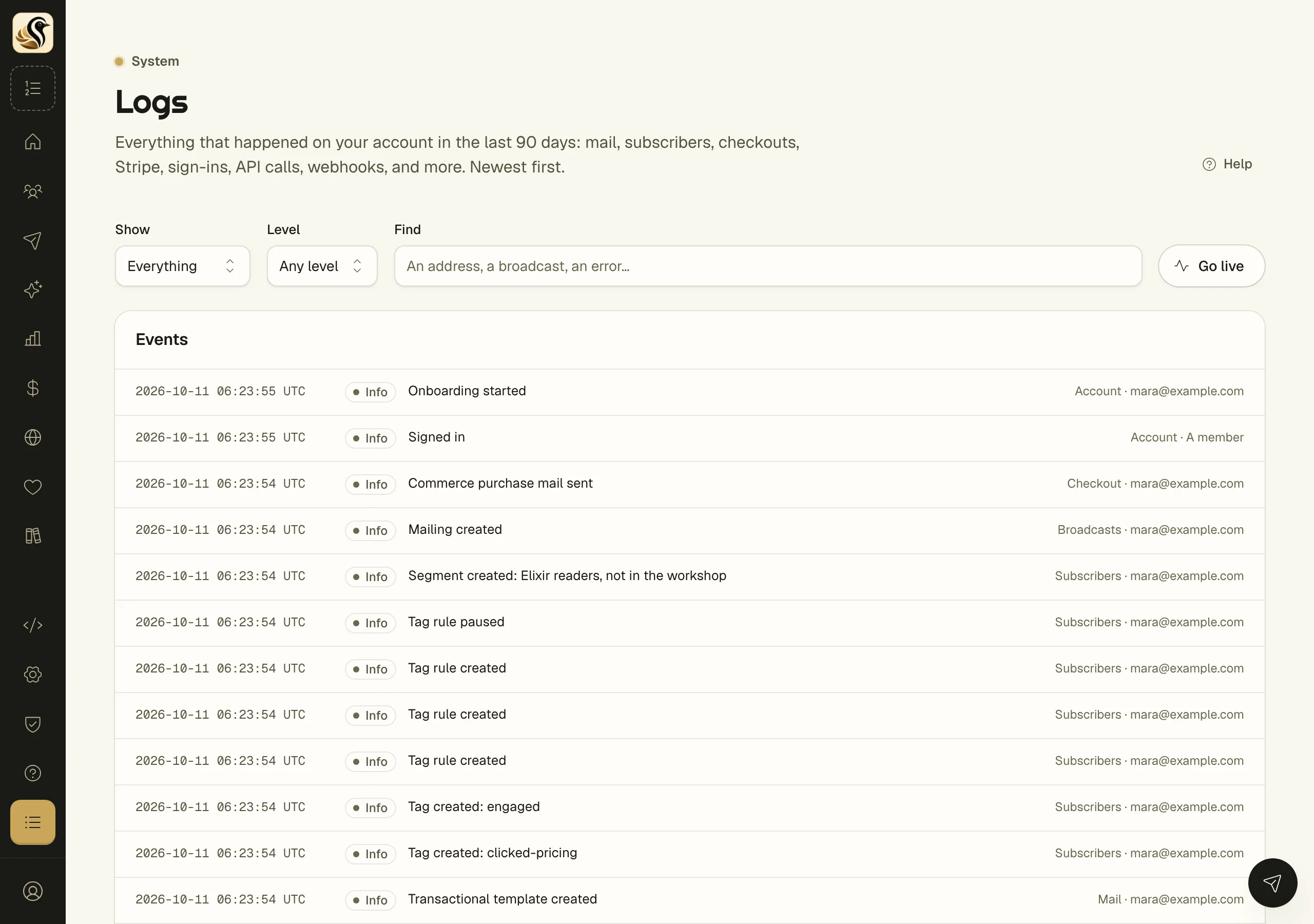
Inside an event, two links narrow the log further:
- Everything about the subscriber, message, or webhook it concerns, which shows only events about that one thing.
- Only the event's type, which shows only events of that kind.
Narrowed down at the top says when you are looking at one thing. Click Show everything to go back. At the bottom, Older events loads the next page.
How to watch it live
Click Go live. New events appear at the top as they happen, and the button reads Live. Click it again to stop.
When you are not live and new events arrive, a notice says how many. Click Show them to load them.
Things to know
- The log keeps 90 days. Older events are gone.
- The filters are part of the page's address, so you can copy a filtered view and send it to a member or to support.
- Everyone on the account can read the log.
- Most events name who did it, beside the kind of event on the right.
- A developer can search the same log through the API or an AI agent. See Agents and MCP.