Held mail
Mail a hold stopped instead of sending. It is never dropped, and you send it from here once the hold is lifted.
When a hold is on, Kōlea stops mail before it reaches anyone's inbox and keeps every message here, exactly as it would have gone out. Held mail is never thrown away. Once the hold is lifted, you send it from this page, and each person gets their mail once.
Read what is held
- Open Mail > Held mail.
- The list shows each held message, newest first: To, Subject, Kind, Held because, To fix, and when it was Held.
- Click a message to open it. As the reader sees it shows the mail, Envelope shows who it is from and to, and Plain text shows the text version.
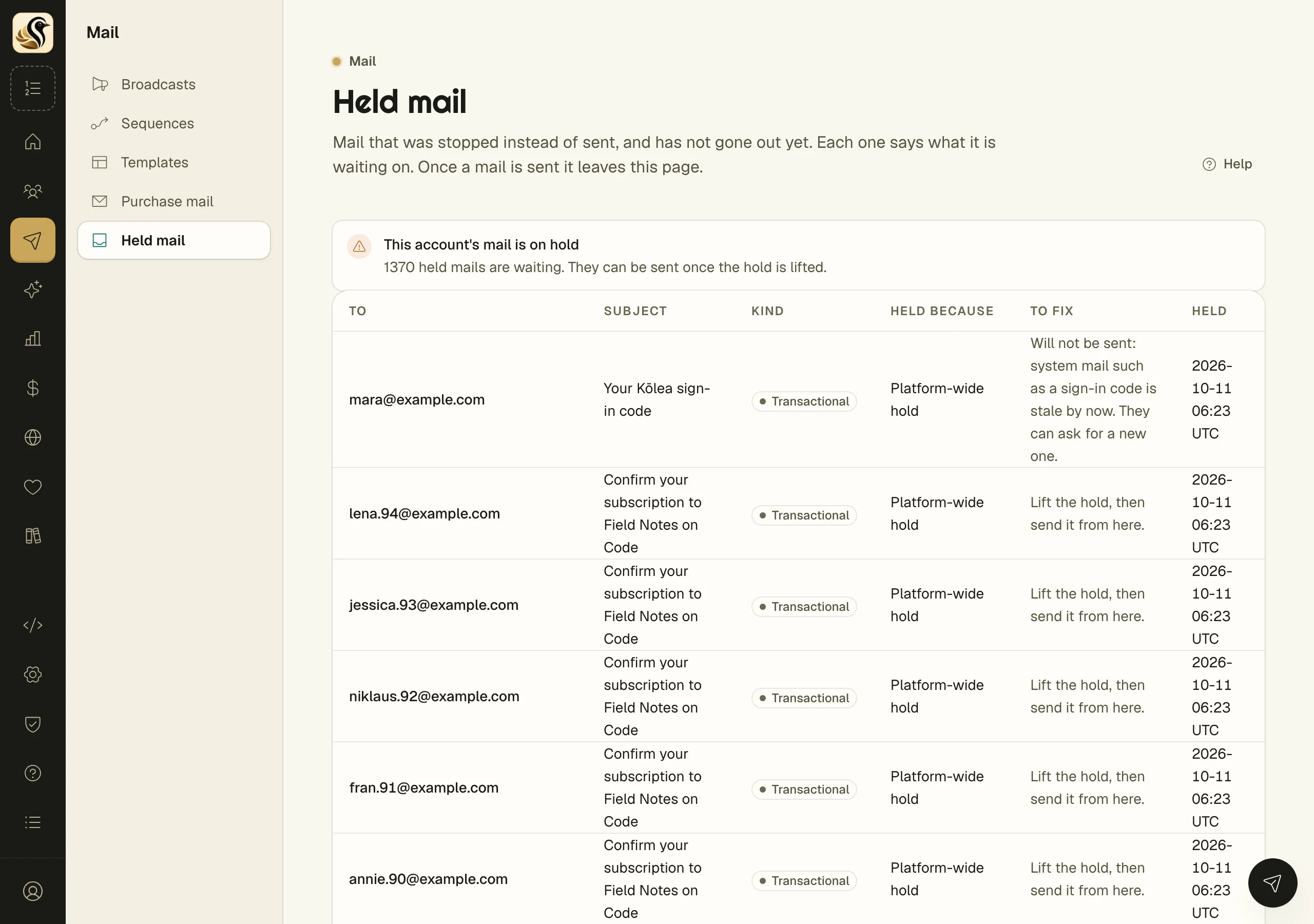
Kind says what the mail is: Broadcast, Sequence, Transactional, Form, or Preview. Held because says which hold stopped it: Hold on this account or Platform-wide hold.
Send held mail
While the hold is on, the page says "This account's mail is on hold" and shows how many mails are waiting. There is no send button yet; the kill switch page explains how a hold is lifted.
Once it is lifted:
- Open Mail > Held mail.
- Click Send held mail with the count beside it, and confirm.
To send a single message instead, open it and click Send now.
What happens next
Each mail is checked again just before it goes. Anyone who unsubscribed, left that sequence, or bounced since it was held is skipped, and the message says why. The rest go out, and the message tells you how many were sent, how many were skipped, and how many could not be sent and are still held. A mail that is sent leaves the list.
Things to know
- A held mail is sent at most once, however many times you click.
- System mail that goes stale, such as a sign-in code, is not sent later. To fix says so; the person can ask for a new one.
- A preview you sent yourself while on hold lands here too.
- The list shows the newest 100. Send held mail sends every mail that is waiting, not only the ones shown.