Broadcasts
Write an issue, send yourself a preview, confirm the count, then send now or at a set time.
A broadcast is one piece of writing sent once to your list or to a segment of it. It stays a draft until you confirm who it goes to on its own page, with the audience counted right then. After it goes out you can still fix a typo, cancel what has not gone yet, and resume a cancelled send without mailing anyone twice.
Write and send a broadcast
- Open Mail > Broadcasts and click New broadcast. A draft opens in the editor.
- Write the subject and the body. The excerpt under the subject is optional; it becomes the inbox preview.
- In Who gets it, choose the Audience: Everyone on the list or A saved segment. Check From name, From address, and Reply-to.
- Click Save and send a preview to get a copy at your own address. It never counts as a send.
- Click Review and send. What is on screen is saved first, then the send page opens.
- Read the page. It says "You are about to send" with the subject and the number of people, counted just now, plus how the piece opens and its word count.
- Under When, pick Now or At a set time. Times are in your account's time zone.
- Click Send to and the count.
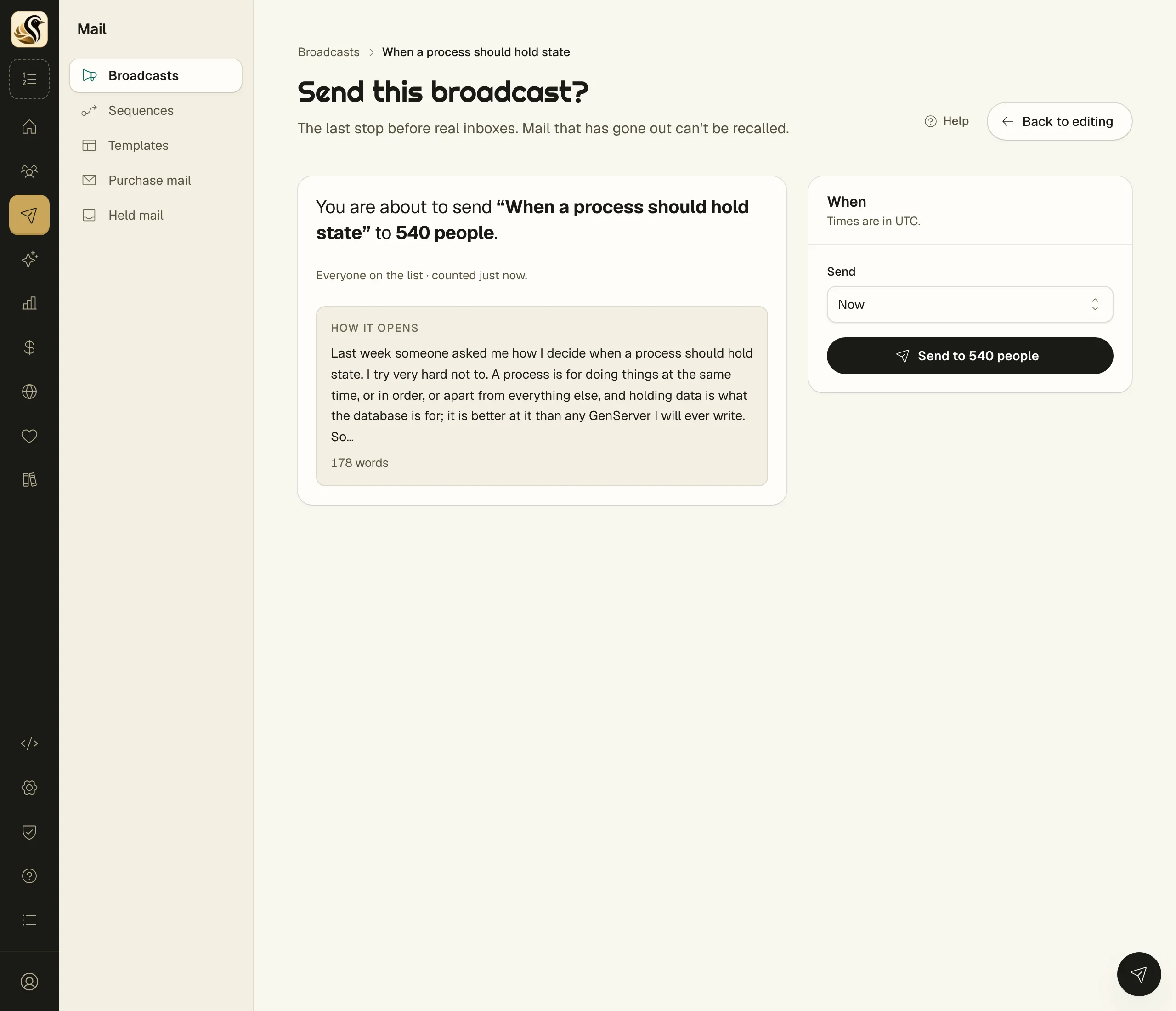
What the send page checks
Some problems remove the send button until you fix them: no subject, no body, an audience of nobody, a from address that is not on a verified sending domain, or no postal address on the account.
Others are warnings and never block: fewer than 150 words, leftover markers such as TODO, TK, XXX, or lorem ipsum, and a high score on the Slop meter.
If the audience changes between opening the page and clicking send, nothing goes out. The page says "The audience changed since you looked" and shows the new count for you to confirm.
What happens next
The list shows each broadcast with its status, audience, recipients, and when.
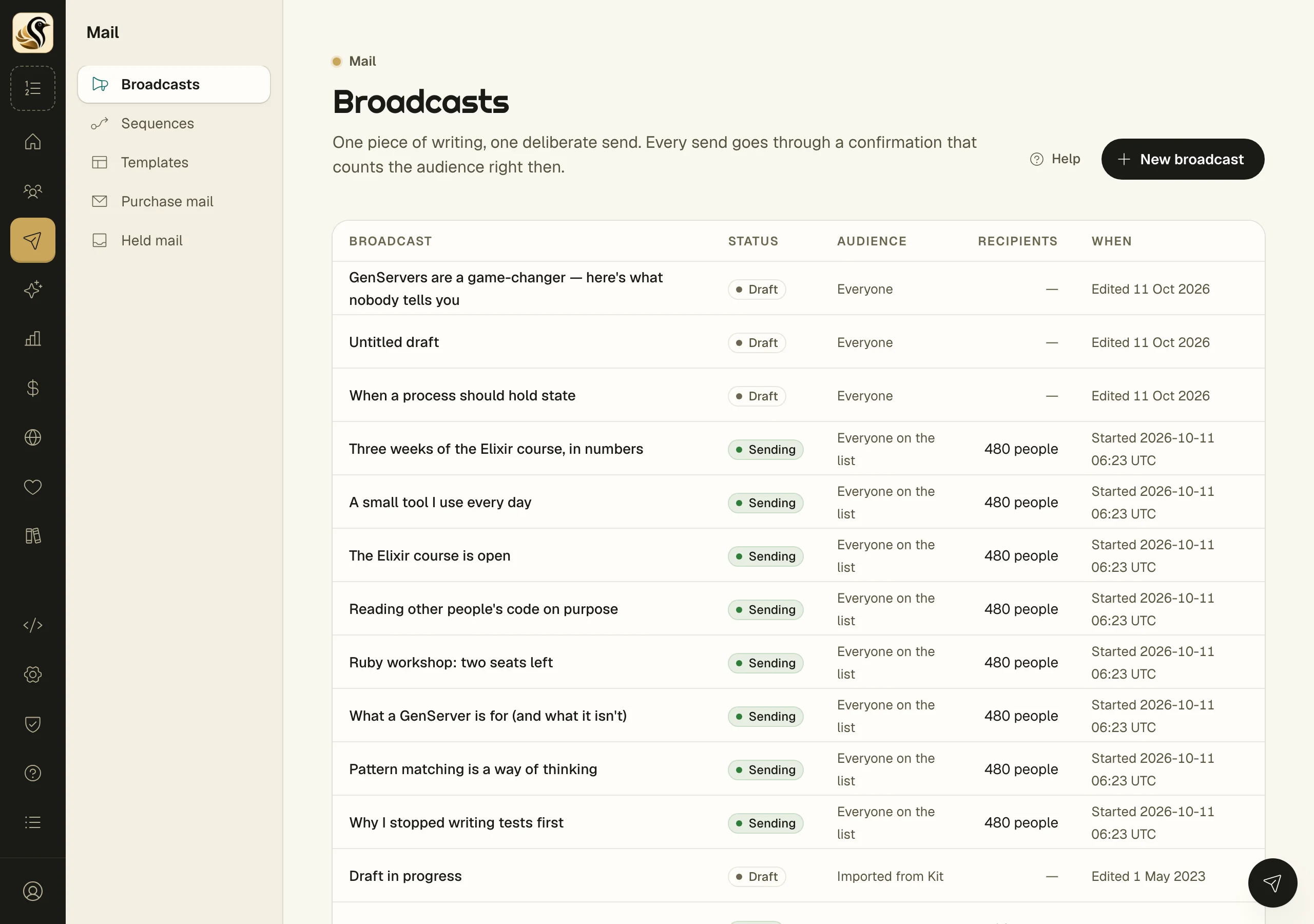
While it is scheduled or sending, the broadcast is read-only. Click Cancel send to stop it. Mail still waiting is stopped and kept on record; mail that already went out cannot be recalled, and the message tells you how many had gone.
A cancelled broadcast shows Resume. The resume page shows Already got it and Still to go. Click Resume for the remaining count and only people who have not had it are mailed. If you edited it in between, they get the version saved now.
Once it is sent or cancelled, you can correct the subject and body and click Save changes. A correction never sends. The first one keeps the copy that went out under As mailed, and a published post is updated to match.
Things to know
- Only a draft can reach the send page.
- People who join after the send starts do not get it.
- Consent is checked again right before each mail, so a late unsubscribe still counts.
- A broadcast that is sending cannot be deleted. Deleting a sent one removes its send record too.
- If a send is refused when it is due, the broadcast goes back to draft and says why at the top.