Offers
A title, a price, and a file. That is all it takes to sell something on your site.
An offer is something you sell: an ebook, a course, a workshop seat. It has a title, a SKU, a price on your own Stripe, and the file each buyer gets. Once it has all of those it goes on sale on your site, and buyers pay you directly through Stripe Checkout.
Make a new offer
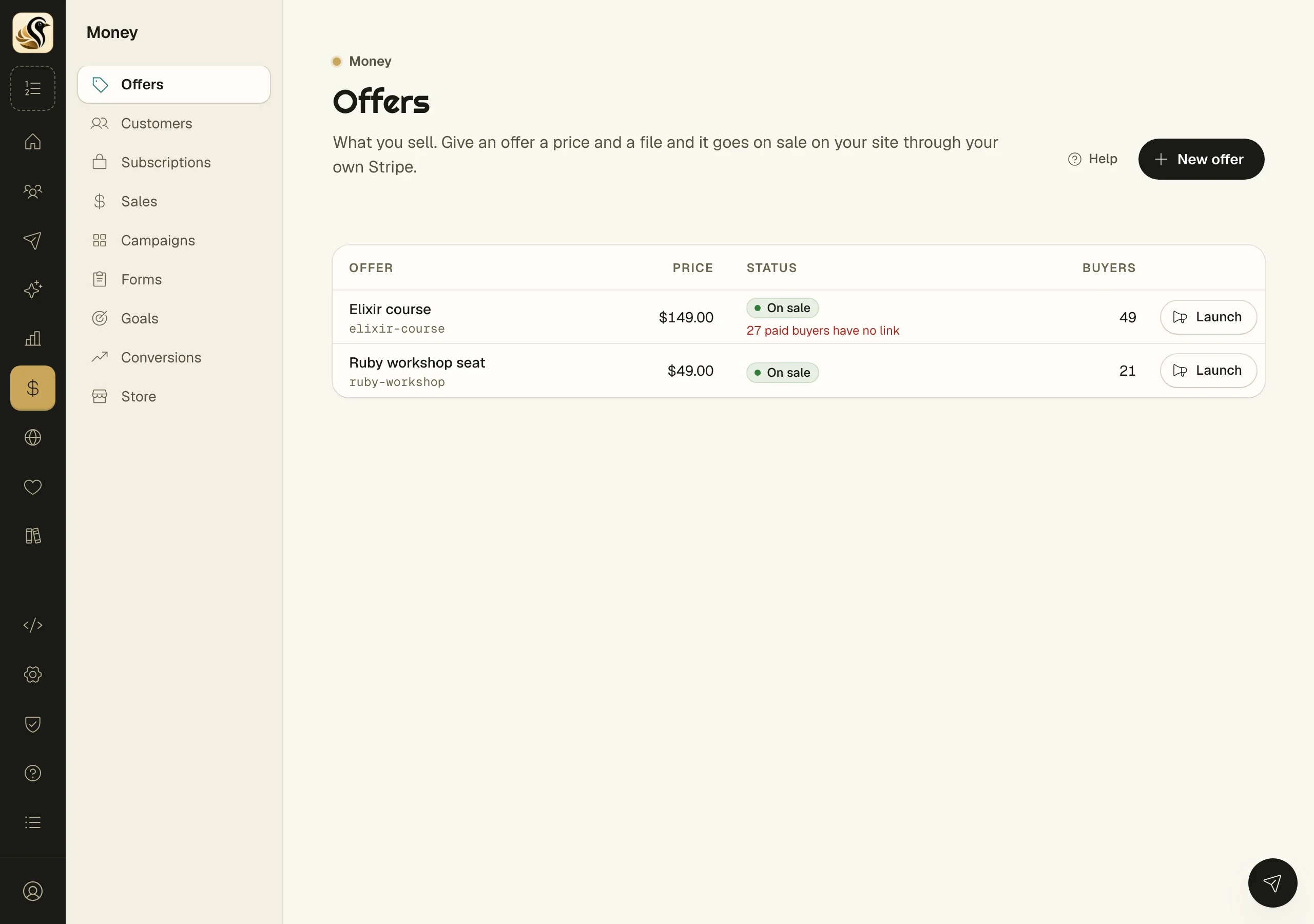
- Open Money > Offers and click New offer.
- On the Offer step, give it a Title and a SKU, then an Amount and Currency under Price. Add The file buyers get if you have it.
- Work through Pitch, Presale, Sales page, and After the sale. These plan the launch around the offer. Click No presale for this one if you only want to sell it.
- On Review, click Create My Offer.
Nothing is saved until that last click. The list on the right, What Kōlea will make, fills in as you go. If any part fails, none of it is saved. When it is made, Launch Studio opens with everything in place.
Put an existing offer on sale
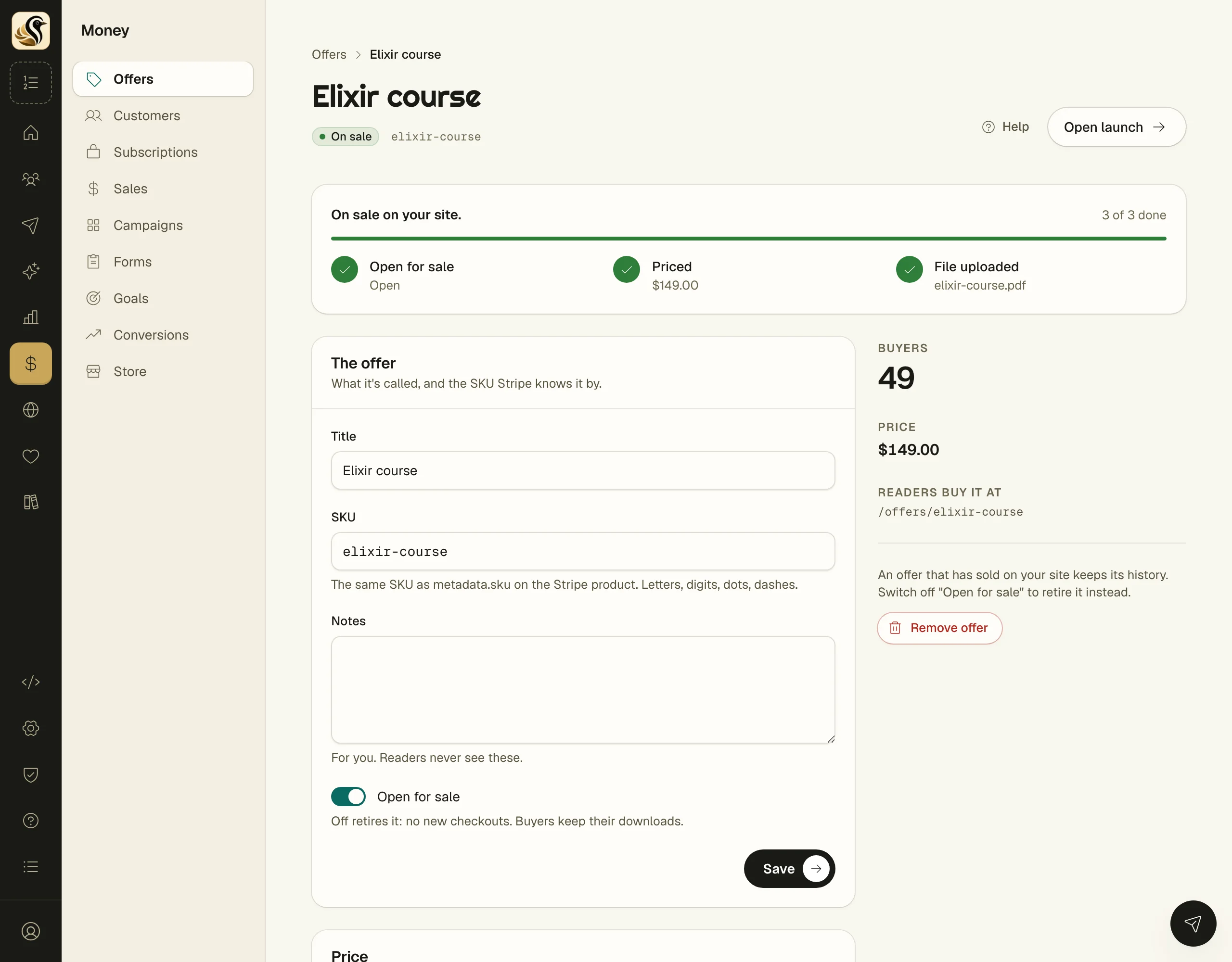
Click an offer to open its page. The bar at the top shows three steps: Open for sale, Priced, and File uploaded. When all three are done it reads On sale on your site.
- Under Price, enter an Amount and Currency and click Set price (or Change price).
- Under The file buyers get, drop the file or click Choose file, then Attach file. You can also pick a file already on one of your forms under Or use a file already on one of your forms.
- Check that Open for sale is switched on, then click Save.
What happens next
Readers buy it at /offers/ followed by the SKU on your site, and /offers lists everything you sell. Each buyer gets their own download link. See Checkout and purchases for what the buyer sees.
Things to know
- Connect your Stripe first, under Money > Store. See Stripe.
- Only an owner or admin can set a price or upload the file.
- Kōlea creates the product and a one-time price on your Stripe for you. The SKU is the product's
metadata.skuthere. - Changing the price makes a new Stripe price and archives the old one. Past sales keep what they paid.
- An offer with a price but no file is not on sale. Nobody can pay for nothing.
- Files can be PDF, EPUB, ZIP, gzip, or tar, up to 50 MB.
- Replacing the file keeps every buyer's link working, and they get the new version.
- Switching off Open for sale retires the offer: no new checkouts, and buyers keep their downloads. An offer that has sold keeps its history.
- If the offers list shows "paid buyers have no link", the file was removed. Upload it again and their links come back.