Billing and standing
Your plan and its limits, how you pay, and whether your marketing mail can go out today.
Two screens tell you where your account stands. Billing is your plan, what it allows, and how you pay for Kōlea. Standing is whether your marketing mail can go out right now, and if not, why not.
Billing
Open Settings > Billing. It shows:
- Current plan: the plan's name, its price, when it renews, and whether payment is in good standing.
- Usage: what you have used this month against each limit of your plan, such as sends this month, members, uploaded themes, and AI spend. Months are counted in UTC.
- Plans: every plan on offer, priced by list size, with the one you are on marked Current.
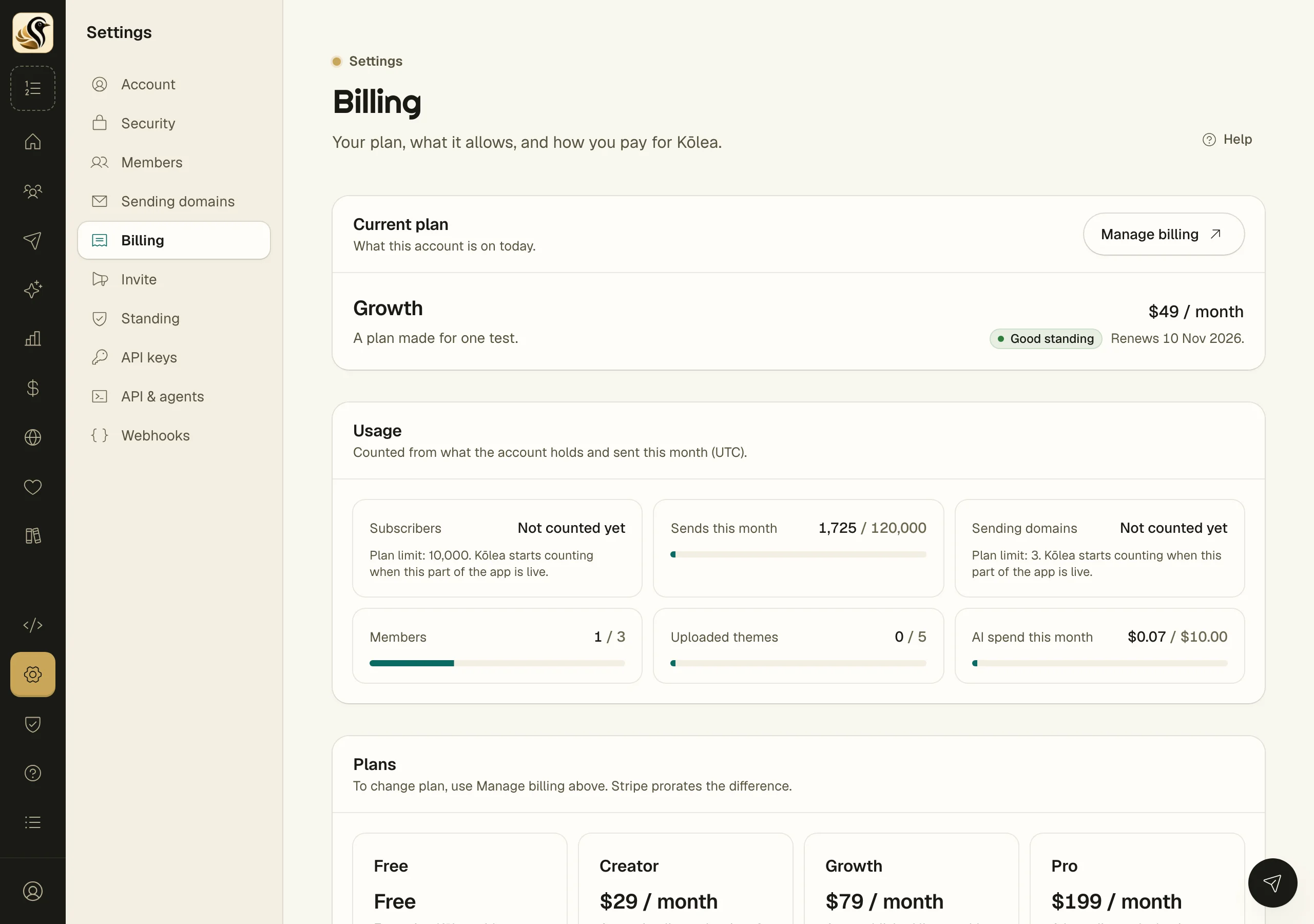
How to choose or change a plan
- On a free plan, click the plan's button, such as Choose Creator. Stripe Checkout opens; pay there.
- Once you pay for a plan, click Manage billing instead. It opens Stripe, where you change plan, update your card, or cancel. Stripe prorates the difference.
Your plan changes as soon as Stripe confirms the payment, usually within a minute. If you cancel Checkout, nothing is charged.
When you reach a limit
Reaching a limit stops only the thing that would grow past it: a new import, a new send, a new AI call. Nothing is deleted, and transactional mail, unsubscribes, tracking, your preference pages, and your site keep working.
If a payment fails
The account is marked Payment past due, and Billing tells you the date to update your card by. After that date it is Suspended: broadcasts and sequences wait until the account is paid up. Transactional mail, unsubscribes, tracking, and your site keep working the whole time.
Standing
Open Settings > Standing.
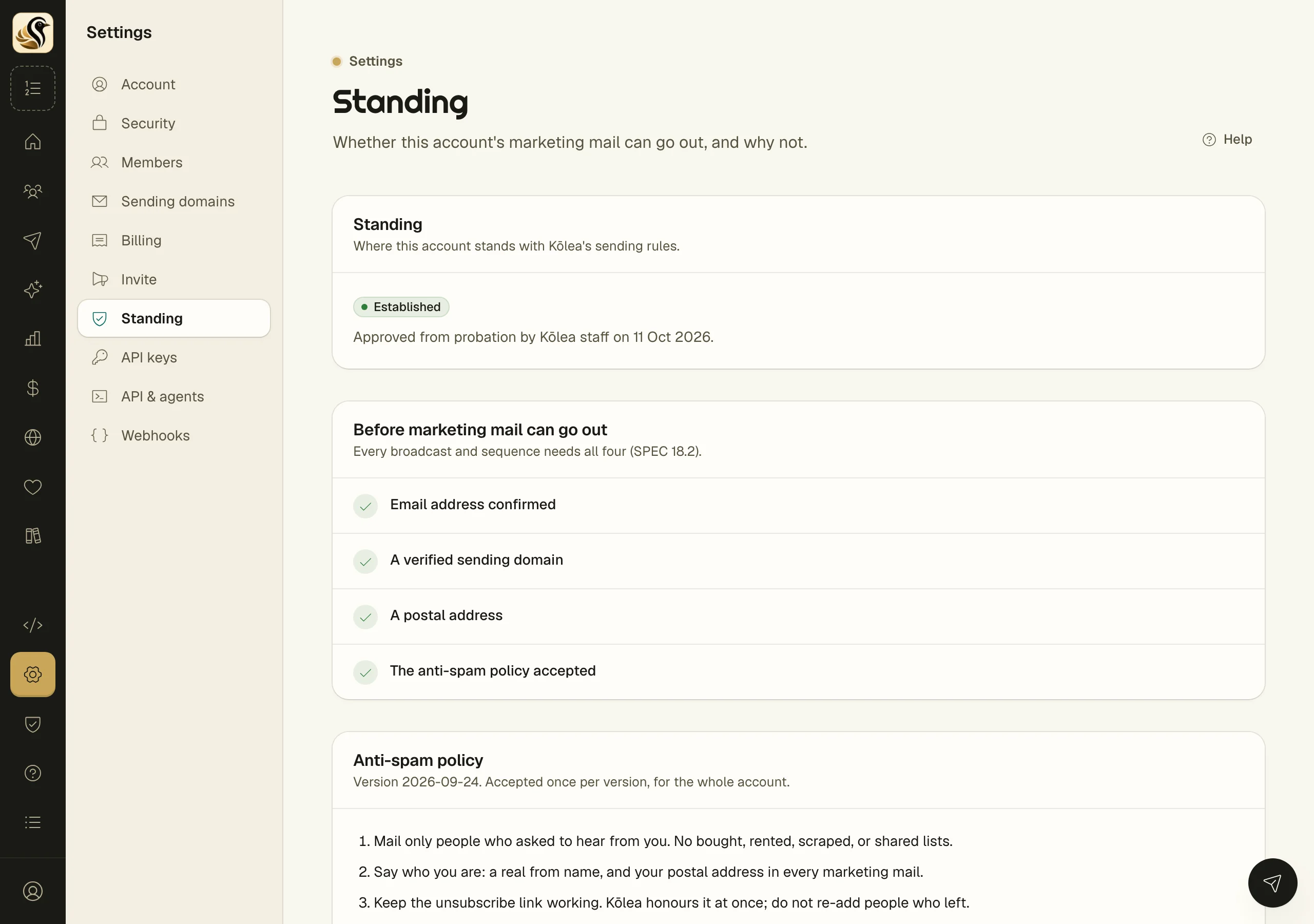
Probation is where every new account starts. Marketing mail is capped per 24 hours, and every form keeps double opt-in. Marketing mail, last 24 hours shows how much of the cap you have used. Probation ends on its own after two weeks of clean sending, or when Kōlea staff approve the account. Then the account is Established.
Before marketing mail can go out lists four things every broadcast and sequence needs: your email address confirmed, a verified sending domain, a postal address, and the anti-spam policy accepted. To accept the policy, read it under Anti-spam policy and click Accept the policy.
Reputation shows your hard-bounce and complaint rates over your last sends and the last 7 days, against the limits. Crossing a limit pauses marketing mail. The screen then says Marketing mail is paused and why, and Kōlea staff lift the pause. What Kōlea did lists every decision about your account, with its reason.
Things to know
- Only an owner manages billing. Other roles see the plan and why they cannot change it.
- An owner or an admin accepts the anti-spam policy, once per version, for the whole account.
- A pause or a suspension stops broadcasts and sequences only. Transactional mail, unsubscribes, forms, and your site keep working.