Posts and topics
Any broadcast can be a post on your site. Put each one up or take it down, and set its address and topics.
On Kōlea, a post is a broadcast that is also on your site. You write once, and the same piece is one email and one page. A broadcast can go up the day it sends, months later, or never, and taking it down never touches the mail that went out. Topics group your posts on the site and give each one its address.
Put a post on the site
- Open Site > Publishing. Every broadcast is listed, with On the site showing Published or Not published.
- Click the post.
- Check the Slug and add Topics, separated by commas. The first topic is the primary one and comes before the slug in the address.
- Click Publish.
Use the tabs All, On the site, and Not on the site to narrow the list.
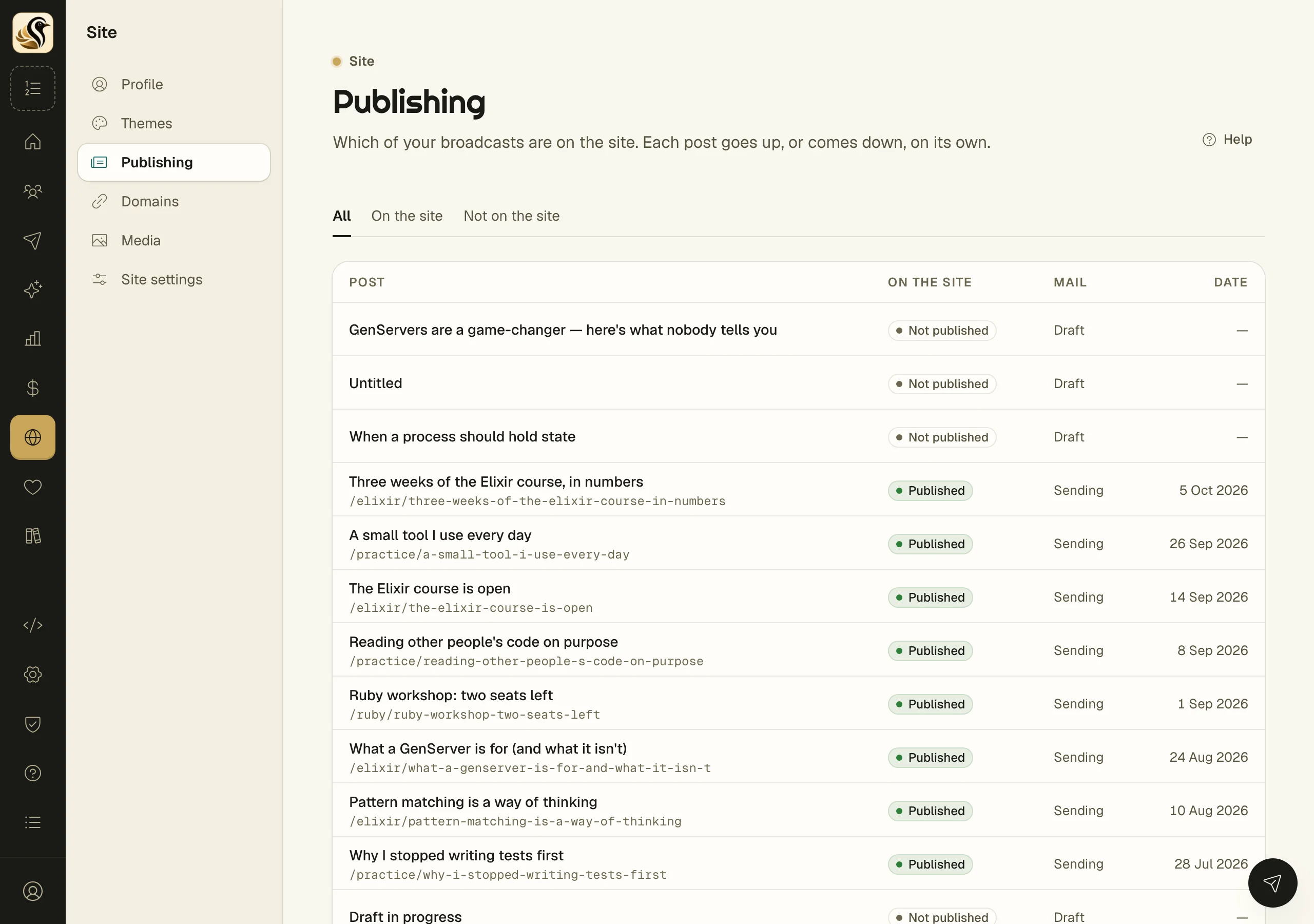
To publish as it sends instead, switch on Publish on the site when it sends in the broadcast's composer.
Set the details
On a post's publishing screen you can also set:
- Access: Everyone, Members: anyone signed in, or Premium: paying members only. Readers who can't read it see the title, your excerpt, and a way in.
- Excerpt: shown in lists, search results, and link previews. Left blank, the opening words are used.
- Image URL, Photo credit, and Credit link: the picture at the top of the post and in link previews. Left blank, the first image in the post is used.
- Featured: featured posts make the front page's start-here shelf.
Click Save publishing settings. These can change in any send status.
Describe your topics
At the bottom of Site > Publishing, Topics lists each topic with its address and how many published posts it has. Type a Description and click Save. It shows on the topic's page and in the description search engines read.
What happens next
A published post gets its address and the date it was sent, or today's date if it was never mailed. Address shows where it lives, and Link in mail shows the short form that mail carries, which always forwards to the address. View on the site opens it. Readers on the web counts its page views.
Things to know
- There is no publish-all button, on purpose. An imported archive goes up one post at a time.
- Take off the site keeps the slug, so publishing again brings back the same address.
- A slug sticks once given. If the address changes, the old one forwards to the new one.
- A topic appears on the site only once it has a published post.
- Members-only and premium posts never reach the feed, search, or link previews for readers who can't read them.
- If your site is off, the post's screen says so. Readers can't see it until you turn the site on.