Sales
One ledger for every sale from Stripe, the API, or an import, with the credit each one earned.
The Sales screen is your ledger. Every sale lands here, whether it came through your Stripe, through the API from another checkout, or from a CSV of past purchases. Each one shows who bought, what, how much, and which mail or form gets the credit.
Read the ledger
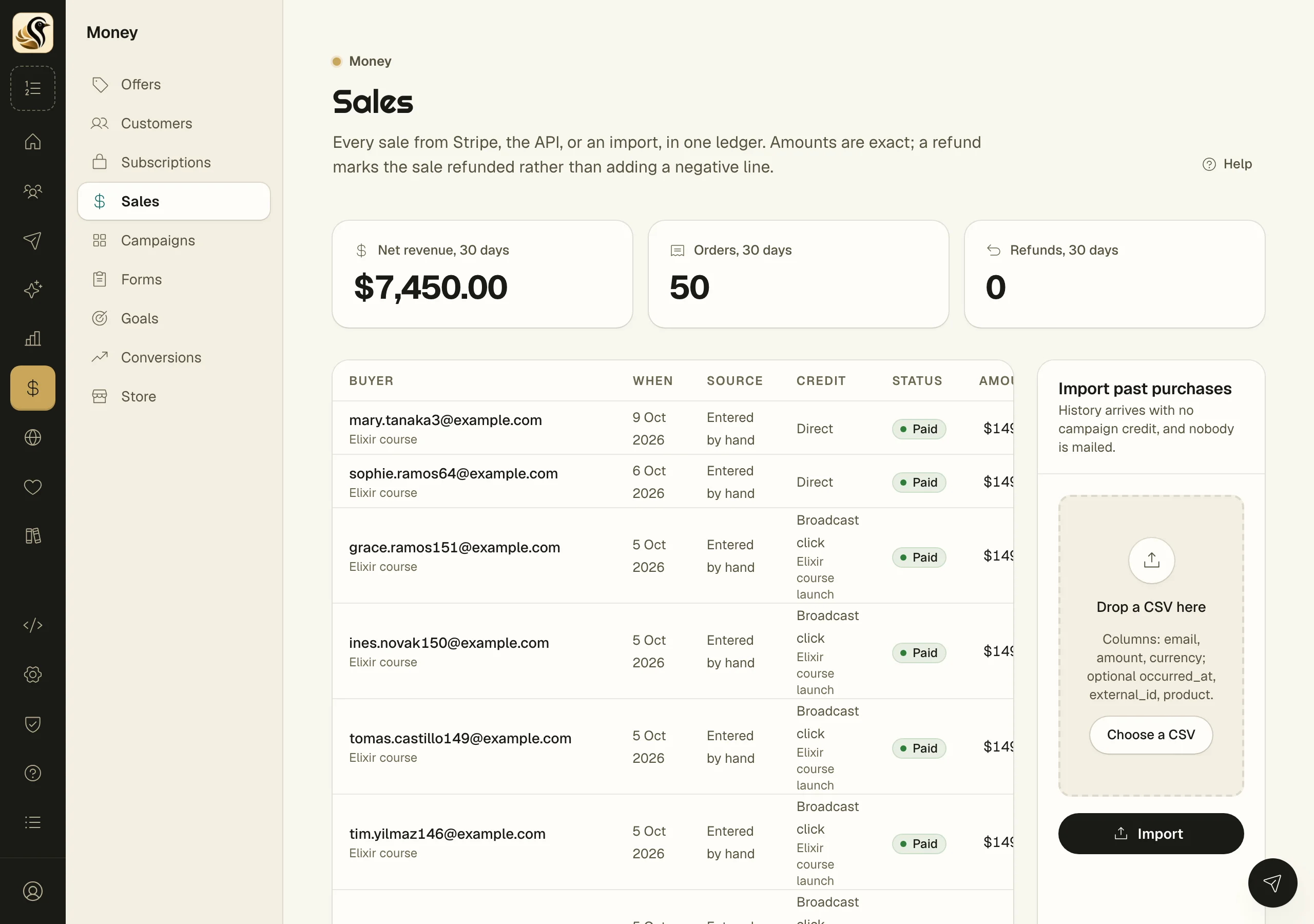
Open Money > Sales. The tiles at the top show Net revenue, 30 days, Orders, 30 days, and Refunds, 30 days. Below them, newest first, each sale shows:
- Buyer: their address, and what they bought.
- Source: Stripe, API, Imported, or Entered by hand.
- Credit: Broadcast click, Sequence click, Form signup, or Direct, with the campaign if there is one.
- Status: Paid or Refunded. A sale from Stripe's test mode also shows Test.
- Amount: exactly what was paid, in its currency.
Open one sale
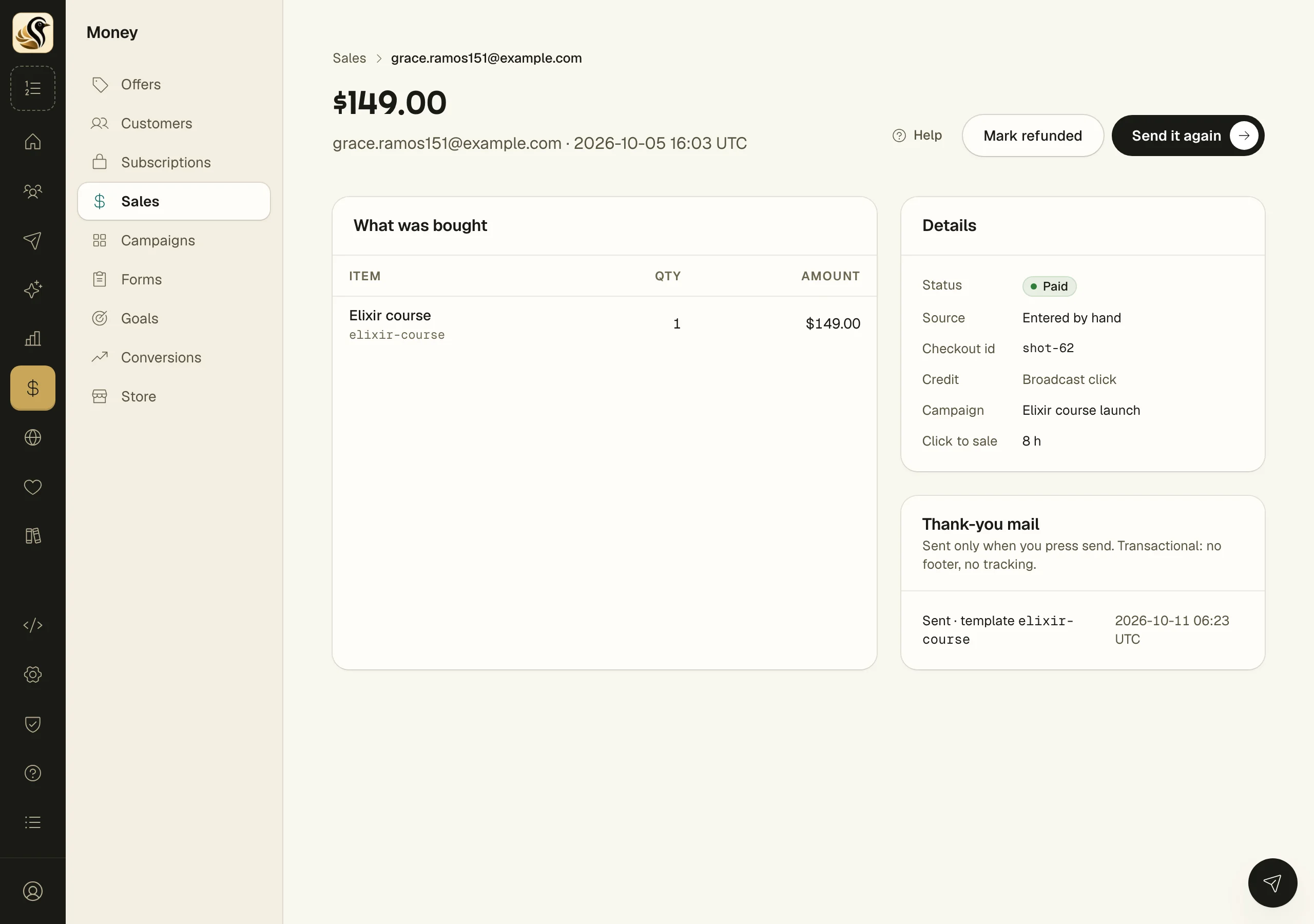
Click a sale to see What was bought, its Details (status, source, credit, campaign, and the time from click to sale), and its Thank-you mail. From here you can:
- Click Send thank-you (or Send it again) to send its purchase mail, after a preview.
- Click Mark refunded for a sale that was refunded outside Stripe. See Refunds.
Import past purchases
- Make a CSV with the columns email, amount, and currency. You can add occurred_at, external_id, and product.
- Under Import past purchases, drop the file or click Choose a CSV.
- Click Import.
The panel shows how many were recorded and how many were already there. Rows that could not be read are listed by line with the reason. You can leave the page while it runs.
What happens next
Sales from your Stripe arrive by themselves as they happen, and a nightly check catches anything that was missed. Every sale counts toward your campaigns, goals, and conversions, and buyers can be found in segments by what they bought.
Things to know
- A sale's credit is decided when it lands and never changes, even if you edit a campaign later.
- Imported sales have no campaign credit, and nobody is mailed.
- If an import stops halfway, upload the same file again to finish. Lines already booked are not booked twice.
- A buyer who was not on your list is added as a buyer only. They are not subscribed and get no marketing mail.
- A refund marks the sale refunded. It is never a second, negative line.
- Kōlea never moves money. Refunds and payouts happen in your Stripe.
- To record sales from another checkout as they happen, send
POST https://kolea.pro/api/v1/saleswith an admin API key: the buyer's email, the amount in cents, the currency, and your own order number. The same order number twice is the same sale. The full API is described athttps://kolea.pro/api/v1/openapi.json.