Contribution
Which mail moved a goal, by channel and by the individual send.
Contribution answers "which of my mail actually made money, or sales, or signups?" You set a goal for a month, a quarter, or a year, and this screen splits the result between your broadcasts, sequences, and forms, and the part that came with no mail at all.
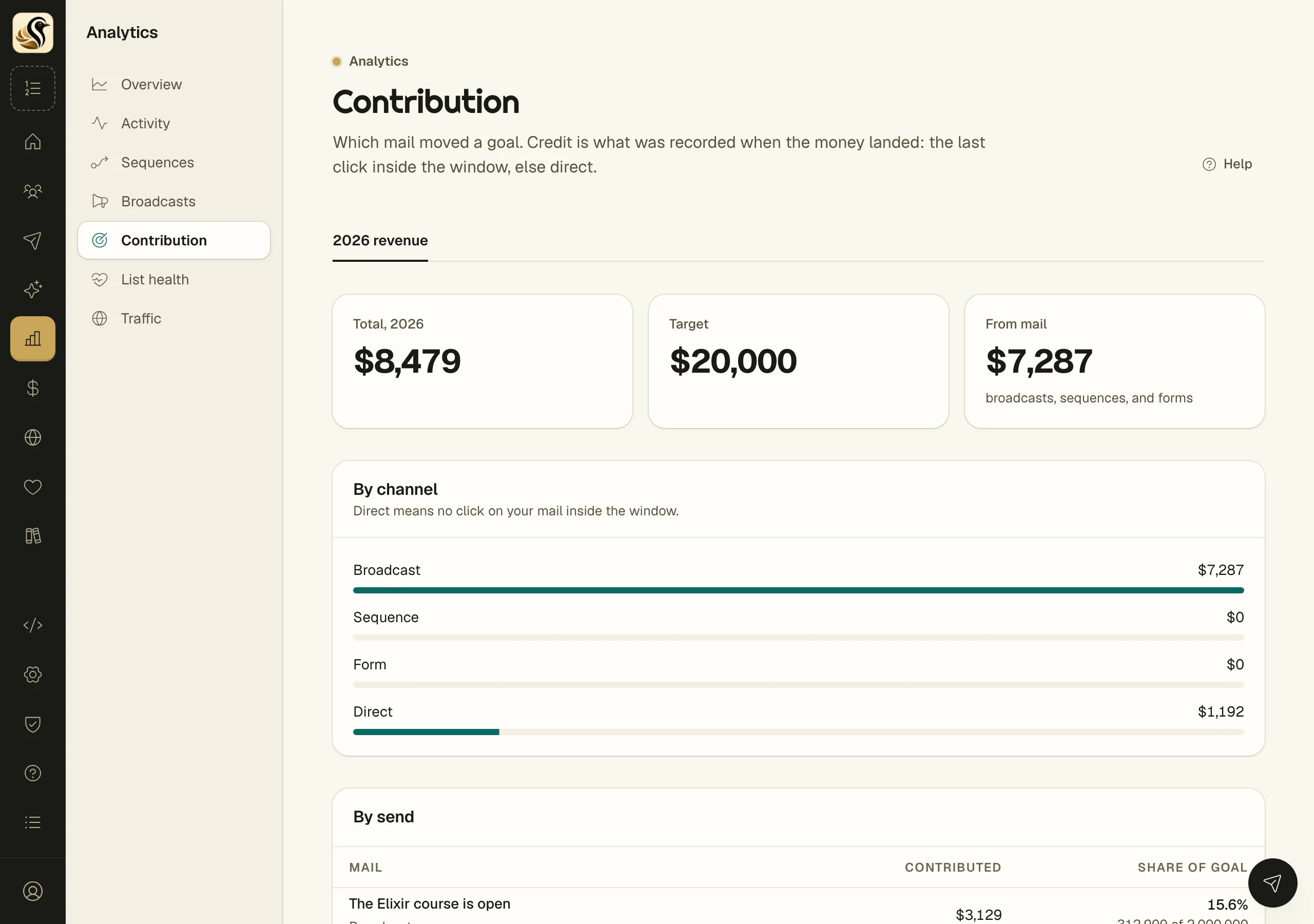
Read the screen
- Open Analytics > Contribution.
- If you have no goals yet, click Set a goal to make one under Money > Goals.
- Pick a goal from the tabs along the top. Each goal has its own tab.
- Read the tiles: the Total for the goal's period, the Target, and how much came From mail (broadcasts, sequences, and forms).
- By channel splits the total between Broadcast, Sequence, Form, and Direct.
- By send lists each piece of mail that earned credit, with what it Contributed and its Share of goal.
How credit is given
When a sale lands, Kōlea looks for the last click on your mail inside the attribution window before it. That mail gets the credit. If there was no click on your mail inside the window, the sale counts as Direct.
Credit is fixed at the moment the money lands. Editing a campaign or a send later does not move it.
A goal can measure revenue, the number of sales, or conversions, and the figures on this screen follow whichever the goal uses.
What the numbers do not mean
- Opens never earn credit. An open is not a reliable sign that a person read anything, so only clicks and form submissions count.
- Direct is not a failure. It is people who bought without clicking your mail in the window, such as someone who typed your address in or came from a friend.
- Last click gives all the credit to one send. The welcome series that warmed a buyer up does not get a share if a broadcast got the last click.
- Share of goal is against the target, not against the total, so the shares can add up to less than 100%.
Things to know
- Goals use named periods (a month, a quarter, a year) so one period can be compared with another.
- This screen only reads. You set and change goals under Money.