Write and send New
Reader council
Three readers from your audience and an editor read your draft before your list does. Then Claude helps you fix what they found.
What it is
A good editor does more than fix sentences. They tell you how different readers will take the piece: the one who'll love it, the one who'll roll their eyes, and the one who'll drift off halfway through.
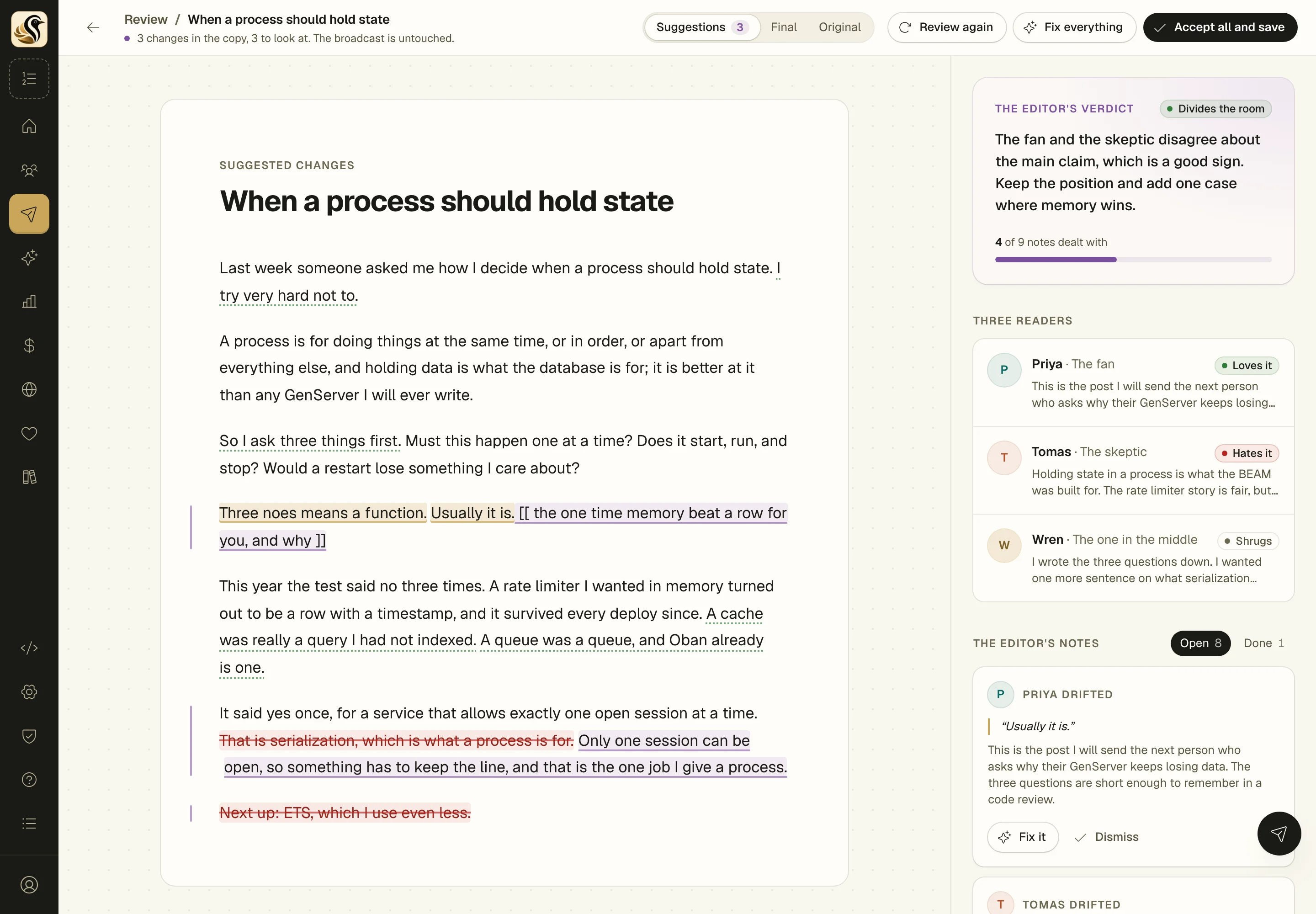
The reader council gives you that for every draft. Three readers drawn from your audience read it, a fan, a skeptic, and someone in between, and then an editor tells you what to push further and what to cut. Then you act on it, note by note, on one page. Claude can make each fix for you as a tracked change, and nothing in your draft moves until you accept it.
01 Reader council
One page for the whole review
The review opens beside your draft, like comments in a shared doc. Your draft sits on the left with the lines the readers stumbled on highlighted. The verdict, the three readers, and the editor's notes run down the right. Click a highlight and its note lights up, and the other way round.
-
Fix it or Dismiss on every note, so you work down the list instead of keeping it in your head. Dismissed notes wait under Done in case you change your mind.
-
Fix everything, one click that sends every open note to Claude at once. You still decide on each change.
-
Suggestions, Final, or Original, three ways to read the page: the changes marked up, the copy as it would be, or your draft as it was.
-
Review again, and the readers read the copy with the fixes in it, so you find out whether they landed.
02 Reader council
Every fix is a suggestion
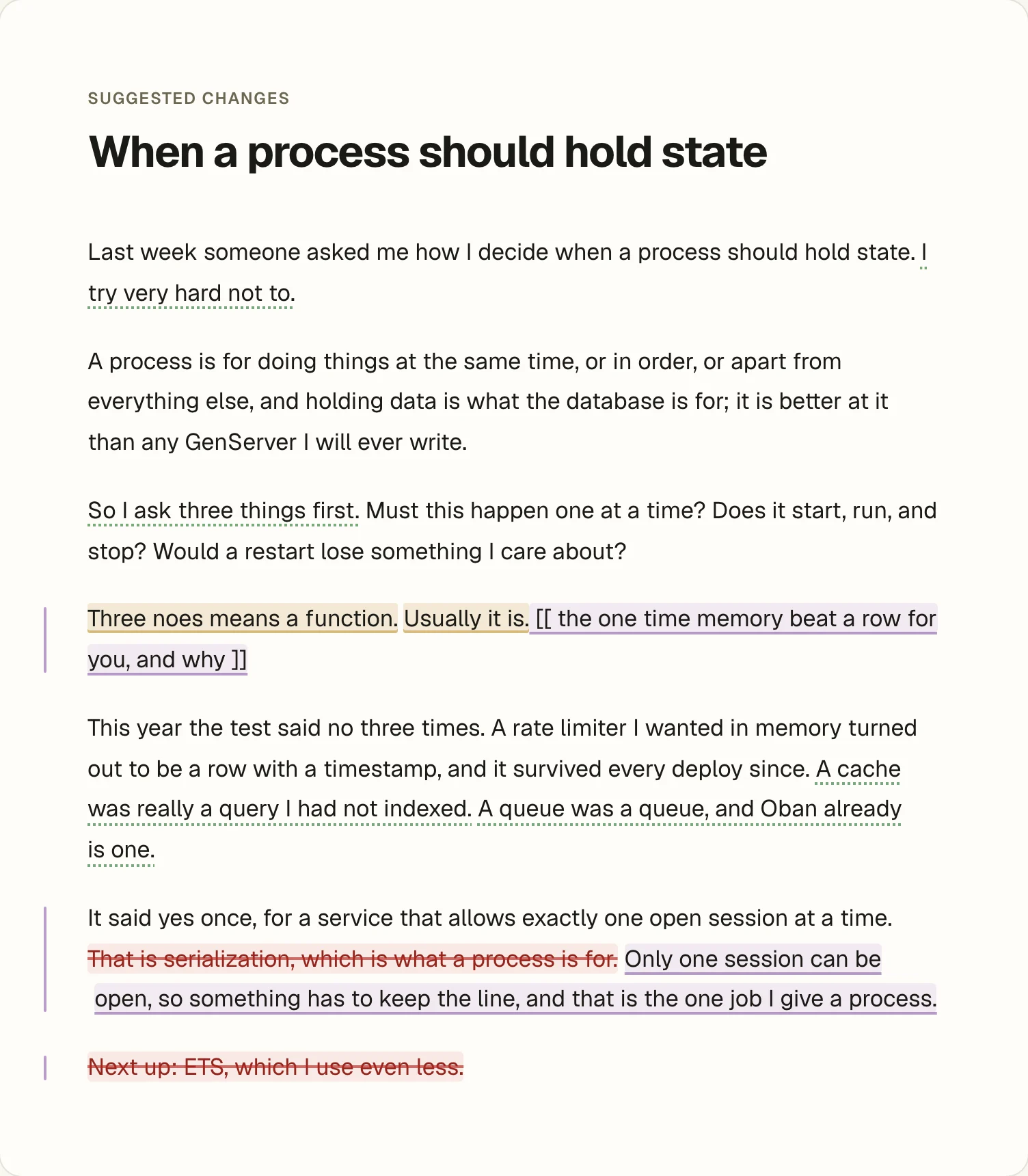
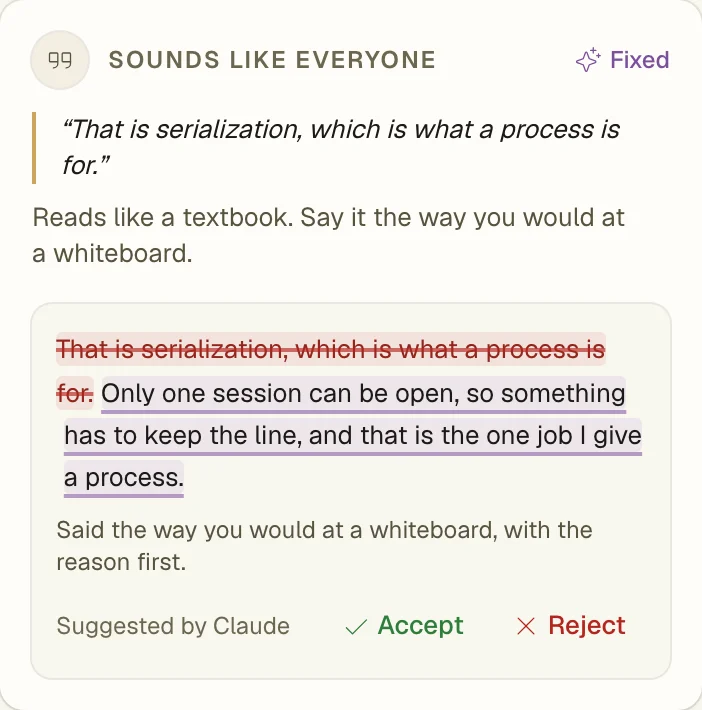
When Claude fixes a note, the change appears on that note's card and in the draft, crossed out and underlined the way tracked changes are in Word. Accept it, reject it, and when you're happy, Accept all and save puts the copy into your broadcast or sequence mail.
-
The smallest change that answers the note, in your voice, keeping your spelling and the way you talk to your readers.
-
It won't make up your stories, so where a note asks for something only you know, it leaves a [[ placeholder ]] saying what goes there.
-
Your links, merge tags, images and buttons are safe, and a fix that would touch one of them is thrown out before you see it.
-
Your draft is untouched until you say so, and rejecting a change takes it straight back out of the copy.

03 Reader council
Three readers and an editor
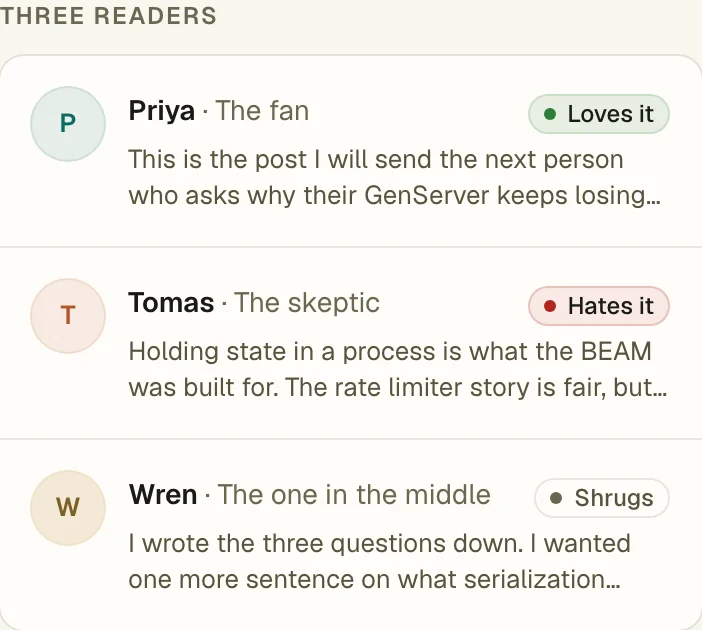
Each reader says whether they love it, hate it, or shrug, the line that hooked them, and the line that lost them. Then the editor gives you a verdict, a few things to push further, a few to cut, and notes on where you sound like you and where you sound like everyone.
-
"Divides the room" or "Plays it safe", a verdict on the whole piece. Some readers loving it and some hating it is what you want. If everyone shrugs, the notes show you where to take a clearer position.
-
Quotes taken word for word from your draft, and anything it tries to quote that isn't in there is thrown out, so every note points at a real sentence.
-
Your voice, marked line by line, "You" for the lines only you'd write and "Everyone" for the ones anyone could have. That's the note I find most useful.
04 Reader council
Tell it who reads you
You describe your audience once with four choices, and the three readers are drawn from it. It's saved for every post, so you set it and forget it.
-
Who they are, from software developers to designers, founders, writers, marketers, teachers, or curious generalists. A skeptical developer reads differently than a skeptical marketer.
-
How much they know and why they read you, new to it, doing it every day, or seen it all; to learn how, to keep up, for your take, or for the story.
-
How they read, skims on a phone, reads it through, or reads every word. A skimmer gets lost in different places than a careful reader, and the council tells you where.
05 Reader council
Right beside the page
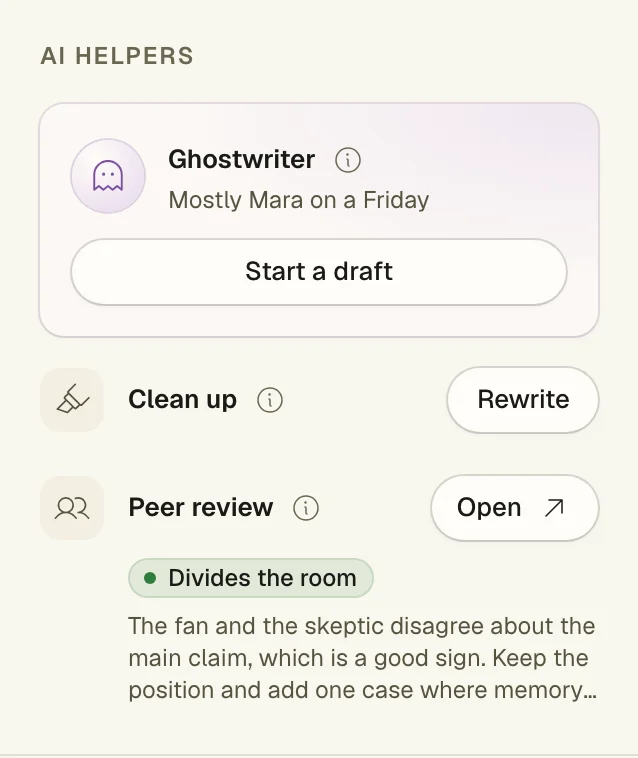
Peer review sits in the editor's side column, under the slop meter, for broadcasts and sequence mails alike. Click Review and it saves what's on screen and opens the review page.
-
The last verdict stays in the side column, so you can see at a glance whether this draft has been through it.
-
A monthly AI allowance you can see, or your own key, with every call and what it cost listed under Settings. On your own OpenRouter key there's no limit from us, and you pay OpenRouter directly.
-
What you wrote is never kept by the model, only the latest review and its working copy are saved, on the draft they belong to.
The short version
- Describe your readers with four choices: what they do, how much they know, why they read, and how patiently.
- A fan, a skeptic, and someone in between each say what they think. Then an editor says what to keep and what to cut.
- Every note has Fix it and Dismiss. Claude's fixes show up as tracked changes you accept or reject one by one, or click Fix everything.
- Your draft doesn't change until you accept the copy. Review it again any time to see if the fixes landed.
- It uses AI, so it comes out of a monthly allowance you can see, or runs on your own OpenRouter key.
Try it on your own list
Free for your first 500 subscribers, no credit card needed. We'll help you move your list over.