Automate New
MCP and API
Connect your AI assistant to your list. It follows the same rules you do.
What it is
I run most of my business through Claude these days. I ask it how last week's newsletter did, who bought the course, which readers clicked the pricing link and didn't buy. Most email platforms make that impossible, or give you an API with twelve endpoints and a shrug.
Kōlea has an MCP server with 132 tools, one for every single thing you can do in the app, and a REST API that does exactly the same. Your assistant follows the same rules you do, it can't send mail until you say so, and every call it makes is written down.
01 MCP and API
Connect in one line
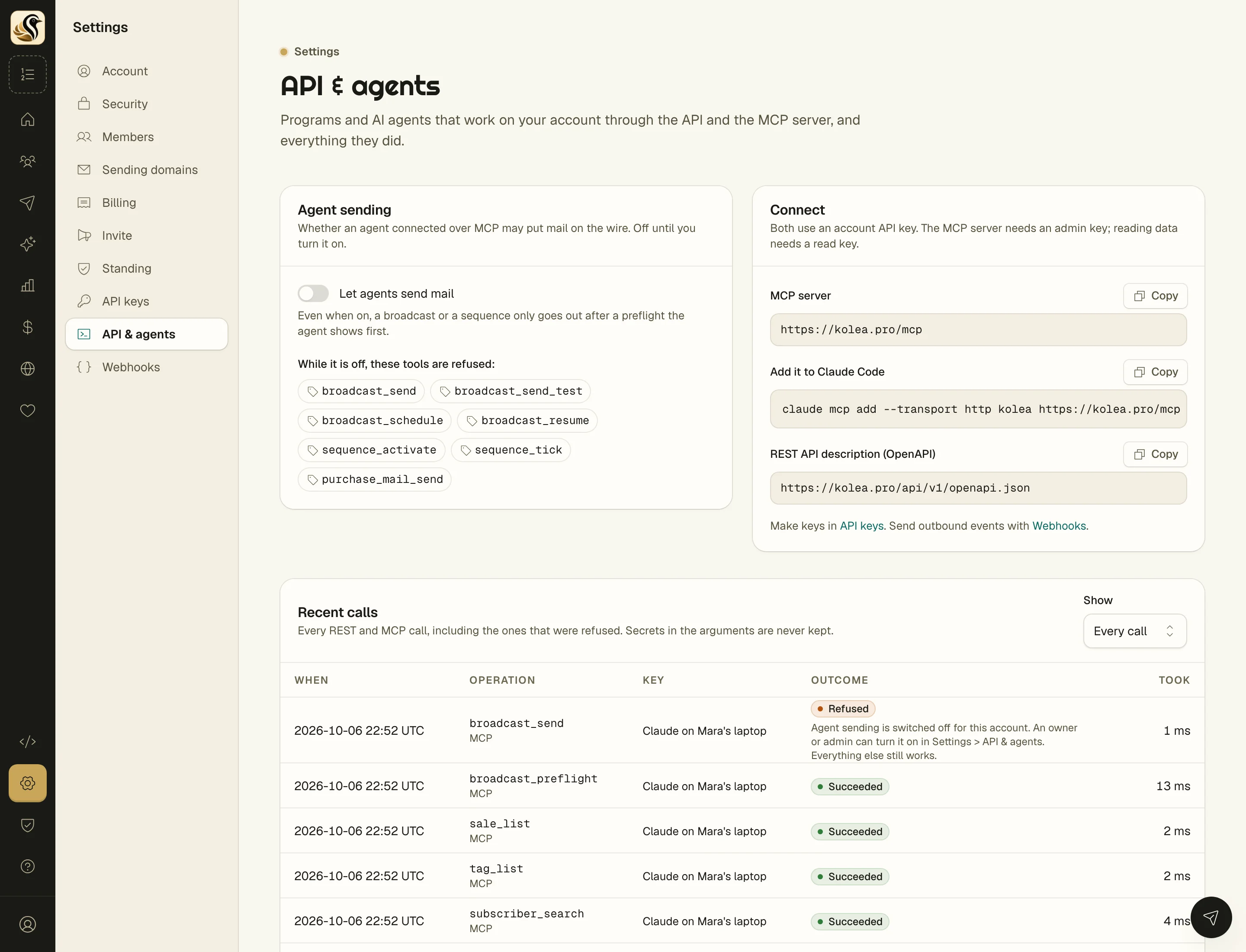
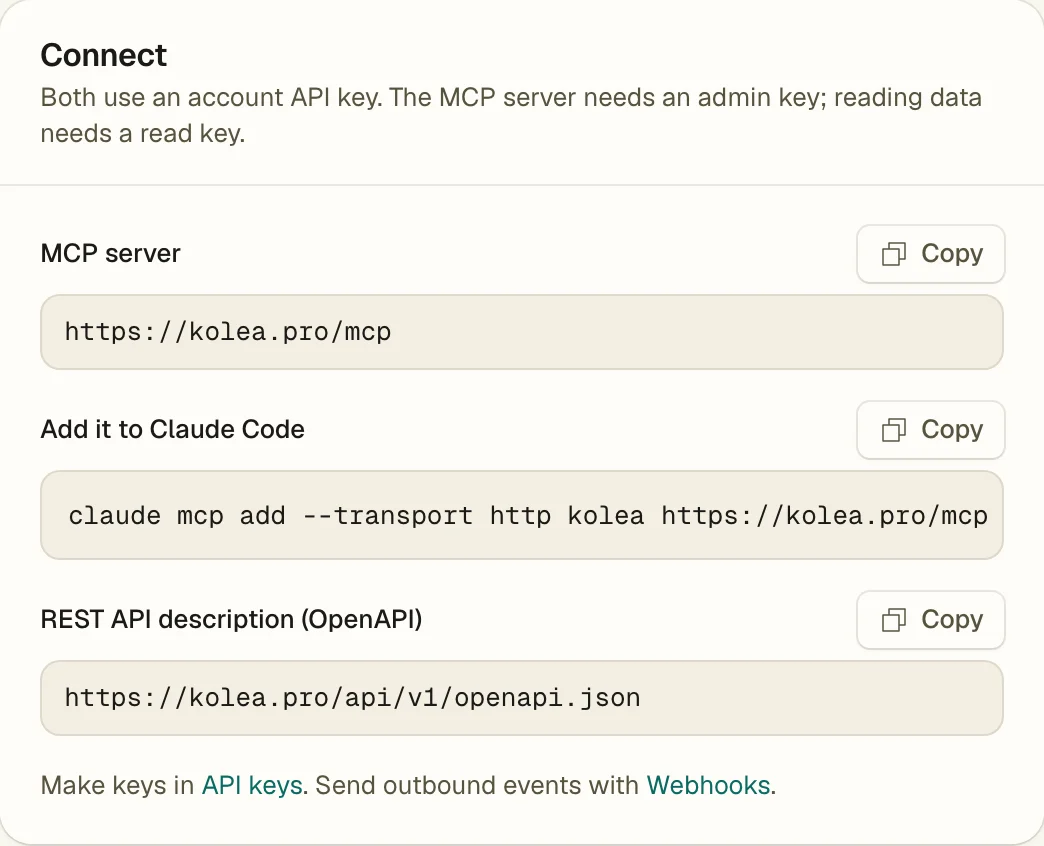
Make an admin key, copy the line on the AI > Agents & MCP screen, and paste it into Claude Code. Any MCP client that speaks streamable HTTP works the same way.
-
One command for Claude Code, "claude mcp add --transport http kolea" and your key, shown ready to copy. There's no OAuth dance and no app to install.
-
Keys you control, send for transactional mail only, read to look and change nothing, admin for everything. Each key has its own rate limit (120 a minute unless you change it) and you can revoke it with one click.
-
A REST API with an OpenAPI description, generated from the same list of operations as the MCP tools, so the two never drift apart.
-
Instructions it reads before it starts, Kōlea tells your assistant the house rules up front: consent is scoped, leaving a sequence isn't unsubscribing, and sending needs a preflight.
Everything you can do, it can do
The tools cover subscribers, tags and tag rules, segments, broadcasts, sequences and their templates, campaigns, forms, posts, your site, sales, Stripe, deliverability, email templates, webhooks, and the account itself.
Each tool says whether it only reads, whether it's safe to repeat, and whether it destroys something, so a good client can ask you before it does anything drastic.
-
"How did this week go?" stats_overview, broadcast_stats, and revenue_by_campaign give your assistant the same numbers you see on the dashboard, so the answer is real.
-
"Tag everyone who clicked the pricing link and didn't buy", a search, a segment preview, and a tag, without you exporting a CSV and squinting at a spreadsheet.
-
"Draft Tuesday's broadcast from my notes", it creates the draft and you read it in the editor, slop meter and all, before anything goes anywhere.
-
Built-in prompts for the common jobs, a weekly review, a launch campaign, reconciling Stripe, and drafting a broadcast, so you don't have to work out the right questions.
03 MCP and API
It can't send until you say so
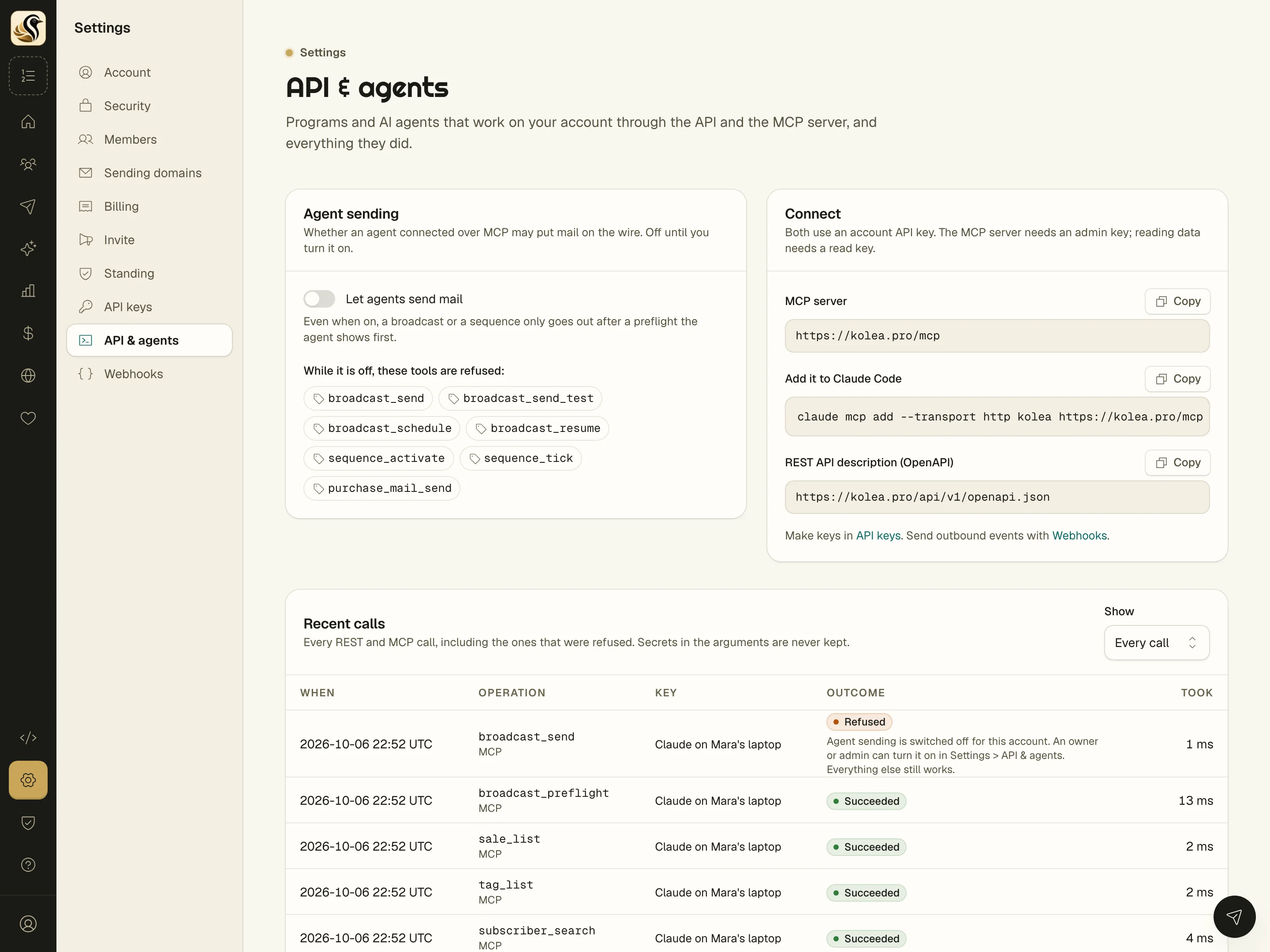
Letting an AI loose on your list is scary, and it should be. So agent sending is off until a person turns it on, and even then a broadcast only goes out after a preflight the agent has to show you first.
-
Seven sending tools refused while the switch is off, broadcast_send, broadcast_schedule, sequence_activate, and the rest. Everything else still works, so your assistant can draft and plan without being able to hit send.
-
Only a person can flip that switch, a key that tries is refused, and the attempt is logged.
-
A preflight token for every send, it's good for one use and ten minutes, and it's tied to the exact content. Edit the draft after the preflight and the send is refused, so what the agent showed you is what goes out.
-
No making new keys, an agent can list and revoke keys but never create one, because a key that can make keys outlives its own revocation.
04 MCP and API
Every call, written down
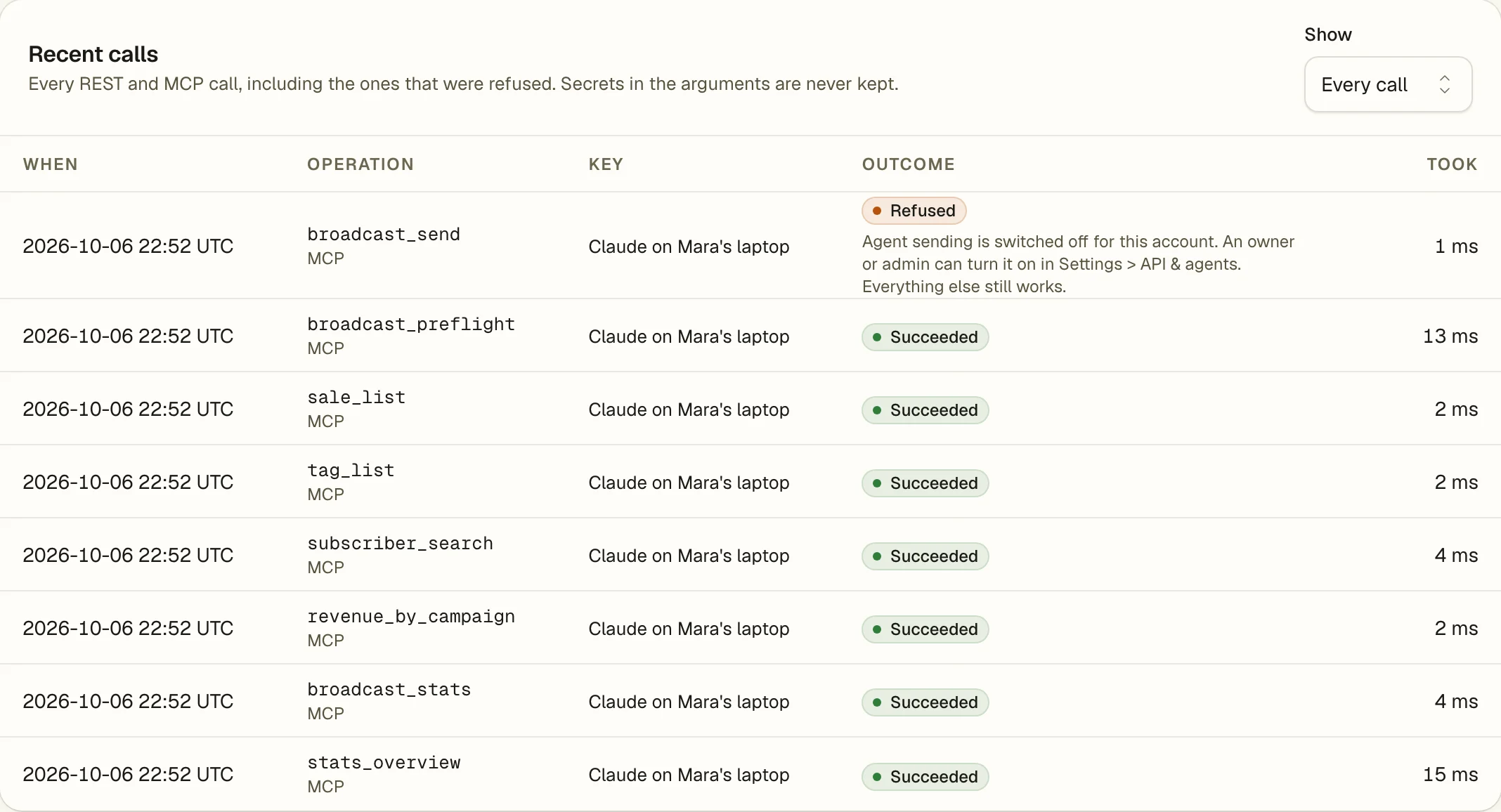
The bottom of the screen is a log of every REST and MCP call, including the ones that were refused, with which key made it, what happened, and how long it took.
-
Refused calls show up too, so if your assistant tried something it wasn't allowed to do, you'll see it and why.
-
Secrets are never kept, passwords, keys, and preflight tokens in the arguments are stored as [redacted].
-
Your assistant can read the log as well, so you can ask it "what did you do yesterday?" and get an honest answer.
The short version
- An MCP server with 132 tools, one for each thing you can do in Kōlea.
- A REST API that does the same things, with an OpenAPI description.
- You decide what each key can do, and you can turn it off with one click.
- Agents can't send mail until you switch it on, and every call is logged, refused ones included.
Try it on your own list
Free for your first 500 subscribers, no credit card needed. We'll help you move your list over.