Campaigns and attribution
Group the mail and forms of one launch, see which sales they led to, and set goals you can measure.
A campaign groups the broadcasts, sequences, and forms of one launch, so you can see what that launch sold. When a reader clicks a link in that mail, or signs up through that form, and then buys, the sale is credited to the campaign. Goals and conversions build on the same sales.
Make a campaign
- Open Money > Campaigns and click New campaign.
- Give it a Name and, if you like, Notes for you and your team.
- Click Create campaign, then open it.
- Under Add to campaign, choose the Kind (broadcast, sequence, or form), pick Which, and click Add. Repeat for each part of the launch.
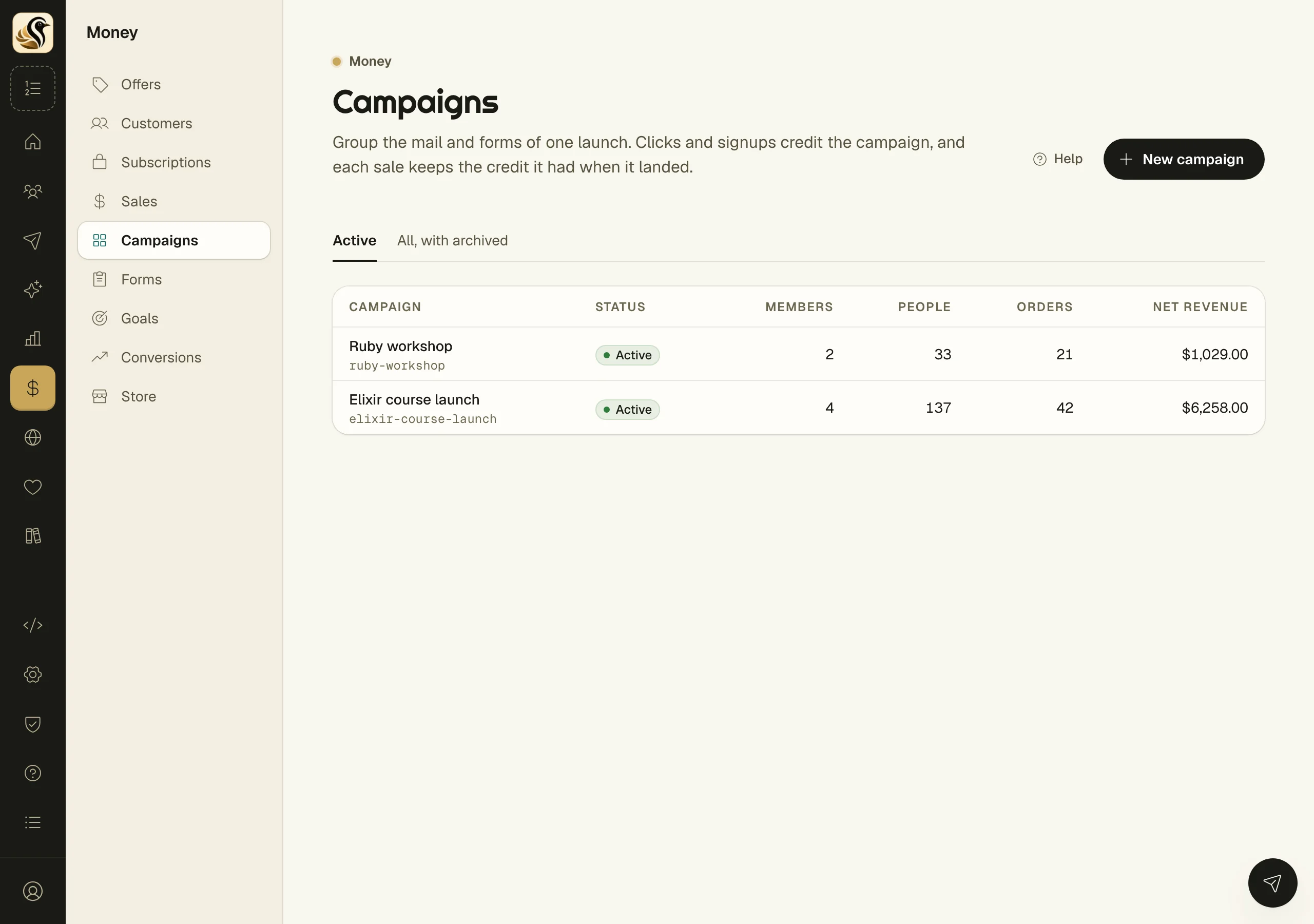
Read a campaign
The tiles show People touched, Orders, Refunds, and Net revenue. In this campaign lists its mail and forms. Latest sales shows each credited sale and what earned it.
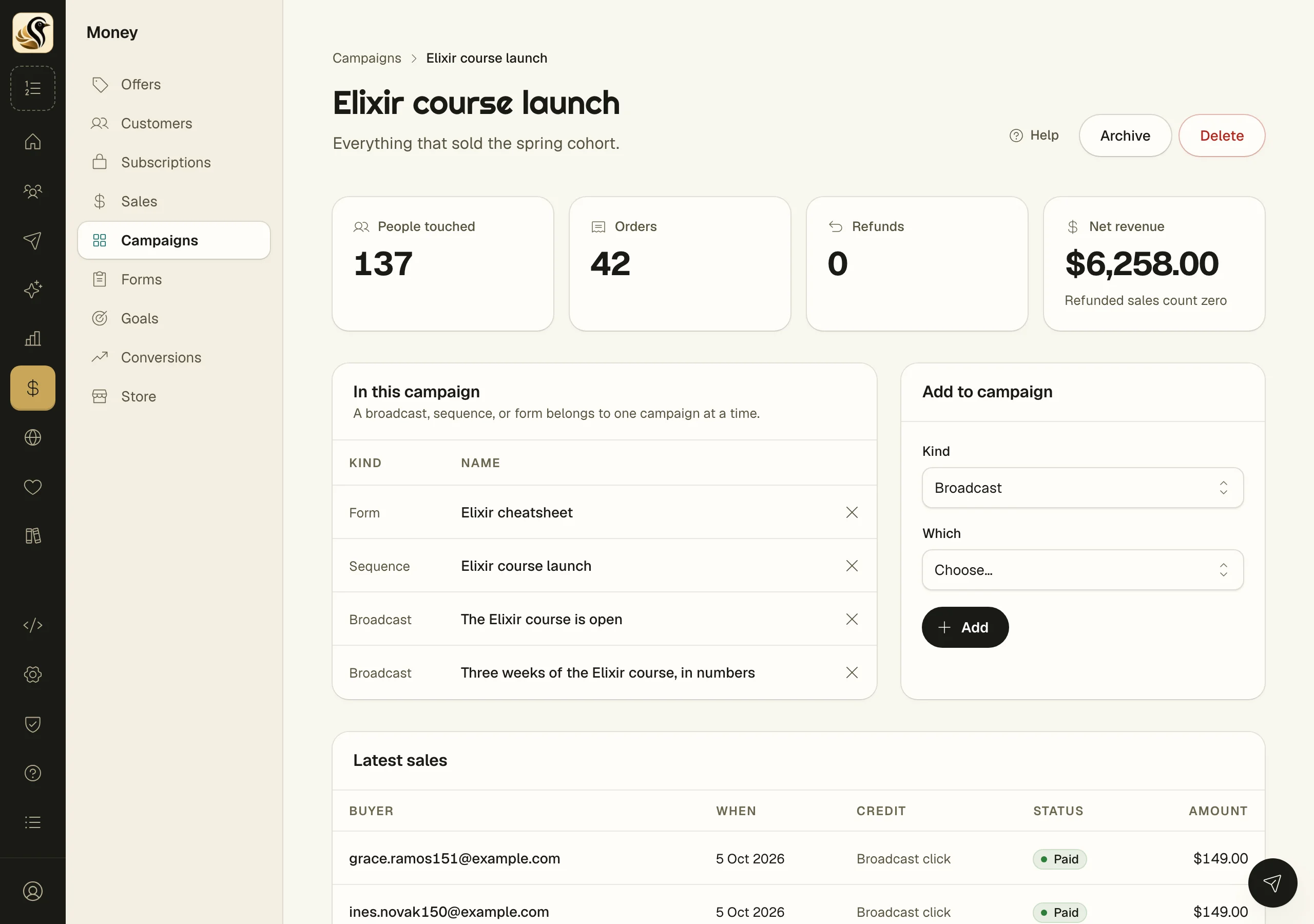
How a sale is credited
The last click wins. If the buyer clicked a campaign's broadcast, or a sequence mail, or joined through its form, within the attribution window before they bought, that touch gets the credit. A sale with no such touch is Direct.
The windows are set under Money > Store > Settings: Broadcast click (7 days unless you change it), Sequence click (30 days), and Form signup (30 days).
Goals
- Open Money > Goals and click New goal.
- Choose a Measure: Revenue, Paid orders, or Conversions.
- Set the Target and the Period: a month, a quarter, or a year.
- Click Set goal.
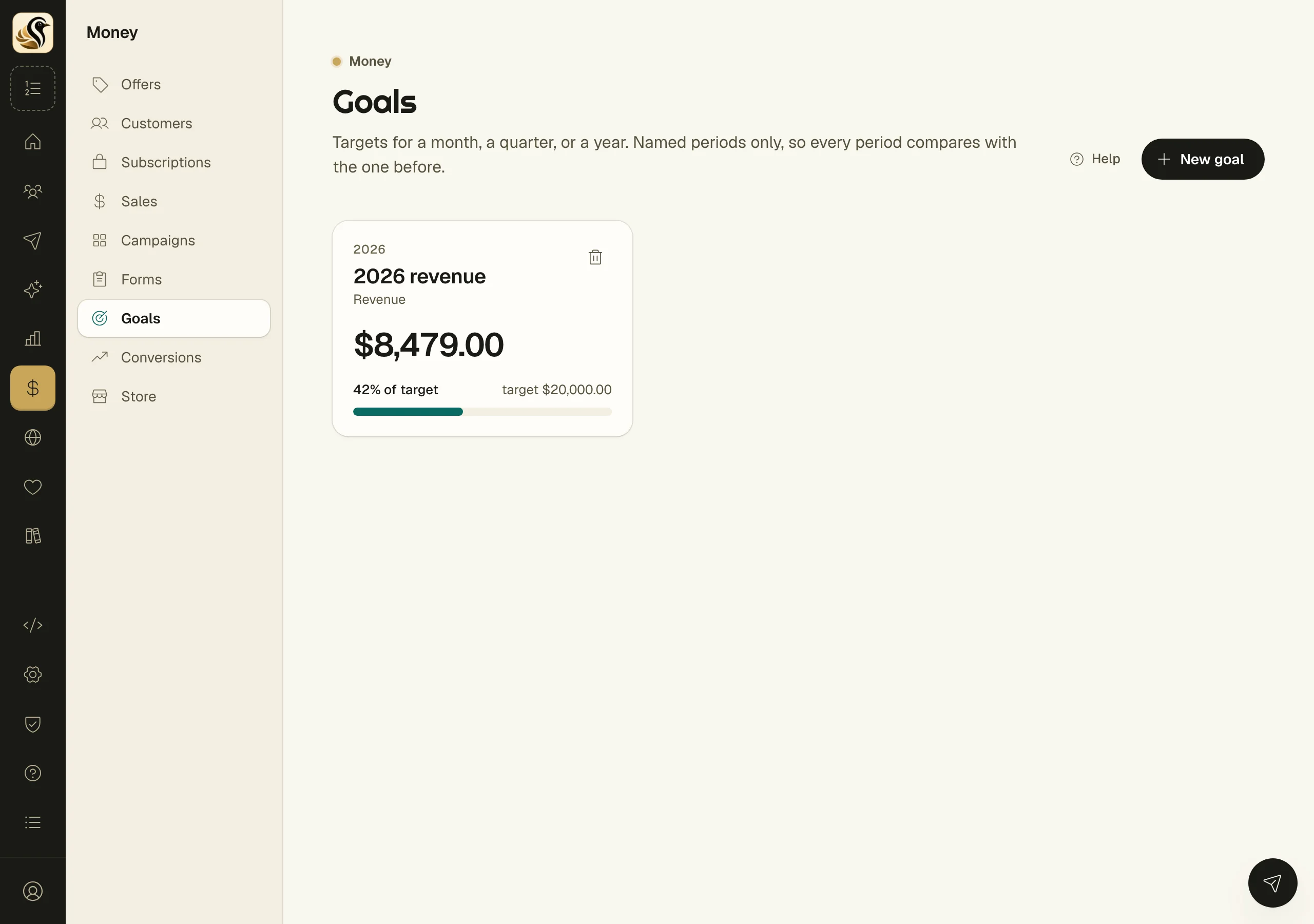
The card fills from your sales and shows how close you are.
Conversions
Money > Conversions types each sale as it lands, using kinds you control. Click Add the standard kinds for yearly and monthly subscriptions, any other sale, and signups you count by hand. Click New kind to add your own, such as a sale of certain SKUs. Kinds are tried top to bottom, and the first that fits wins.
Things to know
- An open is never a touch. Only clicks and form signups earn credit.
- A sale's credit is fixed when it lands. Changing a window, or a campaign, never rewrites it.
- A broadcast, sequence, or form belongs to one campaign at a time.
- Removing something from a campaign keeps the credit touches already earned.
- Archive hides a campaign and changes no numbers. Restore brings it back.
- Deleting a campaign leaves its sales on the books without a campaign. Its mail and forms are untouched.
- Refunded sales count zero toward net revenue.
- Goals use named periods only, so this quarter always compares with the last one.