Traffic
Who reads your site, counted by the page itself, with no cookies and no crawlers.
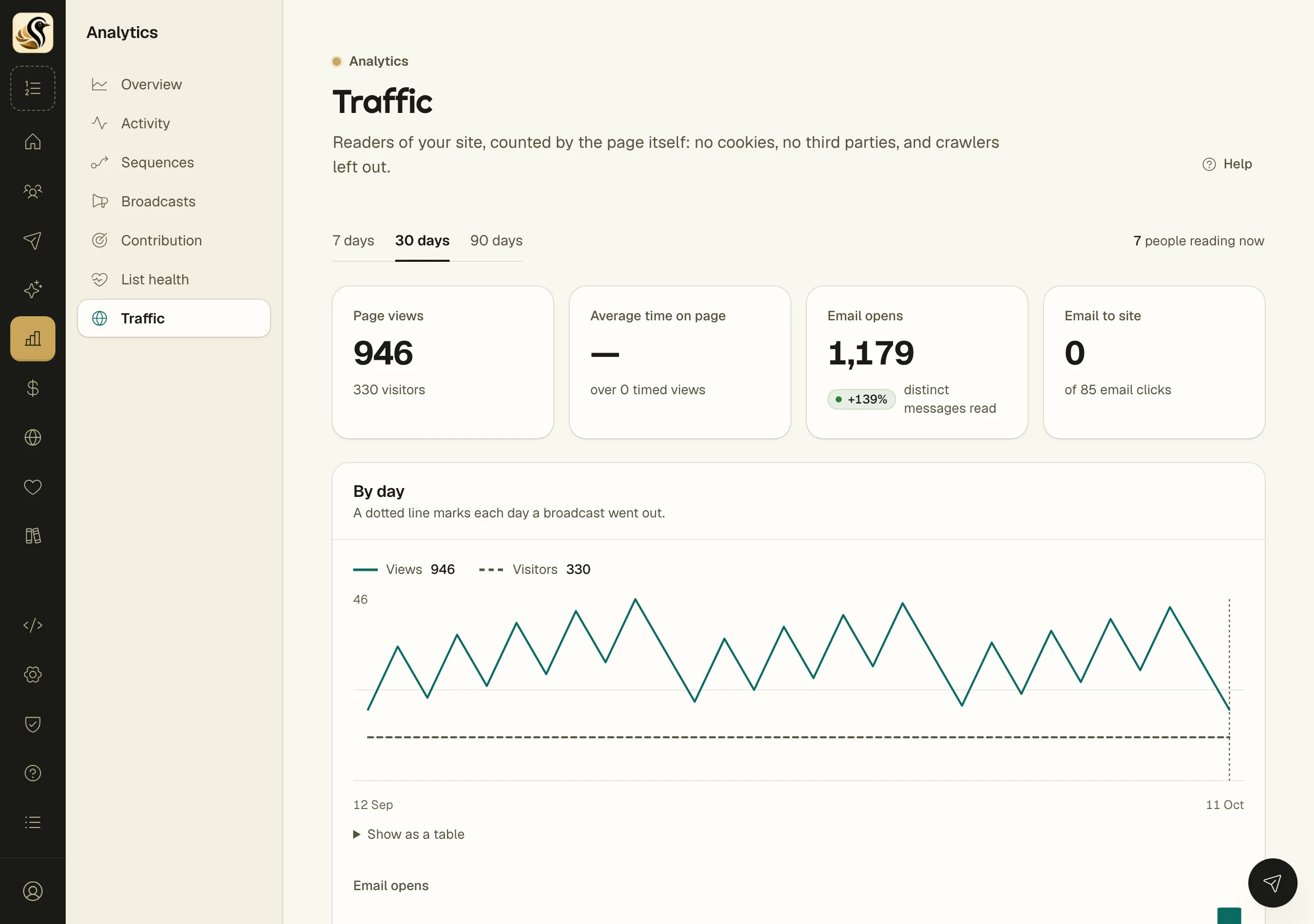
Traffic shows how many people read your public site, what they read, and where they came from, next to how your mail is being opened. It is counted by the page itself when a person reads it: no cookies, no third-party tracker, and crawlers left out.
Read the screen
- Open Analytics > Traffic.
- Pick a period: 7 days, 30 days, or 90 days. Where there is a period before to compare with, the change shows as a pill on the figure.
- The top right says how many people are reading now: visitors in the last 30 minutes.
- Read the four figures, then the By day chart, then Top content, Where they came from, and Top countries.
The figures
| Figure | What it counts |
|---|---|
| Page views | Pages read on your site, with the number of visitors under it |
| Average time on page | How long a page stayed in view, over the views that reported a time |
| Email opens | Distinct mails opened in the period |
| Email to site | Clicks in your mail that led to your site, out of all email clicks |
The By day chart draws views and visitors each day, with a dotted line on each day a broadcast went out, so you can see what a send does to your site. Click Show as a table for the numbers. Below it, a second chart shows email opens by day.
The lists
- Top content shows your most-read posts and pages with web views, email reads, and average time.
- Where they came from groups views by the source named in the link (such as a ref or utm_source on the address), otherwise the site that sent them. Visits with neither are counted as direct or from email apps.
- Top countries shows where readers are.
What the numbers do not mean
- A visitor is counted per day. The same person on two days counts as two visitors, because nothing is stored on their device to recognise them.
- A view is only counted when a browser reads the page. Search engine crawlers and link previews do not count, so these numbers run lower than tools that count every request.
- Average time on page shows a dash until some views have reported a time.
- Treat Email opens as an estimate, like every open count. Email to site is a firmer signal, because it counts clicks.
When the screen is empty
- "No public site yet." means your site is off. Turn it on under Site settings.
- "Counting starts with the next reader." means the site is on but nobody has read a page in this period yet.
Things to know
- Your readers' IP addresses are never stored.
- This screen only reads.