Grow New
Guided setup
Nine steps, one question at a time, each with an answer filled in. Nothing sends while you set up.
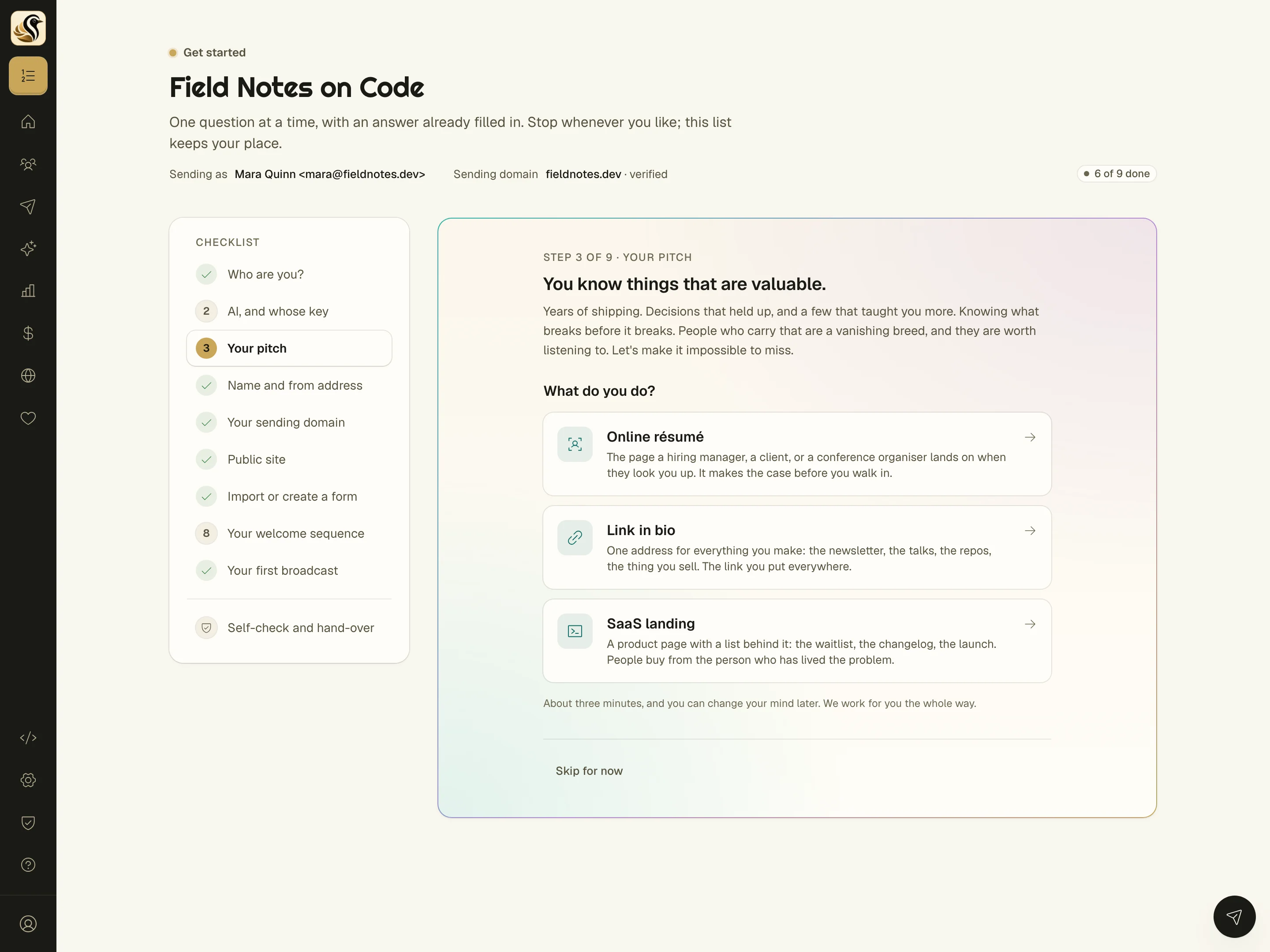
What it is
The first hour on a new email platform is usually a pile of settings screens and a DNS tutorial in another tab. I've quit more than one tool right there.
Kōlea's setup asks one question at a time, and every question comes with an answer already filled in. Nine steps take you from "who are you?" to a draft of your first broadcast, and nothing you do in setup sends a single email.
01 Guided setup
One question at a time
A checklist on the left keeps your place, and the question on the right is the only thing you have to think about. Skip anything and it stays on the list for later. Come back next week and it opens on the first step you haven't dealt with.
-
Who you are, your AI, your story, your from address, your domain, your site, your list, your welcome, and your first broadcast, in that order, so by the end you have everything you need to send and nothing you don't.
-
Answers already filled in, your from name, a from address on your own domain (never a Gmail address, which wouldn't deliver), and a site title, so most steps are a quick look and a click.
-
A yes when it counts, anything you can't undo, like claiming a domain or putting your site online, asks right then. A yes on one screen never carries over to the next.
-
A self-check at the end, Kōlea tests your setup from the outside, then hands you a short list: send yourself a test, try the unsubscribe link, tighten DMARC in a week.
02 Guided setup
AI on your terms, from the second step
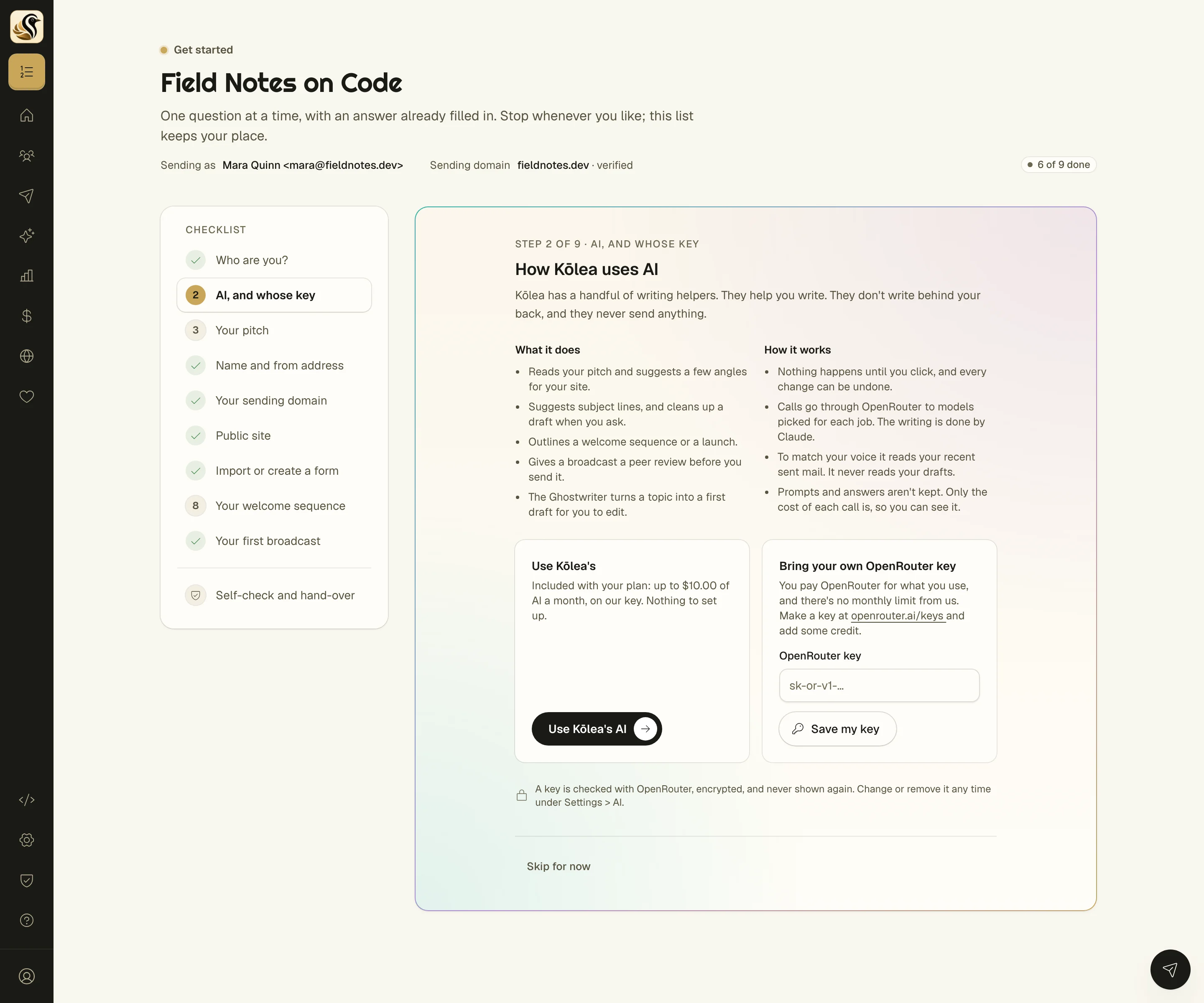
Before any AI touches your account, setup tells you what the writing helpers do and how they work: nothing happens until you click, every change can be undone, and none of them ever sends anything.
Then you choose. Use the AI allowance that comes with your plan, with nothing to set up, or paste your own OpenRouter key and pay OpenRouter directly with no monthly limit from us.
-
Kōlea's AI or your own key, either way the models are picked per job and the writing is done by Claude. Your key is checked with OpenRouter, encrypted, and never shown again.
-
Prompts and answers aren't kept, only what each call cost, so you can see where your allowance went.
-
It reads your sent mail, never your drafts, so it can match how you sound without reading over your shoulder.
Start with your story
The first step asks what the gig is (an online résumé, a link in bio, or a product page) and then asks you to tell your story in your own words, as messy as you like.
If AI is on, Kōlea reads it back to you: what it's hearing, the parts worth telling, three ways to tell it, and the questions it would ask before you write. It points at your own words as evidence. None of it goes on your site unless you type it there yourself.
-
A read of your story with evidence from what you wrote, so you find the good stuff you buried in paragraph four, the thing most of us do when we write about ourselves.
-
Prompts to paste into your own AI if you'd rather, the same help with AI switched off, at no cost to you.
-
The outline sits beside the site questions later, so writing your tagline and about page starts from something instead of a blank box.
04 Guided setup
A welcome sequence before you have readers
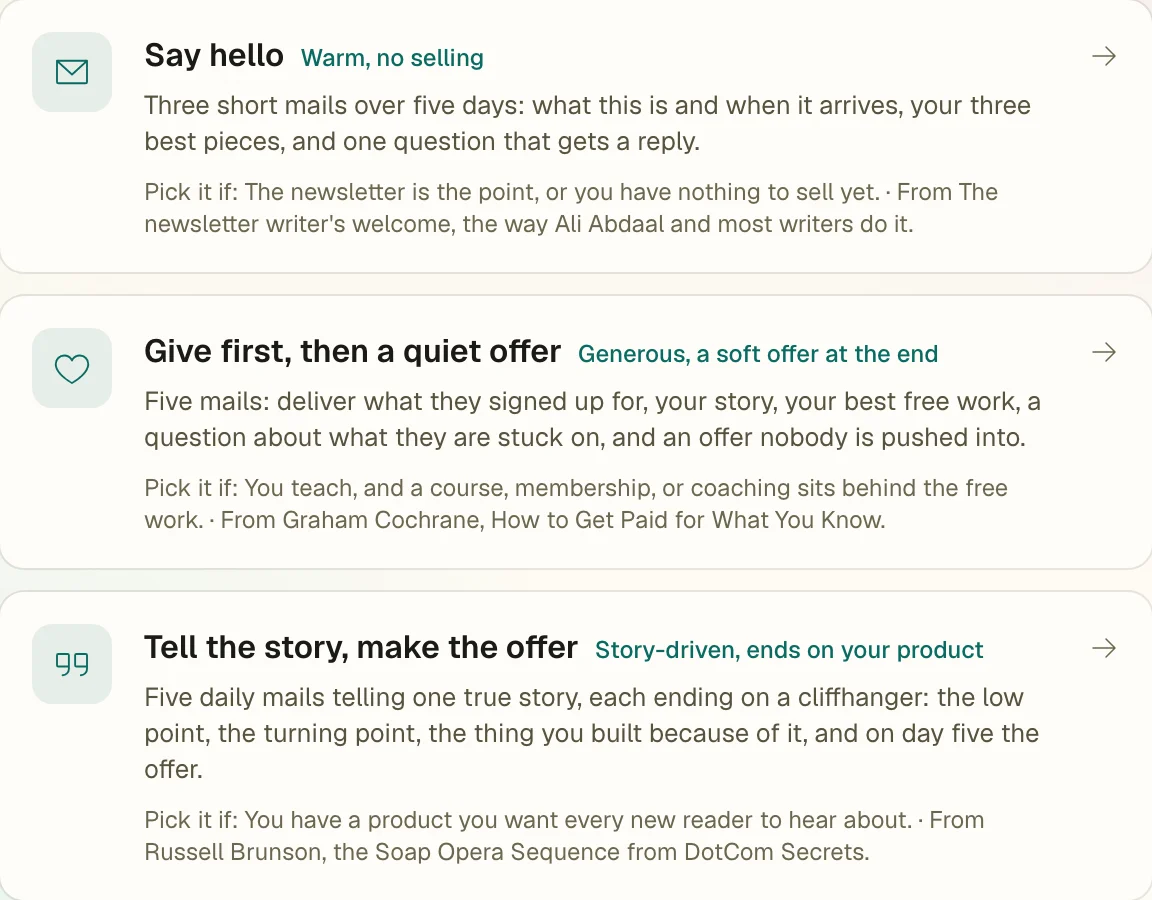
Step seven sets up the email people get the moment they join. Pick one of three styles, friendliest first, and Kōlea lays out the mails on a timeline. Give it a few notes and it can outline each one for you.
-
"Say hello", "Give first, then a quiet offer", or "Tell the story, make the offer", three mails, five mails, or the five-day Soap Opera Sequence, each based on how a well-known creator does it.
-
Placeholders that block going live, the outline lands in the mails as [[ notes ]], and the sequence can't go live until you've written over every one. You'll never send a template by accident.
-
It starts switched off and tied to your forms, so it's ready the day your first reader arrives, and it only goes live when you say.
The short version
- Each question comes with an answer already filled in. Stop whenever you like and it keeps your place.
- Who you are, how you'd like your AI, your story, your from address, your sending domain, your site, your list, a welcome sequence, and a first draft, in that order.
- On Cloudflare? One click adds your sending domain's DNS records. Anywhere else, you get them to copy and paste.
- Bring a list from Kit, Ghost, Mailchimp, Drip, beehiiv, or a CSV, and check the columns before anything is written.
- AI can sketch an outline from your story beside the questions. Nothing it says goes on your site unless you type it there.
Try it on your own list
Free for your first 500 subscribers, no credit card needed. We'll help you move your list over.