Webhooks
Tell your other tools when someone subscribes, leaves, bounces, buys, or when a post goes up.
A webhook sends a message to another tool the moment something happens in your account. Use one to put new subscribers in your CRM, purchases in your accounting, or new posts in a chat channel. Kōlea signs every message so the receiving end can tell it came from you, and keeps a log of every attempt.
The events
| Event | Sent when |
|---|---|
| Subscribed | Someone joins your list |
| Unsubscribed | Someone leaves |
| Bounced | Mail to someone bounced |
| Purchased | Someone buys |
| Published | A post goes up on your site |
How to add an endpoint
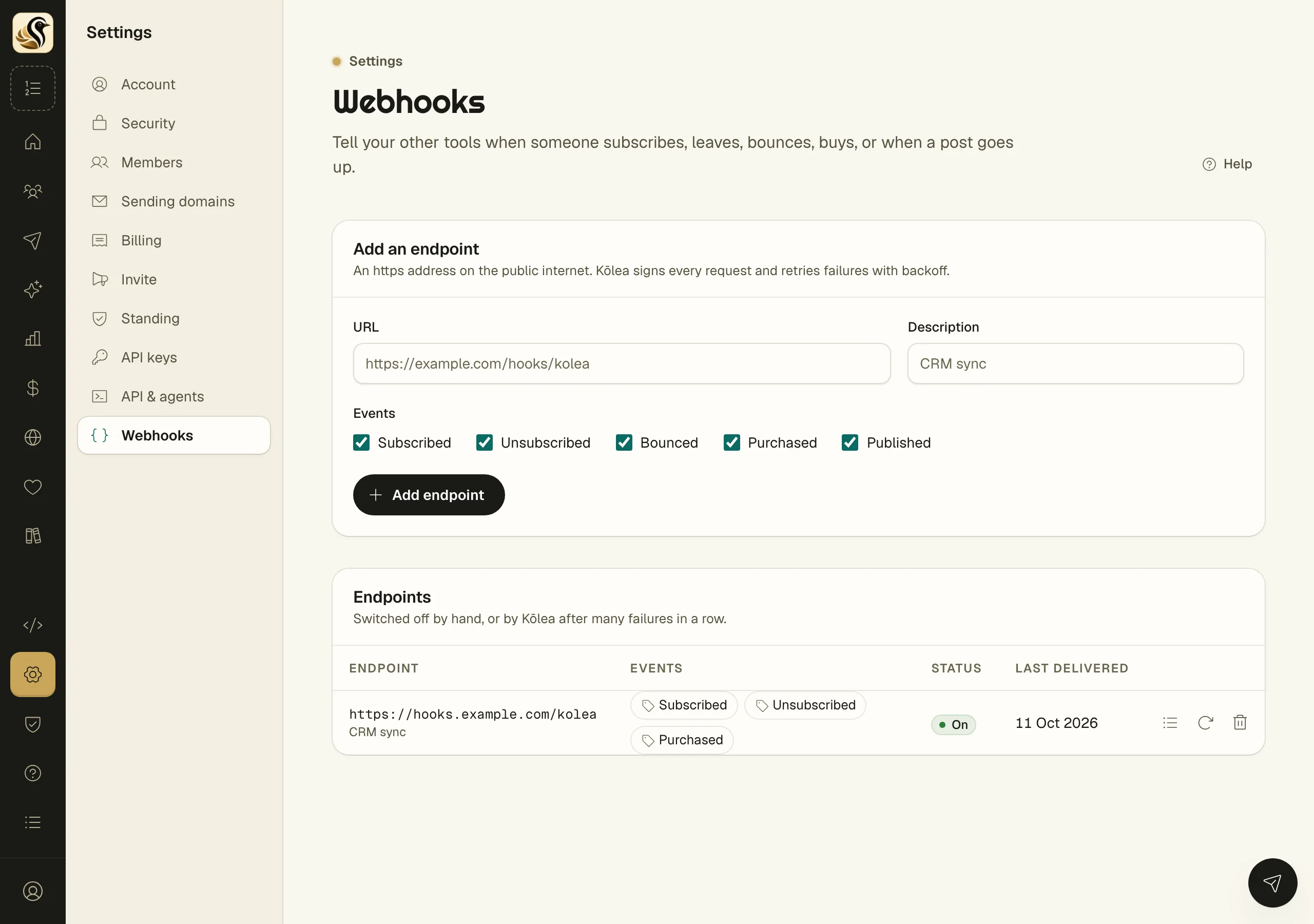
- Open Settings > Webhooks.
- Under Add an endpoint, type the URL. It must be an https address on the public internet.
- Add a Description if you like, such as "CRM sync".
- Under Events, tick the ones this endpoint wants.
- Click Add endpoint.
- Copy the signing secret from Copy the signing secret now, then click I have copied it.
Every request carries a Kolea-Signature header. Checking a delivery shows how your receiver uses the secret to check it. The payload of each event is in Webhook payloads.
How to read the delivery log
Click the log button on an endpoint's row. The page lists every event sent to it, newest first, with each attempt: the status code your endpoint answered, any error, and how long it took.
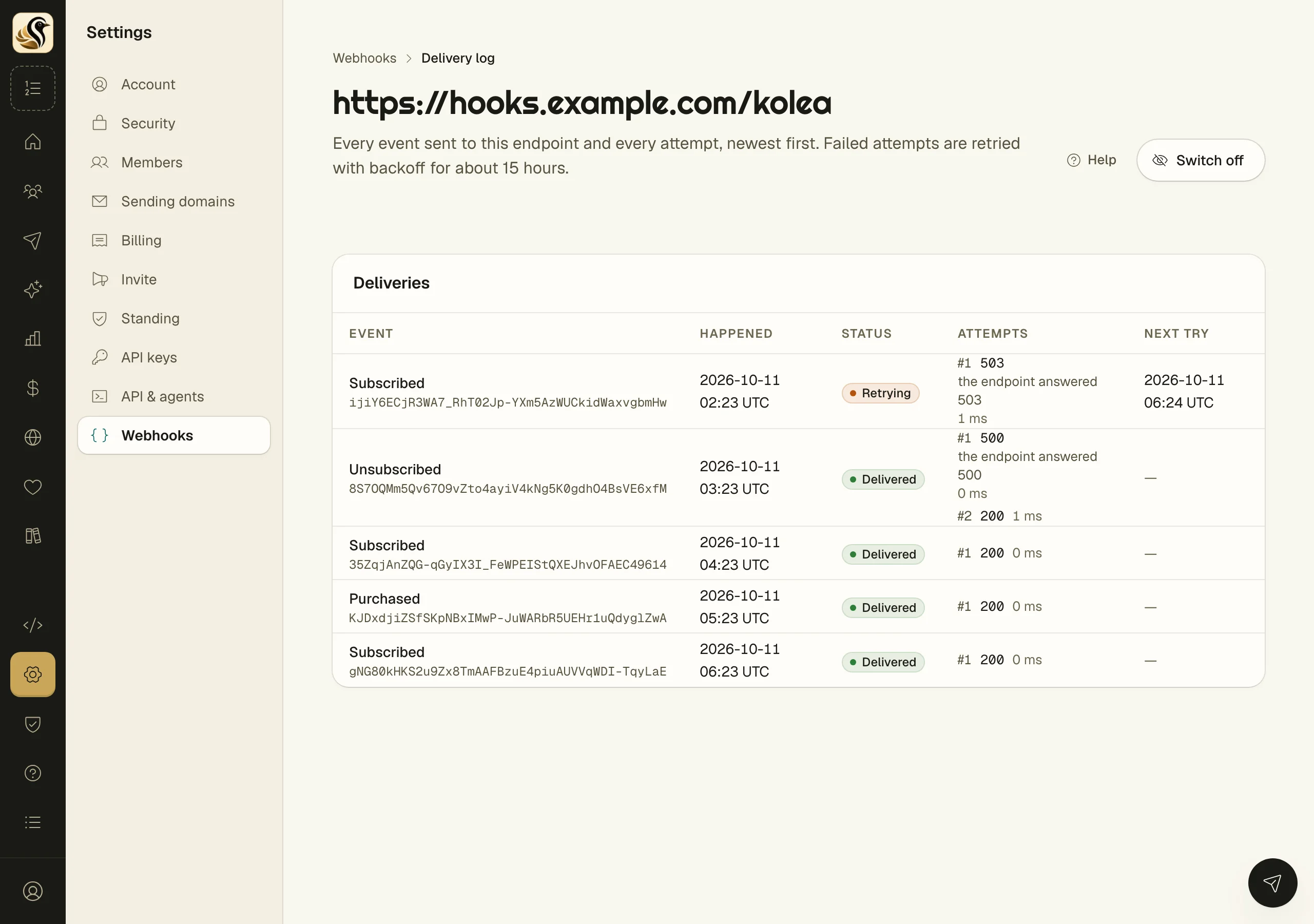
- Delivered: your endpoint accepted it.
- Retrying: it failed, and Next try says when Kōlea tries again.
- Gave up: every retry failed.
What happens next
Failed deliveries are retried with backoff for about 15 hours. If an endpoint fails many times in a row, Kōlea switches it off and says why on its row. Fix the receiver, then open the endpoint and click Switch on. Switch off pauses an endpoint by hand.
Things to know
- Events that happen while an endpoint is off are not sent to it later.
- Make a new secret stops the current secret at once. Update your receiver with the new one.
- Deleting an endpoint deletes its delivery log too, and anything still queued is not sent.
- The secret is shown once. If you lose it, make a new one.
- Only owners and admins manage endpoints. Everyone else can read them.