Sending domains
Add the domain your mail comes from, create its DNS records, and let Kōlea verify it.
Kōlea sends your mail as you, signed by a domain you own, so mailbox providers can tell it is really you. Before you can mail your list, you add that domain here and create a few DNS records for it. It takes about ten minutes. Your from address, such as you@your-verified-domain.com, has to end in a verified domain.
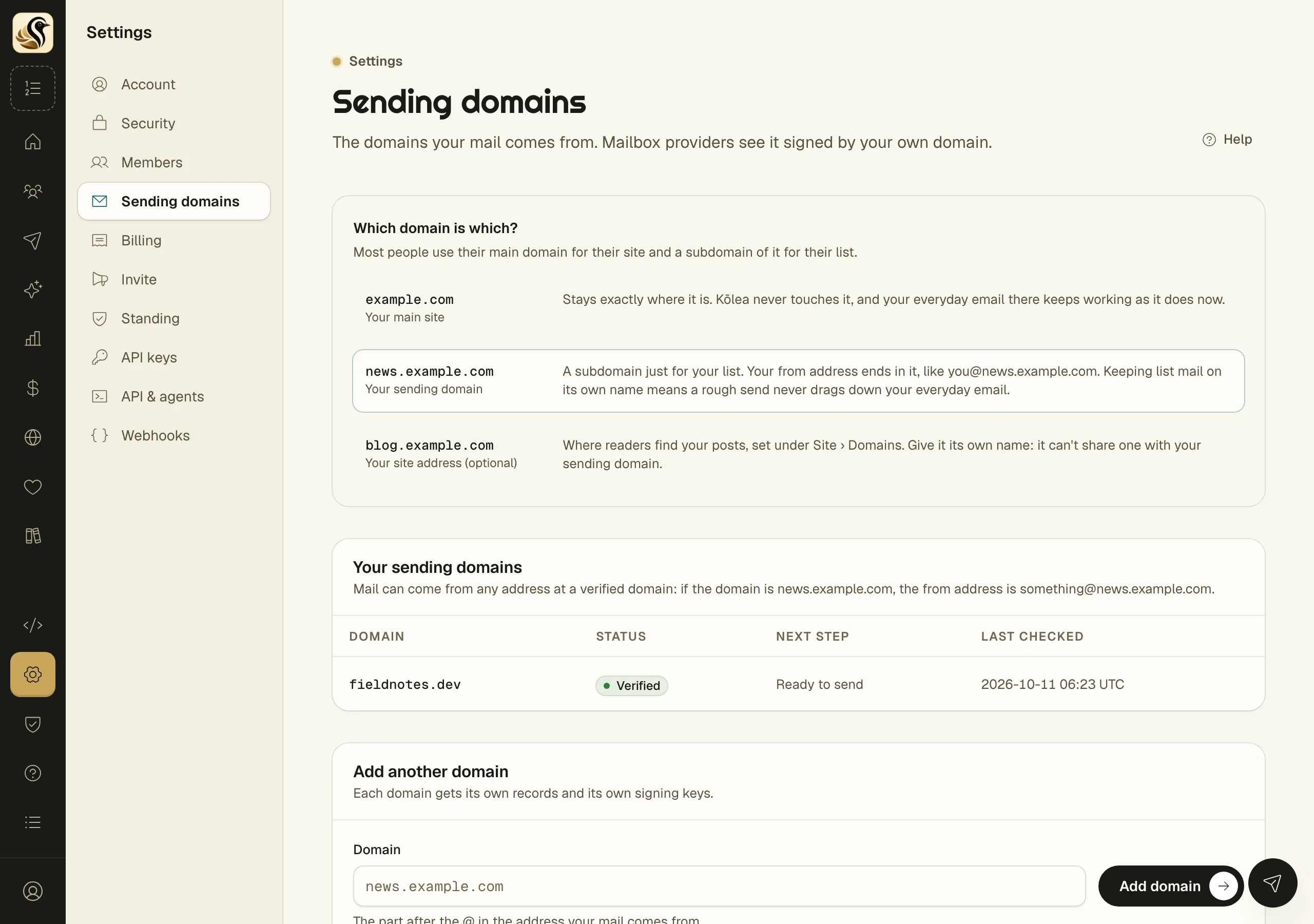
Choose the domain
Most people keep their main domain for their website and everyday email, and send their list from a subdomain of it, such as news.example.com. A rough send then never touches your everyday inbox.
If you type a bare domain such as example.com, Kōlea warns you that it probably already carries your everyday email, and offers a subdomain with one click. You can still use the bare domain if nothing else sends from it.
How to add a domain
- Open Settings > Sending domains.
- Type the domain in Domain, the part after the @ in your from address.
- Click Add domain. Kōlea opens the domain's own page with its records.
How to create the records
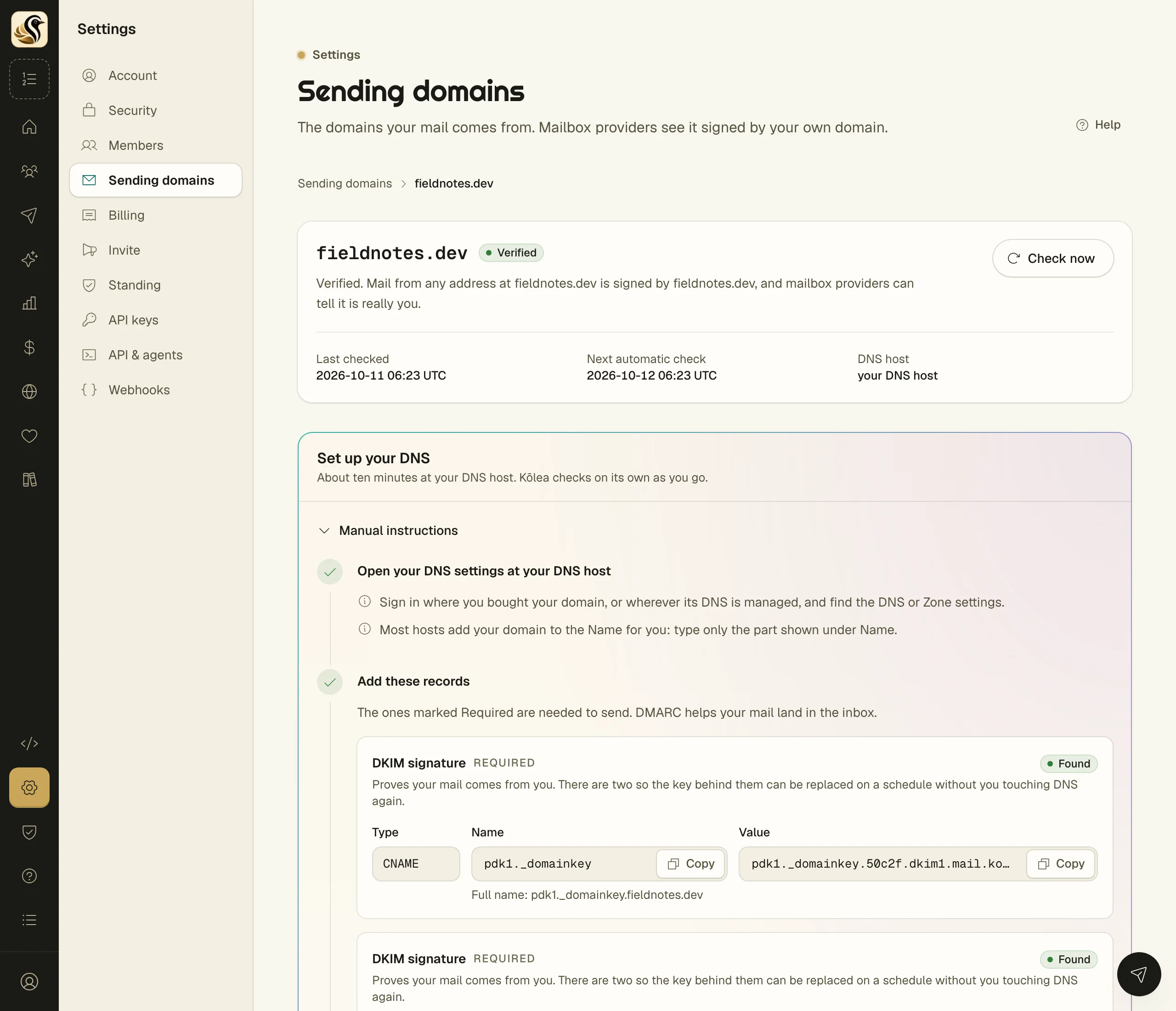
The domain's page has a Set up your DNS panel. It names your DNS host when Kōlea can tell which one it is.
- One click. If your DNS is at Cloudflare, click Connect Cloudflare. Cloudflare asks you to approve Kōlea, then sends you back with the records in place. Kōlea uses the access once and never changes an SPF or DMARC record you already have.
- By hand. Open Manual instructions. Sign in at your DNS host, find the DNS or Zone settings, and add each record. Copy Name and Value with their copy buttons. Most hosts add your domain to the name for you, so type only the part shown under Name.
| Record | Needed | What it does |
|---|---|---|
| DKIM signature (two) | Required | Proves your mail comes from you. There are two so the key can be replaced on a schedule without you touching DNS again |
| SPF | Required | Lists who may send mail for your domain |
| Ownership | Required | Proves the domain belongs to your Kōlea account |
| DMARC policy | Recommended | Tells mailbox providers you sign your mail. It starts in monitoring mode |
Each record shows its status as Kōlea sees it: "Not found yet", "Found", "Your own record", "Points somewhere else", or "Needs one addition".
What happens next
Kōlea checks on its own, quickly at first and then less often, and updates the page as records appear. Click Check now to look straight away. Once the required records are in place, Kōlea confirms the signature and the domain shows Verified. After that it re-checks every day and tells the owners if anything changes. Recent checks shows what DNS said each time.
Things to know
- A name holds one SPF record. If you already have one, edit it and add the part Kōlea shows. Do not add a second.
- If a verified domain stops verifying, it shows Failing with the date marketing mail from it stops. Fix the record marked in red before then. Transactional mail keeps going.
- Until you have a verified domain you can do everything except mail your list. A test send goes only to your own address.
- A domain can belong to one Kōlea account at a time.
- Remove domain stops sending from it at once and deletes its signing keys. You can add it again later.
- Only owners and admins add and remove domains.